Java explained in plain terms means understanding how one programming language came to run on billions of devices, from bank servers to Android phones. The central question is how the same code can work unchanged on Windows, Mac, and Linux, and the short answer is that Java programs run inside a virtual machine that translates them for whatever computer they are on, so the code itself never has to change.
Java was released in the mid-1990s, when the internet was young and software had a stubborn problem: a program written for one kind of computer would not run on another. Every system needed its own version, which was slow and expensive to build. Java promised to fix that with a simple idea, write once and run anywhere, and it became one of the most widely used languages in the world.
Thirty years later, Java is still everywhere, even though newer languages have arrived. It powers large business systems, Android apps, and scientific tools, and it is still one of the first languages many students learn. This article explains what Java is, how it works, and how it compares with other popular languages.
Key takeaways
- Java is a general-purpose language designed to run the same code on any device.
- Programs are compiled to bytecode and run inside the Java Virtual Machine.
- It is object-oriented, so code is organised into classes and objects.
- Java is strongly typed, which catches many errors before a program runs.
- It powers Android apps, business systems, and large web services.
What Java is
Java is a general-purpose programming language, which means it is not built for one job, but for many. It can be used to write desktop software, mobile apps, web services, and the back-end systems that large companies depend on. Its design favours reliability and clarity over brevity, which is one reason big teams trust it with systems that must run for years without failing.
Java is object-oriented, so programs are built from objects that combine data with the actions that work on that data. A banking program might have account objects with balances and methods for deposits and withdrawals, and the code is organised into classes that describe what each kind of object can do. This structure makes large programs easier to divide among a team and easier to maintain over time.
Java is also strongly typed, which means every piece of data has a declared type, such as a whole number, a decimal, or a piece of text, and the compiler checks that the types are used correctly before the program is allowed to run. That checking catches a whole class of mistakes early, at the cost of writing slightly more code than in a language that leaves types unchecked. Our guide to Python explains a language that takes the opposite approach, and our guide to JavaScript explains the language that runs in the browser.
How Java works
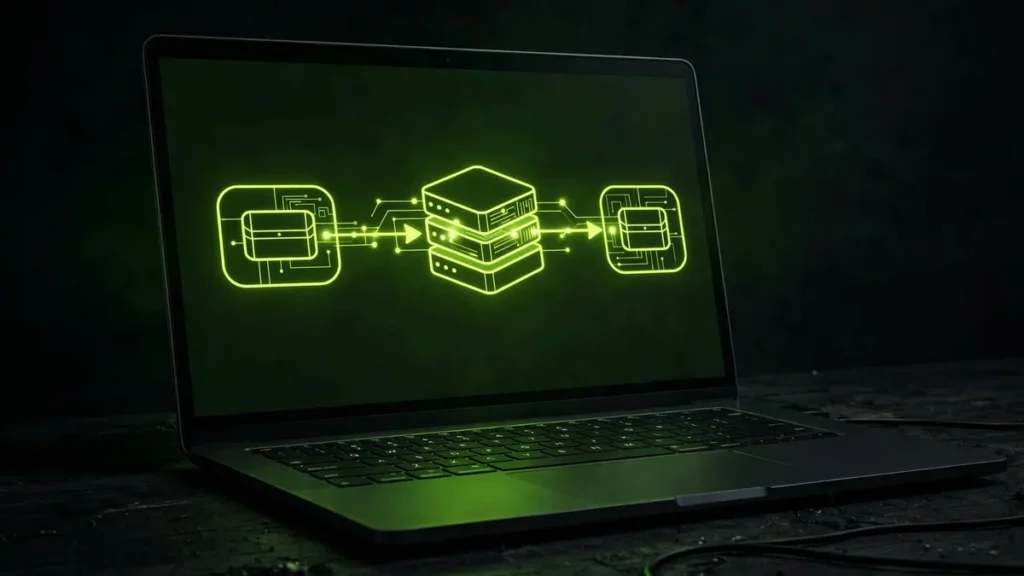
A Java program goes through two stages before it runs. First, the compiler turns the source code into bytecode, a compact set of instructions for an imaginary computer called the Java Virtual Machine. Then, on whatever real computer the program is running on, the virtual machine translates that bytecode into the instructions that machine understands, either step by step or by compiling it just in time.
That middle layer is the whole trick. Because the bytecode is the same on every system, and only the virtual machine is different, the same program runs on Windows, Mac, Linux, and Android without being rewritten. The cost is a small loss of speed compared with a program written directly for one machine, although modern virtual machines close most of that gap.
Memory in Java is managed automatically by a garbage collector. When a program creates objects it no longer needs, the collector finds them and frees the memory they were using, so programmers do not have to track every allocation by hand. This removes a common source of crashes in older languages, though a program that creates objects carelessly can still run slowly or use more memory than it should.
Java also comes with a large standard library, a collection of ready-made code for common jobs such as reading files, connecting to networks, working with dates, and building user interfaces. Programmers can rely on these tools instead of writing everything from scratch, and because the library is the same on every platform, code that uses it stays portable.
Comparing Java with other languages
Java is one of several general-purpose languages, and each has a different balance of speed, simplicity, and control. Python is easier to learn, C is faster, and JavaScript runs in the browser, so the right choice depends on the job.
The table below sets out the main contrasts between the three languages most often compared with Java.
| Aspect | Java | Python | C |
|---|---|---|---|
| Typical use | Business systems and Android | Data work and scripting | Operating systems and devices |
| Learning curve | Moderate, more to write | Gentle, concise code | Steep, manual memory |
| Speed | Fast, close to native | Slower, interpreted | Very fast, direct |
| Memory | Automatic garbage collection | Automatic garbage collection | Managed by the programmer |
| Runs on | Anywhere a JVM exists | Anywhere an interpreter exists | Compiled per platform |
The practical result is that Java suits large, long-lived systems where reliability matters, Python suits work that needs to move quickly, and C suits the lowest levels of a machine where every cycle counts. Many teams use more than one of them, with Java handling the back end and another language handling the parts it suits better.
Where Java is used
Android is the most visible home for Java. For years, Android apps were written in Java, and although Kotlin is now the preferred language for new apps, millions of existing apps still run Java code, and much of the Android platform itself is built on it.
Large business systems are Java’s stronghold. Banks, insurers, airlines, and retailers run back-end services in Java that process payments, bookings, and orders around the clock. These systems are often built with frameworks that handle the repetitive parts, such as connecting to databases and serving web requests, so developers can focus on the business logic.
Web services and cloud software also rely on Java. Many of the services behind popular websites are Java programs running on servers, handling thousands of requests a second. The language’s tooling for testing, monitoring, and deployment is mature, which matters when a service must stay up while it is updated.
Scientific and big-data tools use Java too. Some of the best-known tools for processing large datasets are written in Java, because they need to run on clusters of machines and handle data reliably at scale. Universities still teach Java widely, so there is a steady supply of programmers who know it.
Embedded systems and smart cards are a quieter use. Java was originally designed for small devices such as television set-top boxes, and a trimmed-down version still runs on smart cards, sensors, and industrial equipment where reliability matters more than raw speed.
Strengths and limits
The greatest strength of Java is portability. The same compiled program runs on any machine with a virtual machine, which removes a whole category of work when software must run on many different systems. That portability, combined with strong typing and automatic memory management, makes Java a safe choice for systems that must run for years.
It is also a strength that Java’s ecosystem is enormous. There are mature libraries and frameworks for almost every job, a large community answering questions, and decades of books and courses. A team starting a Java project rarely has to solve a problem that nobody has solved before.
The limits are real, though. Java code is wordier than code in newer languages, so simple tasks take more lines, and the virtual machine needs time and memory to start, which makes Java a poor fit for tiny scripts or programs that must start instantly. The language has also been criticised for changing slowly, and some of its older features are awkward compared with what newer languages offer.
Java checklist
- Choose Java when the system must run reliably for years on many platforms.
- Learn the standard library before reaching for an external framework.
- Use strong typing to catch errors at compile time rather than in production.
- Keep classes small and focused on one job, so they stay easy to test.
- Write automated tests for the important behaviour, not just the easy parts.
- Watch memory use in long-running services, since leaks still happen.
- Keep the Java version and libraries up to date, since old versions lose support.
- Use a build tool to manage dependencies instead of copying jars by hand.
- Profile before optimising, since guesses about slow code are usually wrong.
Frequently asked questions
What is Java used for?
Java is used for Android apps, large business systems, web services, and big-data tools. It is a general-purpose language, so it suits many kinds of software, especially systems that must run reliably for a long time.
Is Java the same as JavaScript?
No, despite the similar names. Java is a compiled, strongly typed language that runs on a virtual machine, while JavaScript is a scripting language that runs in the browser. They were developed separately and are used for different jobs.
Is Java still relevant?
Yes. Millions of existing systems run on Java, Android still supports it, and it remains one of the most used languages in large companies. Newer languages have taken some new projects, but Java is far from finished.
Is Java hard to learn?
It is moderately hard. The rules are strict, which means more to learn at the start, but those same rules catch mistakes early and make large programs easier to understand later.
What is the Java Virtual Machine?
The Java Virtual Machine, or JVM, is the software that runs Java bytecode. It translates the portable bytecode into instructions for the real computer, which is what lets the same program run on different systems.
Do I need to pay to use Java?
No, Java itself is free to use, and there are free versions of the Java Development Kit from several providers. Some companies offer paid support for businesses that want it, but that is optional.
The bottom line
Java explained in one line is this: a portable, object-oriented language that compiles to bytecode and runs inside a virtual machine, so the same program works on almost any computer.
It is wordier than newer languages and slower to start, but for large systems that must run reliably for years, its portability, strong typing, and mature ecosystem still make it a sensible choice.
This article is general information about how Java works, not advice about choosing a programming language for a particular project.