Telnet explained in plain terms means understanding the early protocol that let a person sit at one computer and control another across the world. The central question is how anyone managed a distant machine before the web, before graphical screens, and before security was a concern, and the short answer is that Telnet simply sent every keystroke across the network as plain text and printed whatever the distant computer sent back.
Most people today never use Telnet, and many have never heard of it. It survives in a few old devices and in the occasional troubleshooting trick, but its job has been taken over by a safer successor. Its importance is historical: it proved that remote control of a computer was possible, and it shaped every tool that came after it.
That history is worth knowing, because the weaknesses that killed Telnet are the same ones that still cause security problems today. This article explains what Telnet was, how it worked, and why it was replaced.
Key takeaways
- Telnet let a user log in to a distant computer over a network connection.
- It sent everything, including passwords, as plain text anyone could read.
- It was designed in 1969, when networks were small and trusted.
- SSH replaced it by adding encryption and proper authentication.
- Telnet still appears in old equipment and in quick network tests.
What Telnet is
Telnet is a network protocol, first defined in 1969, that provides a text-based terminal session on a remote computer. A user runs a Telnet client, connects to a server, logs in with a username and password, and then types commands as though sitting at the remote machine’s own keyboard. The server runs the commands and returns the output, line by line.
The name is short for teletype network, a reference to the teletype terminals that were the standard way of talking to a computer at the time. Those terminals were little more than a keyboard and a printer, so the protocol was designed around text: what the user typed, and what the computer printed back. There were no windows, no mouse, and no graphics, only characters flowing in both directions.
Telnet became one of the first services of the early internet, alongside email and file transfer, and for years it was how system administrators managed distant machines, how researchers used computers at other universities, and how the first online communities were reached. If a computer was on the network and ran a Telnet server, anyone who knew its address could try to log in. Our guide to TCP/IP explains the system that carries Telnet’s traffic, and our guide to SSH explains the secure protocol that took Telnet’s place.
How Telnet works
A Telnet session begins with a connection to port 23 on the remote machine, the port reserved for the service. The client and server exchange a short negotiation, agreeing on small details such as whether the terminal should echo characters back and how wide the screen is. These details are handled by a set of option codes built into the protocol, so that different kinds of terminal could all work with the same server.
Once the session is open, everything the user types is sent to the server as plain text, one character at a time, and everything the server produces is sent back the same way. The login prompt, the password, the commands, and the results all travel across the network exactly as typed, with no scrambling and no protection. Anyone able to watch the traffic between the two machines can read the whole session.
The server runs a shell for the user, the same command line that a local user would see, and the user works entirely through typed commands. Files can be listed, edited, and moved, programs can be started and stopped, and the system can be reconfigured, all from a keyboard thousands of miles away. For an administrator in the 1980s, this was a remarkable power.
Telnet has no encryption and no real authentication beyond the password. It does not check that the server is who it claims to be, so an attacker can impersonate it, and it does not protect the password in transit, so anyone listening on the network can steal it. These were not oversights so much as assumptions: the protocol was designed for a small research network where everyone was trusted, and it never adapted to a world where they were not.
That trust is what ended it. As the internet grew and attackers learned to listen to network traffic, logging in by Telnet became an invitation to have the password stolen, and administrators began to disable the service. The protocol itself was never fixed, because the fix was a different protocol altogether.
Comparing Telnet with SSH
Telnet and SSH do the same job, giving a user a terminal on a distant computer, but they are built for different worlds. One assumes the network is safe, while the other assumes it is hostile, and that single difference explains why one survived and the other did not.
The table below sets out the main contrasts between the two.
| Aspect | Telnet | SSH |
|---|---|---|
| Encryption | None, everything is plain text | Everything is encrypted |
| Passwords | Sent readable to anyone listening | Never sent in readable form |
| Server identity | Not checked | Verified by a host key |
| Extra features | Terminal only | File transfer and tunnelling |
| Used today | Almost nowhere | Everywhere remote access is needed |
The practical result is that SSH does everything Telnet did, plus security, so there is no reason to choose Telnet for remote access any more. The only place Telnet still appears is where the equipment is too old to support anything else, or where a quick test needs the simplest possible connection.
Where Telnet was used
System administration was Telnet’s first home. An administrator could manage a room full of servers from a single desk, logging into each in turn to check its health, install updates, and fix problems, without walking to the machine room. Before graphical remote tools existed, this was the only practical way to run a network of any size.
Universities and research labs used Telnet to share computers. A researcher at one university could log into a powerful machine at another, run a calculation, and collect the results, which was the whole point of the early networks: scarce computing power, shared between institutions that could not each afford their own.
Public services were an early and charming use. Libraries, weather services, and bulletin boards offered Telnet access to anyone, and users could read catalogues, check forecasts, and join discussions from a home terminal. Some of these services still exist today, preserved as curiosities for enthusiasts.
Network equipment kept Telnet long after computers abandoned it. Routers, switches, and industrial controllers offered Telnet as a simple way to configure them, because the devices were too small to run a secure server, and the networks they sat on were thought to be private. Many of those devices are still in service, and their Telnet ports are a known security problem.
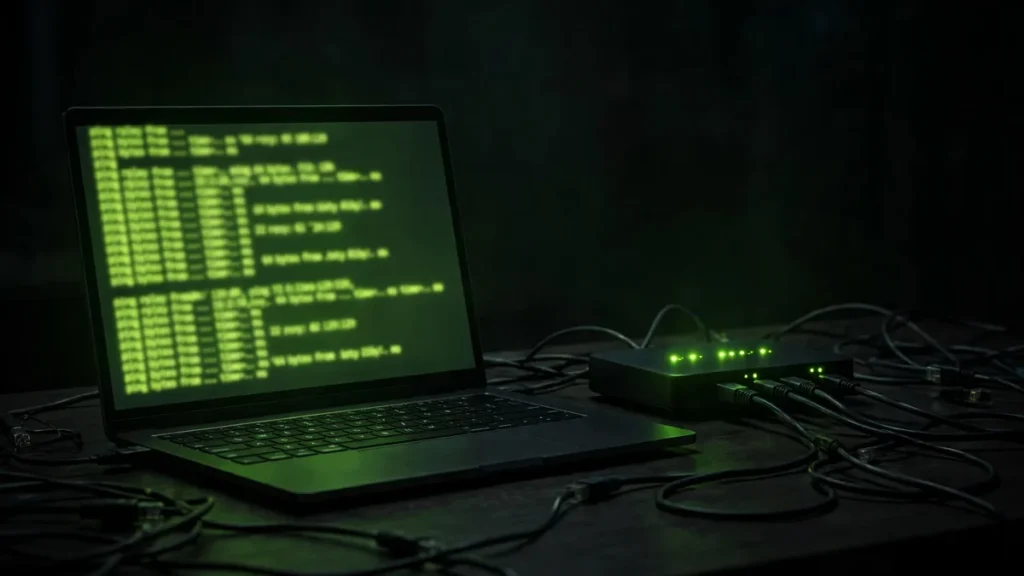
Troubleshooting is Telnet’s last legitimate use. A technician can use a Telnet client to connect to a port and see whether a service answers, which is a quick way to test whether a mail server, a web server, or a database is listening. No login is involved, so the security problem does not arise, and the tool is already installed on many systems.
Strengths and limits
The greatest strength of Telnet was its simplicity. The protocol is tiny, the client is trivial to write, and any device with a network connection could offer a terminal with almost no effort. That simplicity is why it spread so quickly and why it still appears in the smallest and oldest equipment.
It is also a strength that Telnet is universal. The protocol has no dependencies, no certificates, and no configuration beyond an address and a port, so it works anywhere a plain text connection can be made. For a quick test, that is still genuinely useful.
The limits are fatal, though. Without encryption, every password and every command is visible to anyone on the path, and without server authentication, an attacker can pretend to be the machine the user thinks they are logging into. There is also no protection against someone hijacking the session midway, which is why no serious system offers Telnet any more.
Telnet checklist
- Never log in with Telnet over a network you do not fully control.
- Use SSH for any real remote access, without exception.
- Disable Telnet on any device that still offers it.
- Change any password that was ever typed over Telnet.
- Check old routers and switches for an open Telnet port.
- Use Telnet only for quick port tests, never for a login.
- Assume any Telnet session has been observed by someone else.
- Keep a record of which old devices still need Telnet, and plan to replace them.
- Teach new administrators why the protocol was abandoned, not just that it was.
Frequently asked questions
What is Telnet in simple terms?
Telnet is an early protocol that let a user log in to a distant computer and type commands as if sitting at its keyboard, sending everything as plain text across the network.
Is Telnet still used?
Barely. It survives on some very old network equipment and as a quick way to test whether a service is listening on a port, but it has been replaced by SSH for all real remote access.
Why is Telnet insecure?
Because it sends everything, including usernames and passwords, as plain text, and it never checks that the server is who it claims to be. Anyone able to watch the network traffic can read the whole session.
What replaced Telnet?
SSH, the Secure Shell, which does the same job with encryption, proper authentication, and extra features such as secure file transfer. It has been the standard since the late 1990s.
Can I use Telnet to test a connection?
Yes, and this is its one remaining legitimate use. Connecting to a port with a Telnet client shows whether the service answers, which is useful when diagnosing a network problem.
Why was Telnet designed without security?
Because it was built in 1969 for a small research network where every user was trusted. Security was not a design goal, and by the time the internet grew hostile, the protocol was too widely used to redesign.
The bottom line
Telnet explained in one line is this: the first way to control a distant computer over a network, a simple text protocol that worked beautifully and was abandoned because it trusted everyone.
Its legacy is everywhere, from the terminal sessions administrators still open every day to the very idea that a computer can be managed from anywhere. The lesson it left behind is just as lasting: a protocol that assumes a safe network will not survive the moment the network stops being safe.
This article is general information about how Telnet works, not advice about configuring remote access for a particular system.