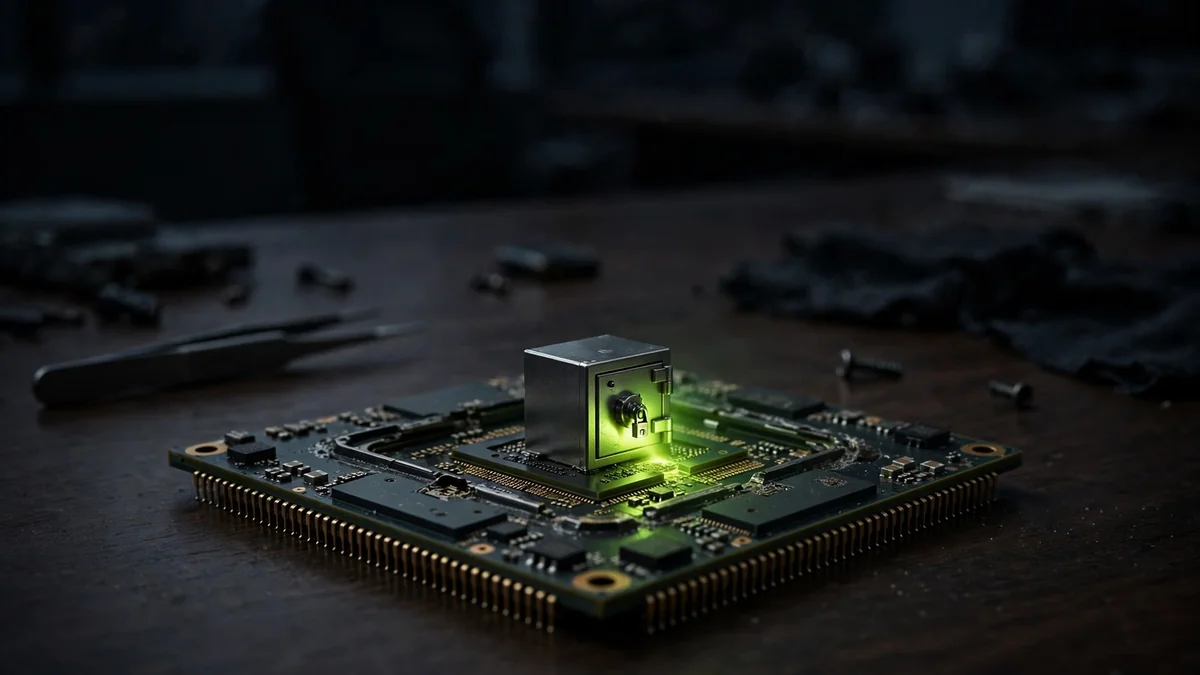
Secure enclaves explained in plain terms means understanding the locked room inside the chip in your pocket: a tiny, walled-off corner of the processor where your fingerprint, your payment cards, and your encryption keys live, and where even the operating system is not allowed to enter. The central question is how a device can keep secrets from its own software, and the answer is hardware that refuses to hand them over, no matter who asks.
A secure enclave is an isolated area inside a processor, with its own memory and its own code, designed so that sensitive data and operations inside it cannot be read or changed by anything outside it, including the operating system, the apps, and even someone holding the device in their hands. It is the reason your phone can store your fingerprint without ever letting an app see it.
If you have ever wondered why your phone feels safe enough to hold your bank, your identity, and your front door, the enclave is a large part of the answer. This article explains what it is, how it works, and why the most security-conscious companies on earth build their products around it.
Key takeaways
- A secure enclave is a walled-off area inside the processor.
- Keys and biometric data inside it never leave in usable form.
- Even the operating system cannot read what the enclave holds.
- It powers fingerprint unlock, face unlock, and mobile payments.
- It is strong protection, not magic; side channels and flaws still matter.
What a secure enclave is
Think of your processor as a building, and the enclave as a vault in the basement with its own door, its own guard, and no windows. The rest of the building, the operating system and all your apps, can ask the vault to do things, such as check a fingerprint or sign a payment, but they cannot walk in, they cannot read what is stored there, and they cannot see the work being done. The vault answers yes or no, and keeps the secrets to itself.
Apple’s Secure Enclave, the best-known example, is a separate coprocessor inside the chip, with its own secure boot, its own random number generator, and memory that is encrypted with a key fused into the hardware at the factory. Your fingerprint data never leaves it, your payment keys never leave it, and when you authenticate, the enclave simply tells the system that the check passed. Google’s Titan M, Samsung’s Knox vault, and the ARM TrustZone design follow the same principle, with different engineering, and the idea has become standard across the industry.
The reason this matters is the threat model it answers. Software can be hacked, and operating systems have bugs, but if the keys live in hardware that the software cannot read, then a hacked operating system still cannot steal them. The enclave moves the trust from millions of lines of software, which change constantly, to a small, fixed piece of hardware that can be audited and certified, and that is a trade the whole industry has decided is worth making.
Our guide to hardware security modules explains the server-room cousin of the enclave, and our guide to threat modelling explains how to decide what needs this level of protection.
How a secure enclave works
Isolation starts at boot, before the operating system even loads. The enclave checks its own code against a signature burned into the hardware, and if anything has been changed, it refuses to start, which means a tampered device cannot fake a healthy enclave. Only after this secure boot succeeds does the enclave begin its work, and every step of the chain is verified before the next is trusted.
Keys inside the enclave are generated there and never leave. When your phone creates a key for a passkey or a payment card, the key is born inside the enclave, stored in its encrypted memory, and used only inside the enclave. When something needs signing, the data is sent in, the enclave signs it with the key, and only the signature comes out.
The key itself never crosses the boundary, which means no app, no malware, and no forensic tool can extract it by asking nicely.
Biometrics work the same way, and the design is deliberately modest. Your fingerprint or face is converted into a mathematical template inside the enclave, the template is stored there, and when you unlock your phone, the sensor sends a fresh sample to the enclave, which compares it and answers yes or no. The template never leaves, the raw image never leaves, and the operating system learns only the result, which is why a fingerprint database breach from a phone is not a thing that happens.
Attestation is how the enclave proves it is genuine. When a service needs to trust your device, the enclave can produce a signed statement about its own state, proving it is real hardware running unmodified code, and the service can check that statement before trusting the device. This is what lets a bank trust a phone it has never seen, and what lets a payment terminal trust a card it has never met.
Payments are the showcase, and the flow shows the whole design at work. Your card details are tokenised and stored in the enclave, and when you pay, the enclave generates a one-time token for that transaction, signs it, and sends it to the terminal.

Comparing secure enclaves with other hardware protections
Secure enclaves are one of several ways to protect secrets in hardware, and each was built with a different emphasis. A hardware security module is a separate, certified device for servers, a trusted platform module is a small chip that measures boot integrity, and a smart card holds keys on a removable token, and each approach trades convenience for assurance in a different way.
The table below sets out the main contrasts between the leading approaches.
| Aspect | Secure enclave | Hardware security module | Trusted platform module |
|---|---|---|---|
| Where it lives | Inside the main processor | Separate certified device | Small chip on the board |
| Main job | Biometrics, payments, keys | Server keys, signing | Boot measurement, attestation |
| Certification | Vendor-audited | FIPS 140, Common Criteria | Trusted Computing Group |
| Cost | Included in the chip | Thousands, plus management | A few dollars |
| Best for | Phones, laptops, wearables | Banks, clouds, authorities | Enterprise PCs, servers |
The practical result is that a secure enclave is the right choice for the devices people carry, a hardware security module suits the keys a business cannot lose, and a trusted platform module fits machines that must prove they booted cleanly.
Where secure enclaves are used
Every modern phone has one, and you use it dozens of times a day. Fingerprint unlock, face unlock, mobile payments, passkeys, and encrypted messaging keys all run through the enclave, and the experience is invisible by design: you touch a sensor, the enclave answers, and the phone unlocks, with no password to type and no key to steal.
Mobile payments depend on enclaves completely. Apple Pay, Google Pay, and Samsung Pay all store their payment tokens in the enclave, and the card networks trust the arrangement because the keys cannot be extracted, even from a stolen phone, which is why a phone can be safer than a wallet for payments.
Laptops have followed phones. Apple’s T2 and M-series chips include a Secure Enclave that guards the disk encryption key and the fingerprint sensor, Microsoft’s Pluton puts similar protections into Windows machines, and the result is that a stolen laptop is far harder to break into than it was a decade ago.
Wearables and cars are adopting enclaves for the same reasons. A watch that unlocks your front door needs to hold a key that cannot be extracted, a car key fob needs to prove itself without revealing its secret, and an enclave in a small chip does that job with almost no power and no room for a separate security device.
Cloud servers use enclave technology to protect data while it is being used. Confidential computing, built on Intel SGX, AMD SEV, and ARM’s confidential compute designs, lets a customer run code on a server they do not own, with the data encrypted even from the server’s operator, which is the enclave idea scaled up to the data centre.
Strengths and limits
The greatest strength of a secure enclave is that it shrinks the trusted base. Instead of trusting millions of lines of operating system and app code, you trust a small, fixed piece of hardware and its firmware, which is easier to audit, harder to change, and far more resistant to the everyday bugs that compromise software.
It is also a strength that enclaves are invisible to the user. There is nothing to configure, nothing to remember, and nothing to get wrong, which means the security works for everyone, including people who will never read a security article, and that is the real test of any protection.
The limits are real, though. Enclaves have been attacked through side channels, where timing, power, or speculative execution leaks information across the boundary, and the firmware is closed source on most devices, which means users must trust the vendor’s claims. An enclave also cannot protect you if you are tricked into approving something yourself, because it will faithfully do what you ask.
Secure enclaves checklist
- Use the enclave for keys and biometrics; do not store secrets in app storage.
- Require biometric or PIN approval for every sensitive enclave operation.
- Keep device firmware updated; enclave flaws are fixed in updates.
- Use attestation where a service needs to trust your device.
- Do not assume the enclave makes the whole device secure.
- Check that backups of enclave keys are handled by the vendor’s design.
- Prefer devices with a dedicated enclave over software-only protection.
- Review what your apps can ask the enclave to do.
- Plan for device loss: remote wipe protects data the enclave holds.
Frequently asked questions
What is a secure enclave in simple terms?
It is a walled-off area inside your device’s processor where secrets such as fingerprints and payment keys are stored and used, and where even the operating system cannot look inside.
Is my fingerprint stored in the secure enclave?
On modern phones, yes. The fingerprint template is created and stored inside the enclave, it never leaves, and the system only ever learns whether a new scan matched.
Can malware steal keys from a secure enclave?
Not by reading them directly, because the keys never leave the enclave. Malware can only ask the enclave to do things, and it still needs your biometric or PIN approval for sensitive operations.
What is the difference between a secure enclave and a hardware security module?
An enclave is built into the processor of a phone or laptop for personal use, while a hardware security module is a separate, certified device for servers, built to stricter standards and a much higher price.
Are secure enclaves unbreakable?
No. Researchers have demonstrated side-channel attacks against enclaves, and the closed firmware means users rely on the vendor to fix flaws, so they are strong protection, not a guarantee.
When should a product use a secure enclave?
Whenever it handles biometrics, payment keys, or credentials on a device the user carries, which is why every major phone and laptop now includes one.
The bottom line
Secure enclaves explained in one line is this: a locked room inside the chip, where your secrets live, and where even your own operating system is not allowed to enter.
It is the quiet reason your phone can be trusted with your bank, your identity, and your front door, and the standard every serious device now has to meet.
This article is general information about how secure enclaves work, not advice about choosing security hardware for a particular product.