Image recognition systems guide — this is the short version: an image recognition system is software that looks at a picture and tells you what is in it, whether that means naming the main subject, finding every object, or outlining each one pixel by pixel. How does it work? A neural network trained on millions of labelled images learns visual patterns, from edges and textures to shapes and whole objects, and then applies what it learned to images it has never seen.
These systems now sit behind photo search, face unlock, medical imaging, factory inspection and content moderation. They are also the vision half of the multimodal AI models that can describe pictures and answer questions about them. This guide explains the tasks involved, the model families that power them, and how to choose and build a system that works in production.
Key takeaways
- Image recognition covers classification, object detection, segmentation and image retrieval, and each task needs a different model.
- Convolutional networks such as ResNet are fast and data-efficient; vision transformers such as ViT win when large training datasets are available.
- CLIP-style models recognise open-ended categories from text descriptions, with no fixed label list.
- Pre-trained models and transfer learning mean most teams need hundreds of labelled images, not millions.
- Match the model to the deployment target first: accuracy on a benchmark is useless if the model cannot run where it is needed.
What is image recognition?
Image recognition is the ability of software to identify the contents of an image. At its simplest it is classification: given a photo, the system returns the most likely label, such as dog, car or tumour. But the term is used more broadly, and in practice it covers four tasks that answer different questions.
Classification asks what is in the image. Object detection asks what is present and where, returning a box around each object. Segmentation asks which pixels belong to each object, producing a precise outline. Image retrieval asks which images in a collection look like this one, which powers visual search and duplicate detection.
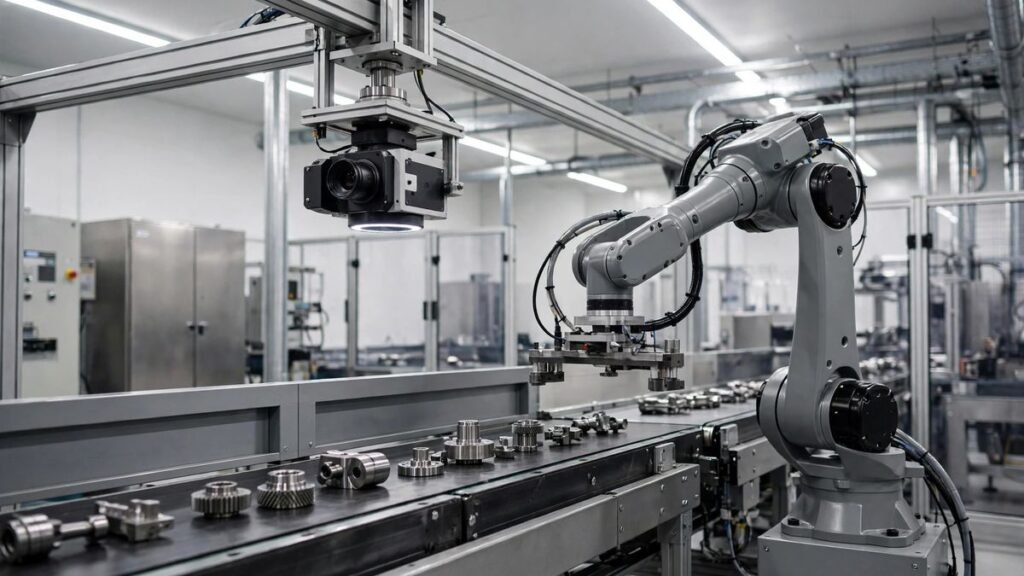
Most real systems combine several tasks. A photo app classifies the scene, detects faces, and groups similar photos together. A factory camera detects a part, segments its outline to measure it, and classifies it as pass or fail.
How image recognition systems work
Every modern recognition system follows the same pipeline. An image is captured and pre-processed: resized, normalised and sometimes augmented with flips or crops. A neural network then converts the pixels into features, and a final layer turns those features into predictions such as class probabilities, boxes or masks.
Training is where the cost sits. A model learns by comparing its predictions with true labels over many passes through the dataset, adjusting millions or billions of parameters each time. Once trained, inference is cheap by comparison, which is why the same model can run on a phone or a server depending on its size.
Convolutional networks: ResNet and EfficientNet
Convolutional neural networks, or CNNs, dominated image recognition for a decade after AlexNet won the ImageNet competition in 2012 by a wide margin. Convolutions scan an image with small filters that detect local patterns, and pooling layers shrink the feature maps so deeper layers see larger regions. The design matches how images work: nearby pixels belong together, and the same pattern can appear anywhere.
ResNet, published by He and colleagues in 2015, solved the problem of training very deep networks. Its residual connections let gradients flow past layers, which made networks of 50 to 152 layers practical. ResNet reached a top-five error rate of 3.57 per cent on ImageNet, below the level often quoted for human annotators, and its design became the default backbone for vision work for years.
Best for: teams that need a reliable, well-understood backbone with modest data and compute, especially for classification and as a feature extractor for other tasks.
EfficientNet, published in 2019, took a different route. Instead of making networks deeper, it scaled depth, width and input resolution together in a balanced way, reaching high accuracy with far fewer parameters. EfficientNet variants remain a strong choice when you need accuracy on a tight compute budget.
Best for: mobile and edge deployments where accuracy per unit of compute matters more than raw accuracy.
Vision transformers: ViT and its descendants
The Vision Transformer, or ViT, arrived in 2020 with a deliberately simple idea. It cuts an image into 16 by 16 patches, treats each patch like a word in a sentence, and processes the sequence with a standard transformer. There are no convolutions at all, and the attention mechanism lets every patch relate to every other patch from the first layer.
ViT needs data. On mid-sized datasets it scored below comparable ResNets, because transformers lack the built-in assumption that nearby pixels matter together. With large-scale pre-training the gap reversed: pre-trained on a set of 303 million images, the largest ViT reached 88.55 per cent top-one accuracy on ImageNet. The lesson is that ViT trades data efficiency for scale.
Later variants closed the gap. Swin Transformer reintroduced locality with shifted attention windows, DeiT added a data-efficient training recipe, and ConvNeXt modernised the ResNet design with transformer-era training tricks, reaching 87.8 per cent top-one accuracy. Today the choice between CNN and transformer is a practical one, not a matter of fashion.
Best for: large-scale projects with big datasets, and systems that will later combine vision with language, where transformer backbones are the shared standard.

Open-vocabulary recognition: CLIP and DINOv2
CLIP, published by OpenAI in 2021, changed what recognition means. Instead of training on fixed labels, it learned from 400 million image-text pairs collected from the internet, matching each image to its caption. The result is a model that can recognise categories it was never explicitly trained on: you describe the category in words, and CLIP measures how well the image matches the description.
This open-vocabulary ability suits problems where the label list keeps changing. A retailer can search for new product types without retraining, and a moderation system can check for new kinds of content by writing a new text prompt. CLIP is also the vision encoder behind many multimodal models, which is why it appears in so many modern AI systems.
Best for: zero-shot classification, visual search and any system where categories change faster than you can label data.
DINOv2, published by Meta in 2023, takes a different path to general vision. It is trained without labels at all, by teaching a student network to match a teacher network’s output on different views of the same image. The features it learns transfer remarkably well to classification, detection and segmentation, and they work as frozen features, meaning you can use them without retraining the backbone.
Best for: feature extraction, retrieval and research systems where labelled data is scarce but unlabeled images are plentiful.
Image recognition models compared
The table below compares the main model families on the factors that matter when you choose one. Accuracy figures are indicative, since they depend on model size, input resolution and training data.
| Model | Year | Main strength | Main weakness | Best use case |
|---|---|---|---|---|
| ResNet | 2015 | Reliable, data-efficient, fast | Lower ceiling than transformers | Classification, backbone for other tasks |
| EfficientNet | 2019 | High accuracy per unit of compute | Harder to scale to very large models | Mobile and edge recognition |
| ViT | 2020 | Scales with data, shared with language models | Needs large pre-training datasets | Large-scale vision, multimodal systems |
| ConvNeXt | 2022 | Modern CNN accuracy, simple design | Heavier than EfficientNet at the same accuracy | High-accuracy CNN pipelines |
| CLIP | 2021 | Open-vocabulary, zero-shot | Weaker on fine-grained categories | Visual search, flexible classification |
| DINOv2 | 2023 | Strong features without labels | Needs a task head on top | Retrieval, feature extraction, research |
Two patterns stand out. First, newer does not automatically mean better for your problem: a fine-tuned ResNet often beats a ViT trained on too little data. Second, the backbone and the task head are separate choices, and the same backbone can serve classification, detection and segmentation.
Building an image recognition system
Start with the problem, not the model. Define exactly what the system must output, how often it must be right, and what a mistake costs. A photo-tagging feature can tolerate occasional errors that a medical screening tool cannot, and that difference should drive every later choice.
Next, gather and label data that matches production. Images from the same cameras, angles and lighting conditions matter more than sheer volume. A few hundred well-chosen images from the real deployment often beat thousands of stock photos.
Then use transfer learning. Take a pre-trained model, replace its final layer with one that matches your categories, and fine-tune it on your data. The pre-trained backbone already understands edges, textures and shapes, so your data only has to teach it your specific categories.
Finally, test on a held-out set that resembles production, and measure per-class accuracy rather than a single overall number. A model that is 95 per cent accurate overall can still be useless if it fails on the one rare class that matters most. When the model is ready, the next step is vision model deployment, and our guide to image retrieval augmented generation explains how recognition features can feed a retrieval system.
Deployment checklist
Use this checklist before shipping a recognition system to production.
- Latency budget: measure inference time on the actual deployment hardware, not a development workstation.
- Input quality: confirm the camera, resolution and lighting in production match the training data.
- Failure modes: test on hard cases such as low light, motion blur, occluded objects and unusual angles.
- Confidence thresholds: set a threshold for acting on a prediction, and route low-confidence cases to a human or a fallback.
- Monitoring: log predictions and confidence scores so you can spot drift when the real world changes.
- Privacy: check what the system stores, who can see it, and whether consent or retention rules apply to the images.
- Fallback: decide what happens when the model fails, the camera disconnects or the service is unreachable.
Deployment is where many recognition projects fail, not training. A model that scores well in a notebook but cannot run at the required speed, or cannot handle the lighting in a real warehouse, is not a working system.
Frequently asked questions
What is the difference between image recognition and computer vision?
Computer vision is the whole field: how machines understand images and video. Image recognition is one part of it, covering the tasks that identify what is in an image.
How accurate are image recognition systems?
On standard benchmarks such as ImageNet, top models now exceed 90 per cent top-one accuracy. Real-world accuracy is usually lower, because production images have worse lighting, unusual angles and categories the model was not trained on.
Do I need a GPU to run image recognition?
Training usually needs a GPU, but inference often does not. Small models such as ResNet-18 and EfficientNet run on modern CPUs, and quantised models run on phones and edge devices. The right hardware follows from the model size and the latency budget.
What is the difference between CLIP and a normal classifier?
A normal classifier predicts from a fixed list of categories set at training time. CLIP compares an image with text descriptions, so you can add new categories by writing new descriptions, with no retraining. The trade-off is weaker accuracy on fine-grained categories that need detailed visual distinctions.
How much labelled data do I need?
With transfer learning from a pre-trained model, a few hundred labelled images per class is often enough for a working system. The quality and variety of the images matter more than the raw count.
Can image recognition work on video?
Yes, by running the model on each frame, usually with tracking to keep object identities stable between frames. Video adds temporal information that can improve accuracy, but it also multiplies the compute cost.