Computer vision explained in plain terms: it is the field of AI that lets machines make sense of images and video — identifying what is in a picture, where it is, and what it means. How does a computer actually see?
It does not see the way you do. It turns an image into a grid of numbers, learns patterns in those numbers from thousands or millions of examples, and uses what it learned to recognise new images it has never met before.
That simple idea powers an enormous range of systems, from the face unlock on a phone to the quality inspection on a factory line. This guide explains how it works, what the main tasks are, how modern systems are built, and where the technology is used — without assuming any background in machine learning.
Key takeaways
- Computer vision turns images into numbers, learns patterns from examples, and applies them to new images.
- The core tasks are classification, detection, segmentation, tracking and reading text from images.
- Modern systems are built on neural networks — convolutional networks and, more recently, vision transformers.
- Good training data matters more than model choice for most real-world projects.
- Vision models fail in predictable ways, so testing on your own images is essential.
How a machine reads an image
A digital image is a grid of pixels, and each pixel is a set of numbers describing its colour and brightness. A colour photograph 1,000 pixels wide and 1,000 pixels tall is a million pixels, each with three numbers — one for red, one for green, one for blue. That is the raw material a vision system works with: three million numbers, and nothing else.
The first job is to find structure in those numbers. Early layers of a vision model look for simple patterns: edges, corners and changes in brightness.
Later layers combine those into more complex ones: textures, shapes and parts of objects. The final layers combine the parts into a decision — this is a cat, that is a pedestrian, this region is a tumour.
This layered approach is why the field is dominated by deep learning. A model with many layers can learn the whole chain, from pixels to meaning, in one training run, provided it has enough labelled examples to learn from. The examples are the teaching material; the architecture is the student.
Best for: anyone evaluating a vision product, asking how the system was trained and on what data tells you more than asking which model it uses.
The core tasks
Computer vision is not one task but a family of them, and the table below maps the main ones. Each task answers a different question about an image, and each needs different training data and different ways of measuring success.
| Task | Question it answers | Output | Typical use |
|---|---|---|---|
| Image classification | What is in this image? | A label, such as cat or dog | Sorting photos; filtering content |
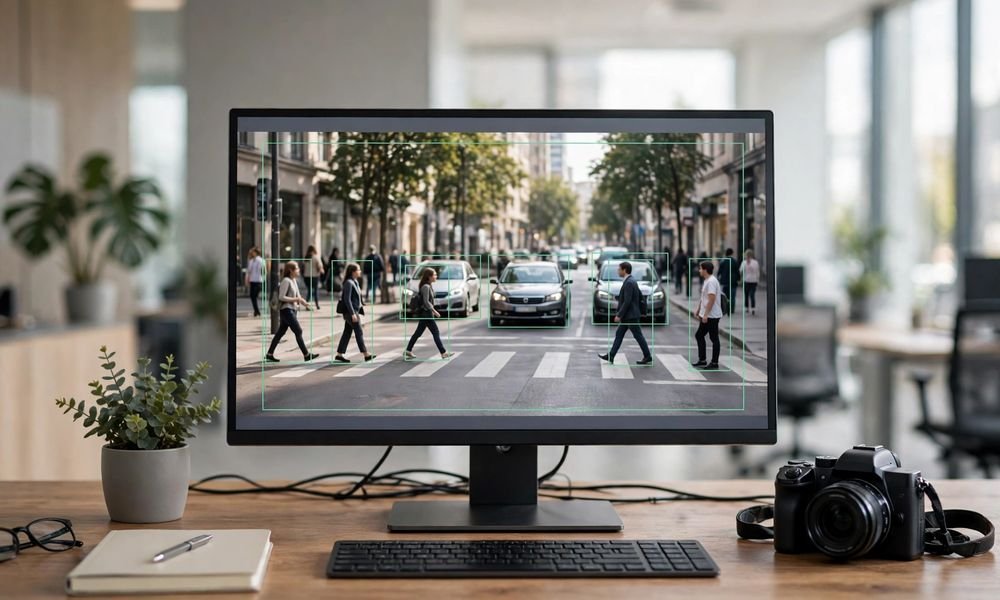
| Object detection | What is here, and where? | Boxes around each object, with labels | Counting products on a shelf; finding pedestrians |
| Semantic segmentation | Which pixels belong to what? | A label for every pixel | Medical imaging; mapping land use |
| Instance segmentation | Which pixels belong to each object? | A mask per object | Separating overlapping items on a line |
| Optical character recognition | What text does this image contain? | Machine-readable text | Reading invoices; digitising documents |
| Pose estimation | How is this body positioned? | Joint positions | Sports analysis; physiotherapy |
Object detection is the workhorse of the field. It draws a box around each object it finds and labels it, which is enough for counting, tracking and alerting. Segmentation goes further, marking the exact outline of each object, which matters when the shape itself is the information — the boundary of a tumour, the edge of a field, the outline of a defect.
Best for: teams scoping a first vision project, picking the task first and the model second keeps the project honest — the task decides the data you need and the accuracy you can measure.
How modern vision systems are built
Most modern vision systems are built on neural networks, and two architectures dominate. Convolutional neural networks, or CNNs, have been the workhorse since 2012, when a model called AlexNet won the ImageNet competition by a wide margin and showed that deep learning could beat hand-designed methods. CNNs work by sliding small filters across the image, learning which patterns of pixels matter at each scale.
Vision transformers, or ViTs, arrived in 2020 and take a different approach: they split the image into patches and use the attention mechanism from language models to weigh the relationships between patches. ViTs have become the standard for large-scale vision models, and they are the visual half of the vision-language models that can describe images in words. How vision-language models fuse images and text explains that architecture in detail.
In practice, few teams train a model from scratch. The standard approach is transfer learning: take a model pre-trained on a large public dataset, then fine-tune it on your own labelled images. Pre-training gives the model its general visual knowledge; fine-tuning teaches it your specific problem.
Modern vision system architecture covers how these pieces fit together in a production system.
Best for: most real projects, transfer learning from a pre-trained model is the fastest route — it needs far less data and compute than training from scratch.
Where computer vision is used
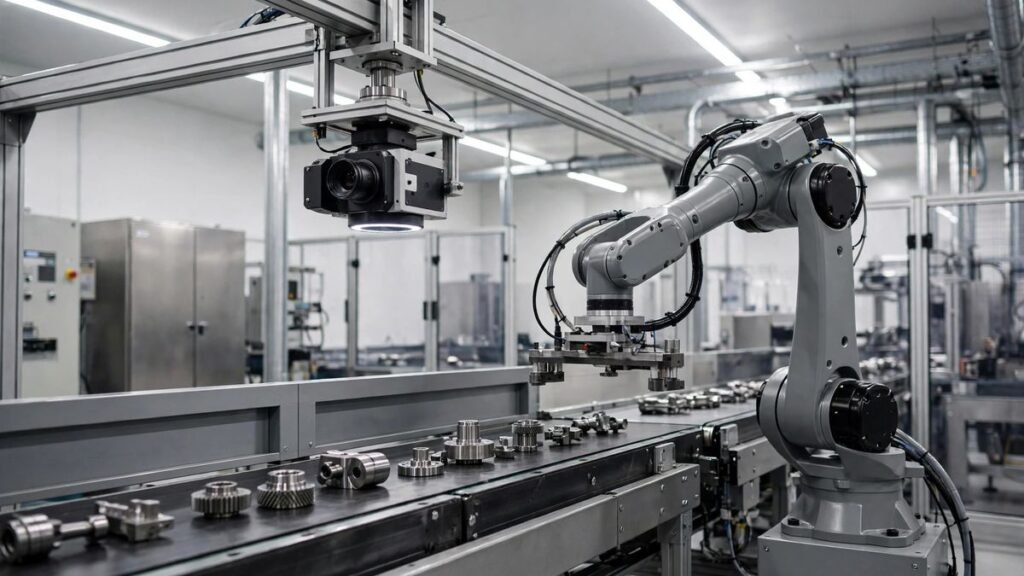
Manufacturing was one of the first large-scale adopters. Cameras on a production line inspect every item for defects, measure dimensions, and check that labels and packaging are correct. A vision system can inspect thousands of items an hour without fatigue, and it records every decision, which makes quality problems traceable in a way manual inspection is not.
Healthcare is another major field. Vision models help radiologists by flagging regions of interest in scans, support pathologists by counting cells in slides, and assist surgeons with guidance during procedures. These are high-stakes uses, and they are deployed as aids to trained professionals rather than replacements — the human clinician remains responsible for the decision.
Retail, agriculture and transport use it too. Shops count stock and detect empty shelves; farms estimate crop health and spot disease from drone imagery; vehicles use cameras to detect lanes, signs and obstacles. In each case the pattern is the same: a camera, a model, and a decision that used to need a human eye.
Best for: quality inspection and counting tasks, computer vision is at its most reliable — the task is narrow, the images are consistent, and the results are easy to verify.
Choosing an approach: a decision framework
Use the checklist below to decide how to approach a vision problem. It is ordered by the decisions that cost the most to get wrong.
- Define the task precisely: classification, detection or segmentation? The task decides the data and the metric.
- Check whether a ready-made model exists: many common tasks have pre-trained models that work out of the box.
- Count your labelled data: a few hundred labelled images may be enough for fine-tuning; a few dozen probably is not.
- Test on your own images: a model that scores well on a public dataset can fail on your lighting, angles and backgrounds.
- Decide where it runs: in the cloud, on a server, or on the device — latency, cost and privacy all pull in different directions.
- Plan for failure: decide what happens when the model is wrong, and who is responsible for catching it.
- Measure what matters: accuracy on a test set is a start, but the real metric is the outcome in operation — defects caught, time saved, errors avoided.
The most common mistake is starting with the model. Start with the data and the decision the system has to support, and the model choice usually becomes obvious. Multimodal retrieval systems show how vision can be combined with text search when a project needs both.
Limitations and failure modes
Vision models are confident in ways that can mislead. A model can be wrong and certain at the same time, and it will not tell you when an image is unlike anything it was trained on. Lighting changes, unusual angles, occlusion and objects the model has never seen are the classic failure conditions, and they are all common in real deployments.
Bias in training data is a real risk. A model trained mostly on images from one setting, one population or one type of equipment will perform worse elsewhere, and the gap may not show up in aggregate accuracy figures. Test performance separately for the groups and conditions that matter to your use case, and do not accept a single overall score as proof of fairness.
Privacy matters too. Cameras capture people, and vision systems that identify or track individuals raise legal and ethical questions in every jurisdiction.
The EU AI Act restricts some biometric uses outright, and data protection law applies to the images themselves. Plan the privacy and legal review alongside the technical build, not after it.
Best for: anyone deploying vision in public or workplace settings, a privacy and legal review early in the project is far cheaper than a redesign after deployment.
Frequently asked questions
How much data do I need to train a vision model?
It depends on the task and on whether you fine-tune a pre-trained model. Fine-tuning a classifier can work with a few hundred labelled images per class; training from scratch needs far more. The quality and variety of the images matter at least as much as the count.
What is the difference between object detection and image classification?
Classification answers what is in the whole image, with a single label. Detection finds multiple objects and says where each one is, drawing a box around it. If you need to count things or know their positions, you need detection, not classification.
Can computer vision work in real time?
Yes, for many tasks. Modern models can process video at tens of frames per second on suitable hardware, and smaller models are designed specifically for real-time use on devices. The trade-off is usually between speed, accuracy and cost — faster models tend to be less accurate.
Do I need a data scientist to use computer vision?
Not necessarily for the first project. Pre-trained models, cloud vision services and no-code tools can handle common tasks such as classification and OCR. Custom work — unusual objects, tight accuracy requirements, on-device deployment — still benefits from specialist help.
Is computer vision the same as image processing?
No. Image processing changes an image — resizing, filtering, enhancing — without understanding what it shows.
Computer vision interprets the image, identifying objects, reading text and drawing conclusions. The two are often used together, with processing preparing images for a vision model.
What is a vision-language model?
A model that understands both images and text, trained so that visual and language representations share a common space. It can describe an image, answer questions about it, or find images that match a text description. It is the technology behind most modern AI image search and captioning.