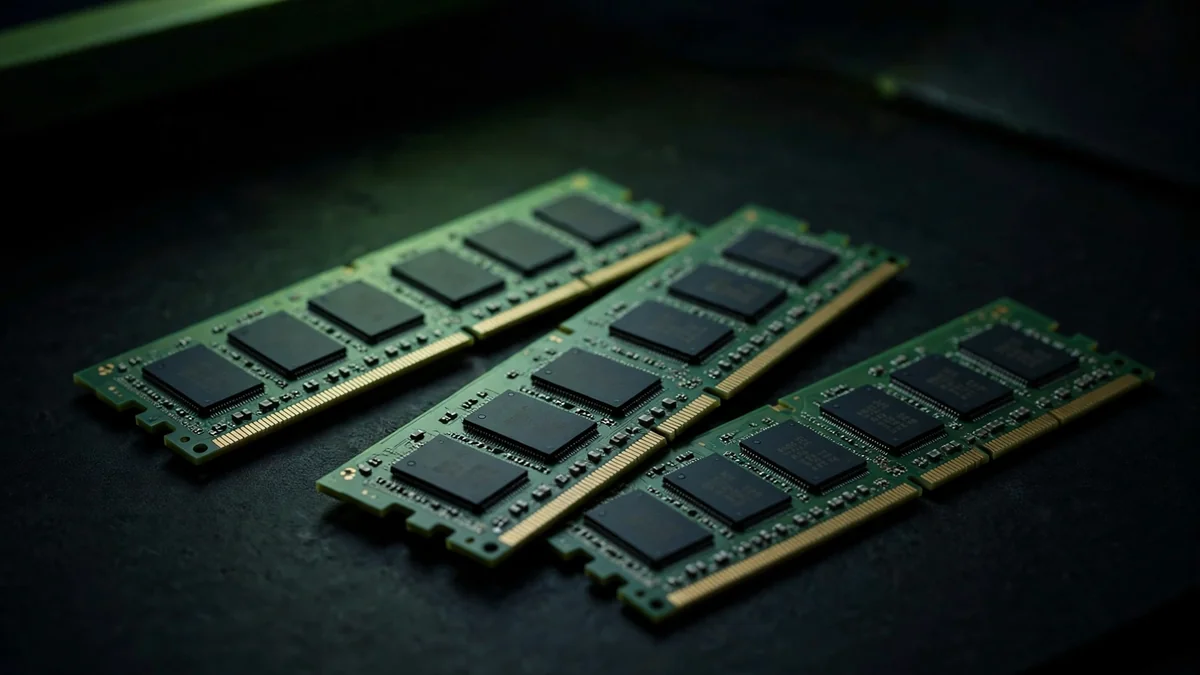
DRAM explained in plain terms means understanding the memory that holds everything a computer is working on right now, and forgets it all the moment the power goes off. The central question is how a chip can store billions of bits in something so small and cheap, and the answer is a tiny capacitor and a transistor for each bit, refreshed thousands of times a second.
DRAM, short for Dynamic Random Access Memory, is the main memory of almost every computer, phone, and server in the world. It is what the processor reads and writes as it runs programs, and it is the reason a computer can switch between tasks instantly, yet lose everything unsaved when it is switched off.
The memory is called dynamic because it leaks: the charge that represents a bit drains away in milliseconds, so the chip must constantly rewrite it. This article explains what DRAM is, how it stores and refreshes data, and how it has evolved.
Key takeaways
- DRAM stores each bit as a charge in a tiny capacitor.
- The charge leaks away, so DRAM must be refreshed constantly.
- It is fast, dense, and cheap, which is why it is the main memory.
- It forgets everything when the power is switched off.
- Modern DRAM comes in generations, from DDR to DDR5.
What DRAM is
DRAM is a type of semiconductor memory in which each bit is stored as an electrical charge in a capacitor, a tiny component that holds charge like a miniature battery, controlled by a transistor that acts as a switch. A charged capacitor means a one, an empty one means a zero, and reading a bit means opening its transistor and sensing whether charge flows out.
The design is deliberately minimal: one transistor and one capacitor per bit. That simplicity is what makes DRAM so dense and so cheap, with billions of bits on a single chip, and it is the reason DRAM became the main memory of computers, displacing the magnetic core memory that came before it in the 1970s.
DRAM was commercialised by Intel with the 1103 chip in 1970, the first commercially successful DRAM, and it has been refined ever since, growing from kilobytes to gigabytes while its price per bit has fallen by orders of magnitude. The memory in a modern laptop is the direct descendant of that first chip. Our guide to RAM explains the memory that DRAM implements, and our guide to motherboards explains the board that connects DRAM to the processor.
How DRAM works
Memory is organised as a grid of rows and columns, and each cell sits at the intersection of one row and one column. To read a bit, the memory controller opens a row, which connects every capacitor in that row to its column line, and sense amplifiers detect the tiny charges and report whether each bit is a one or a zero. Opening a row is the slow part of the operation, which is why DRAM reads whole rows at once and keeps the row open for further accesses.
Reading is destructive, which is a quirk of the design. Sensing a capacitor’s charge drains it, so after a read the memory controller must write the data back, restoring the charges it just measured. That write-back happens automatically, and it is one of the reasons DRAM timing is more complex than it first appears.
Refresh is the defining feature of DRAM. Because the charge in a capacitor leaks away within tens of milliseconds, the memory controller must read and rewrite every row regularly, typically once every 64 milliseconds, whether the data is being used or not. That constant rewriting is what makes the memory dynamic, and it is also a source of overhead, since the memory cannot serve requests while it is refreshing.
Modern DRAM is synchronous, meaning it moves data in step with a clock signal, and double data rate, meaning it transfers data twice per clock cycle, once on the rising edge and once on the falling edge. Each generation, from DDR to DDR5, has raised the speed and lowered the voltage, while the basic cell has stayed the same.
Error correction is available on server memory. ECC DRAM stores extra bits alongside the data, so that a single-bit error, caused by a cosmic ray or a failing cell, can be detected and corrected on the fly, and a double-bit error can at least be detected. Desktop memory usually omits this, accepting the rare error in exchange for lower cost.
Comparing DRAM with other memory
DRAM is one of several kinds of memory in a computer, and each has its own trade-offs. SRAM is faster but far less dense, flash memory keeps data without power but is slower, and the processor’s cache is the fastest of all, but each suits a different need.
The table below sets out the main contrasts between the leading memory types.
| Aspect | DRAM | SRAM | Flash storage |
|---|---|---|---|
| Cell | One transistor, one capacitor | Several transistors, no capacitor | Trapped charge in a gate |
| Speed | Fast, nanoseconds | Fastest, under a nanosecond | Slow, microseconds |
| Density | Very high | Low | Very high |
| Needs power | Yes, forgets when off | Yes, forgets when off | No, keeps data |
| Used for | Main memory | Processor cache | Storage drives |
The practical result is that DRAM is the right memory for the main store, where density and cost matter most, SRAM is the right memory for the small, fast cache inside the processor, and flash is the right memory for storage that must survive being switched off.
Where DRAM is used
Desktop and laptop computers are the most familiar use. The memory modules slotted into a motherboard, usually two or four sticks, hold the operating system, the running programs, and the data they are working on, and adding more of it is the simplest way to make a slow computer feel faster, since it reduces the need to swap data to disk.
Servers use DRAM at enormous scale. A single server can hold terabytes of memory, and a data centre holds petabytes, all of it DRAM, running databases, virtual machines, and in-memory caches. Server memory is usually ECC, since a single-bit error in a machine serving thousands of users is not acceptable.
Phones and tablets use a low-power form of DRAM, called LPDDR, which trades a little speed for much lower power consumption. A phone’s memory must hold the operating system and apps while sipping battery, and LPDDR is designed for exactly that balance.
Graphics cards use a specialised form of DRAM, called GDDR, which is optimised for the huge, parallel data flows of rendering. A graphics card’s memory moves textures and frames at enormous bandwidth, and GDDR trades some latency for that bandwidth, which suits graphics far better than ordinary DRAM would.
Embedded systems, from routers to cars to industrial controllers, use DRAM wherever a program needs working memory. A device that runs an operating system needs RAM, and DRAM is the cheapest way to provide it, even in small quantities.
Strengths and limits
The greatest strength of DRAM is its density and cost. One transistor and one capacitor per bit means billions of bits on a cheap chip, and that economy is why computers can have gigabytes of fast memory at all. No other fast memory comes close to DRAM’s price per bit.
It is also a strength that DRAM is fast enough for the processor’s needs. With nanosecond access times and gigabytes per second of bandwidth, it keeps the processor fed, and each generation has raised the speed without changing the basic idea.
The limits are real, though. DRAM forgets everything when the power goes off, so it can never be storage, and its need for constant refreshing wastes power and time, which is why phones use a low-power variant and why researchers are always looking for a memory that is as dense as DRAM but keeps its data. The charge in a capacitor is also vulnerable to disturbance, which is the basis of the Rowhammer attack, in which rapidly accessing one row can flip bits in a neighbouring row.
DRAM checklist
- Match the memory type to the motherboard: DDR4 and DDR5 are not interchangeable.
- Install matched pairs, so the memory runs in dual-channel mode.
- Add more memory before replacing a processor, since low memory is the common bottleneck.
- Use ECC memory in servers, where an error affects many users.
- Check the speed rating, since faster memory helps some workloads.
- Keep memory cool, since heat increases errors and refresh needs.
- Seat modules firmly, since a loose module causes crashes.
- Remember that DRAM forgets everything, so save work before powering off.
- Test new memory, since a faulty stick causes crashes that look like software bugs.
Frequently asked questions
What is DRAM in simple terms?
DRAM is the main memory of a computer, storing each bit as a tiny electrical charge in a capacitor. It is fast and cheap, but it leaks charge and must be refreshed constantly, and it forgets everything when the power goes off.
What is the difference between DRAM and SRAM?
DRAM stores a bit as charge in a capacitor and needs refreshing, while SRAM stores a bit in a circuit of transistors and needs no refresh. SRAM is faster but far less dense, so it is used for small caches rather than main memory.
What does DDR mean?
Double data rate, a technique that transfers data twice per clock cycle. DDR, DDR2, DDR3, DDR4, and DDR5 are successive generations, each faster than the last, and each generation is physically incompatible with the others.
Why does my computer need more RAM?
Because when memory fills up, the operating system moves data to disk, which is thousands of times slower. More RAM means more programs and data can stay in fast memory at once.
Does DRAM lose data when the power goes off?
Yes, within milliseconds. The charge in the capacitors drains away without power, which is why unsaved work is lost when a computer is switched off without saving.
What is ECC memory?
Error-correcting code memory stores extra bits alongside the data, so single-bit errors can be detected and fixed automatically. It is standard in servers and workstations, where reliability matters most.
The bottom line
DRAM explained in one line is this: billions of tiny capacitors, each holding one bit as a charge, refreshed thousands of times a second so a computer can remember what it is doing.
It is a design of remarkable elegance, one transistor and one capacitor, repeated billions of times, and it has carried computing from kilobytes to terabytes without changing its basic idea. The memory forgets everything when the power goes, but while the power is on, it is what makes a computer feel alive.
This article is general information about how DRAM works, not advice about choosing memory for a particular computer.