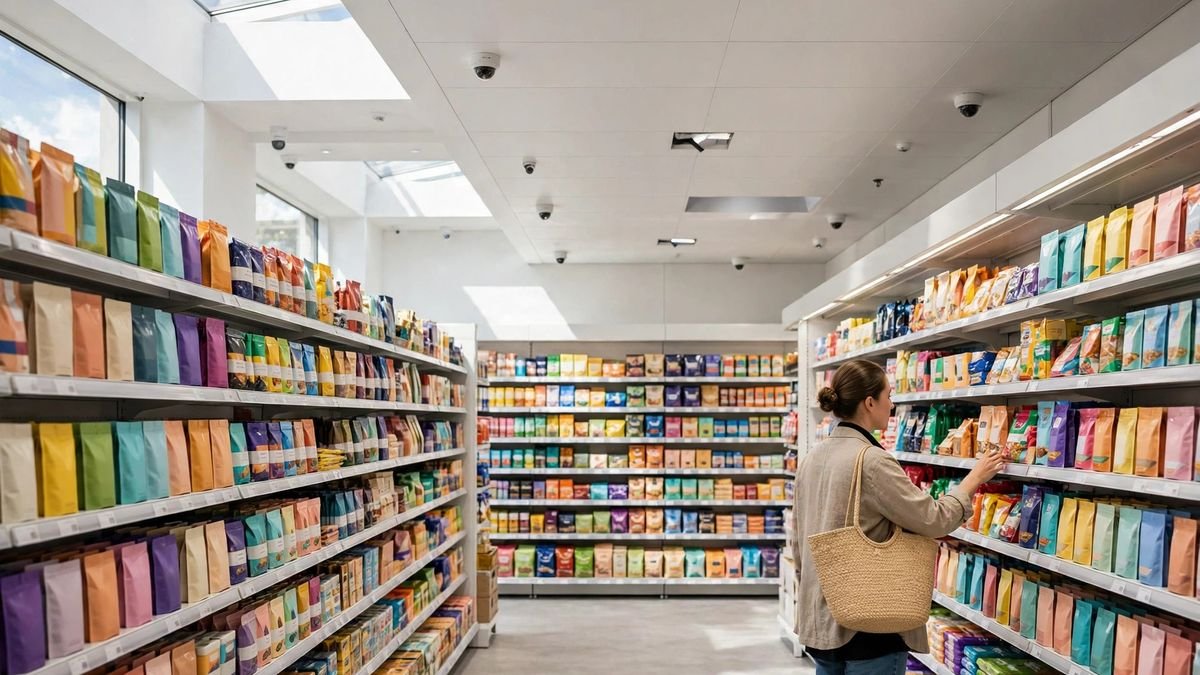
Computer vision for retail is the use of cameras and machine learning to watch what happens inside a shop and turn it into decisions. It reads shelves, tracks shoppers, flags theft and removes the checkout queue, all from ordinary video. The central question is whether it genuinely improves a store or just adds expensive cameras.
It pays off where a specific, measurable problem exists, such as empty shelves or long queues, and disappoints when bought as a vague promise of insight.
A modern store already generates the raw material for free: every shelf, till and entrance is a scene a camera can see. The challenge now is choosing the right use case, camera layout and way to handle the people on screen.
Key takeaways
- Computer vision for retail turns ordinary store cameras into a source of shelf, shopper and checkout data.
- Shelf monitoring is the most proven use case, with cameras or robots detecting gaps and misplaced products.
- Checkout-free shopping works, but it is costly, so most retailers start smaller.
- Loss prevention and queue management deliver faster returns than full automation.
- Privacy rules, camera placement and accuracy decide whether a deployment succeeds.
What computer vision for retail actually does
At its core, computer vision for retail answers three questions from video: what is on the shelf, what are shoppers doing, and what is happening at the till. Object detection finds products and people, image classification identifies which product is which, and tracking follows shoppers across cameras. Together these support the main applications, from stock checks to theft alerts.
Cameras capture images, a model on an in-store computer or in the cloud analyses each frame, and the results feed a dashboard or task list. Processing on the premises keeps footage in the store and cuts delay, while cloud processing makes updates easier; many deployments mix the two.
Accuracy depends heavily on the store itself. Good lighting, clean shelves and well-positioned cameras produce reliable results, while glare, crowded aisles and lookalike products cause errors. A model tuned for one store can struggle in another with different shelving or lighting.
Our guide to how modern vision systems are built explains the architecture underneath these deployments in more detail.
Shelf monitoring: the workhorse use case
Shelf monitoring is the application with the clearest return, because an empty shelf is a lost sale a store can measure. Cameras photograph the shelves at intervals, models compare what they see against the planogram, and staff receive a prioritised list of gaps to fix, including misplaced products and missing price labels.
There are three common ways to capture the shelf images. Fixed cameras mounted on the shelf edge take a picture every hour or so, the approach used by Focal Systems, founded in 2015 out of Stanford’s computer vision laboratory. Its Shelf AI interprets the images, ranks gaps by value and sends tasks to staff handhelds.
Morrisons installed the system across 498 stores, a rollout that won a Grocer Gold Award in 2025.
The second approach is a shelf-scanning robot that patrols the aisles, photographing every shelf. Simbe Robotics’ Tally robot is the best-known example and suits large stores where fixed cameras would be too numerous. The third approach is simpler: staff photograph shelves with a phone app, and a system such as Trax, founded in 2010, analyses the images to report stock levels and planogram compliance for clients including Coca-Cola, Nestlé and Procter and Gamble.
Each method trades cost against frequency and coverage. Fixed cameras see the shelf all day but cost more to install, robots cover a whole store with one device but only scan periodically, and phone photos are cheap but depend on staff taking them. Best for: grocery and high-volume stores where empty shelves directly cost sales every hour.
Checkout-free shopping and Just Walk Out
Checkout-free shopping is the most ambitious application of computer vision for retail. Shoppers scan an app to enter, take products from the shelves, and walk out while cameras and shelf sensors track what they picked and charge their account. Amazon pioneered the concept with Amazon Go, opening its first store to the public in Seattle on 22 January 2018, using overhead cameras, weight sensors and deep learning to maintain a virtual basket for each shopper.
The technology works, but it is demanding: dense camera coverage, careful calibration and a way to resolve hard cases, such as two shoppers reaching for the same shelf. Amazon later licensed the system, called Just Walk Out, to other retailers, stadiums and airports, where a small, controlled range makes the problem easier. In January 2026 Amazon announced it would close its Go and Fresh stores to focus on Whole Foods, a reminder that a technology can work well and still struggle as a standalone format.
A full supermarket conversion is a much larger investment with a longer payback, so treat checkout-free shopping as a specialised tool rather than a default. Best for: small-format stores and venues where queues are the main complaint and the product range is limited.

Loss prevention and queue management
Loss prevention is the oldest reason retailers install cameras, and computer vision has made them considerably smarter. Instead of recording footage for later review, models now watch for specific behaviours in real time: a shopper concealing an item, a product scanned at the wrong price, or a trolley leaving without passing a till. Staff receive an alert while the event is still happening.
Self-checkout is a particular focus. Models compare what the scanner registers with what the camera sees, flagging mismatches such as a cheaper barcode on an expensive item or a product passed without scanning. The aim is to catch the small number of cases that add up across thousands of transactions, and good deployments pair alerts with human review, because false accusations damage trust faster than any theft.
Queue management uses the same cameras for a friendlier purpose. By counting people at the tills and estimating wait times, the system can prompt a manager to open another till before the queue grows, and dwell-time data helps with layout and staffing. These uses are less glamorous than checkout-free shopping, but they are cheaper and easier to justify.
Best for: stores with self-checkouts, high shrinkage, or queues that regularly cost sales.
Computer vision for retail: the main approaches compared
The right choice depends on the problem, the size of the store and how much the retailer will change its operations.
| Approach | What it does | Strengths | Weaknesses | Typical fit |
|---|---|---|---|---|
| Fixed shelf cameras | Photograph shelves hourly and flag gaps | Continuous coverage, fast alerts | Installation cost per shelf | Grocery and convenience |
| Shelf-scanning robots | Patrol aisles and photograph shelves | One device covers a large store | Periodic scans, needs clear aisles | Large supermarkets |
| Phone photo audits | Staff photograph shelves for analysis | Very low hardware cost | Depends on staff discipline | Brands auditing many stores |
| Checkout-free systems | Track shoppers and charge automatically | Removes queues entirely | Expensive, complex, narrow range | Small-format and venue stores |
| Loss prevention analytics | Detect theft and scan errors live | Acts while the event happens | False positives need human review | Stores with self-checkouts |
Choosing the right deployment: a checklist
Work through the questions below before signing a contract; they separate deployments that pay for themselves from expensive pilots with no clear outcome.
- Start from one measurable problem, such as empty shelves, shrinkage or queue length, and agree how success will be measured before installation.
- Check camera coverage against the actual store layout, including glare from windows, tall shelving and blind corners.
- Ask where video is processed and stored, and confirm that footage never leaves the store unless the retailer chooses to send it.
- Require a named accuracy figure for the retailer’s own products, measured in a trial store, not a vendor’s laboratory benchmark.
- Plan the human workflow: who receives alerts, how quickly they act, and what happens when the model is wrong.
- Confirm data protection compliance, including signage, retention periods and whether faces are blurred or recognised.
- Run a pilot in one or two stores for at least a month, covering a busy trading period, before committing to a chain-wide rollout.
- Budget for ongoing model maintenance, because product ranges change and a model trained on last year’s range degrades quietly.
Most failed deployments fail on operations, not technology. A model that is 95 per cent accurate still produces a wrong alert every twentieth time, and if staff learn to ignore the alerts, the whole system stops working.
Privacy, accuracy and the hard parts
Privacy is the first concern shoppers raise, and it deserves a straight answer. Most retail vision systems do not need to identify anyone: shelf monitoring sees products, and queue counting counts people. Where identification is involved, the retailer should explain what is stored, for how long, and how a shopper can opt out.
Accuracy is the second hard part. Products that look alike, such as two flavours of the same snack in similar packaging, confuse models, and a mislabelled shelf can trigger a wrong restock task. The best systems report a confidence score with each detection and send low-confidence cases to a human; those corrections become training data, and the model improves on the retailer’s own range.
The third hard part is change. Retail ranges turn over constantly, so a vision system needs a process for adding new products and retiring old ones, or its accuracy decays. Vision-language models help here, because they can recognise new products from a description rather than needing hundreds of training images.
Where retail vision goes next
The next wave is less about new cameras and more about connecting vision to the rest of the store. Shelf data already feeds ordering systems, so a gap detected at noon can trigger replenishment the same day, and suppliers can see how their products actually appear on shelves rather than relying on sales figures alone.
Vision-language models are widening what a camera can understand: instead of recognising a fixed list of products, a system can answer open questions, such as whether a display looks tidy or a promotional sign is in place. Combined with supply chain automation, vision data is becoming part of the store’s nervous system rather than a standalone tool.
The retailers that benefit most treat vision as an operations project, not a technology project: pick one problem, measure the baseline, run a disciplined pilot and scale only what works. Cameras do not fix a store on their own, but pointed at the right problem, they are the most honest sensor a retailer owns.
Frequently asked questions
What is computer vision for retail?
Computer vision for retail uses cameras and machine learning to interpret what happens inside a shop: monitoring shelves, tracking shoppers, detecting theft and removing the checkout queue, turning video into data staff can act on.
How much does computer vision for retail cost?
Costs vary widely. Phone-based shelf audits need little hardware, fixed shelf cameras cost more per store, and checkout-free systems are the most expensive because they need dense camera coverage and sensor fusion. Vendors rarely publish prices, so request a quote scoped to your store count and layout.
Does computer vision for retail recognise shoppers’ faces?
Most systems do not need to. Shelf monitoring and queue counting work without identifying anyone, and faces are often blurred in stored footage. Systems that do identify shoppers should explain what is stored and offer a clear way to opt out.
Can computer vision stop shoplifting?
It can reduce it, but not stop it alone. Real-time alerts help staff intervene while an event is happening, and self-checkout monitoring catches scan errors. Human review remains essential, because false accusations damage customer trust.
Is computer vision for retail worth it for a small shop?
It can be, if the use case is narrow. A small shop gains little from a full camera network, but a simple queue counter or phone-based shelf audit is affordable. Buy the smallest system that solves a real, measurable problem.