AI in cybersecurity explained simply is this: artificial intelligence now helps defenders spot attacks, sort alerts and respond in seconds, while attackers use the same technology to write better phishing emails and find weaknesses faster. The central question is whether AI makes us safer or simply raises the stakes, and the short answer is that it does both, giving defenders speed and scale while giving attackers new tools, so the advantage goes to whichever side uses it better and keeps humans in charge.
Cybersecurity is a race. Attackers probe networks constantly, defenders watch for signs of intrusion, and both sides now use AI to work faster. A single organisation can face thousands of attempted attacks a day, far more than any team of analysts could read by hand. This guide explains how AI works across cybersecurity, where it genuinely helps defenders, and where it creates new risks of its own.
Key takeaways
- AI detects unusual behaviour across networks, spotting attacks that signature-based tools miss.
- It sorts and prioritises alerts, so analysts spend time on real threats, not noise.
- Automated response can contain an attack in seconds, but it must be limited and reversible.
- Attackers use AI for convincing phishing, voice cloning and finding software weaknesses.
- Human analysts still matter most for judgement, context and the attacks no model has seen before.
What AI in cybersecurity actually means
AI in cybersecurity covers several different tools, and they do different jobs. Some watch network traffic for anomalies, some scan emails for phishing, some hunt for known attack patterns, and some respond automatically when an attack is confirmed. A security team might use all of them at once, often without realising how much of their defence is already automated.
Most of these tools run on machine learning, trained on large amounts of network and attack data. A detection model learns what normal traffic looks like for a particular organisation, a phishing filter learns the signs of a malicious email, and a vulnerability scanner learns which software flaws are most often exploited. None of them understands an attack the way an analyst does, but all can process far more data far faster than a human team.
Detection: finding the attack in the noise
Detection is the most valuable use of AI in security. Traditional tools look for known signatures, such as a file that matches a known piece of malware, but they miss new attacks that have no signature yet. AI detection looks for behaviour instead: a user logging in at an unusual hour, a server sending data to an unknown address, or a process running that has never run before. That behavioural view catches attacks that signature tools cannot see.
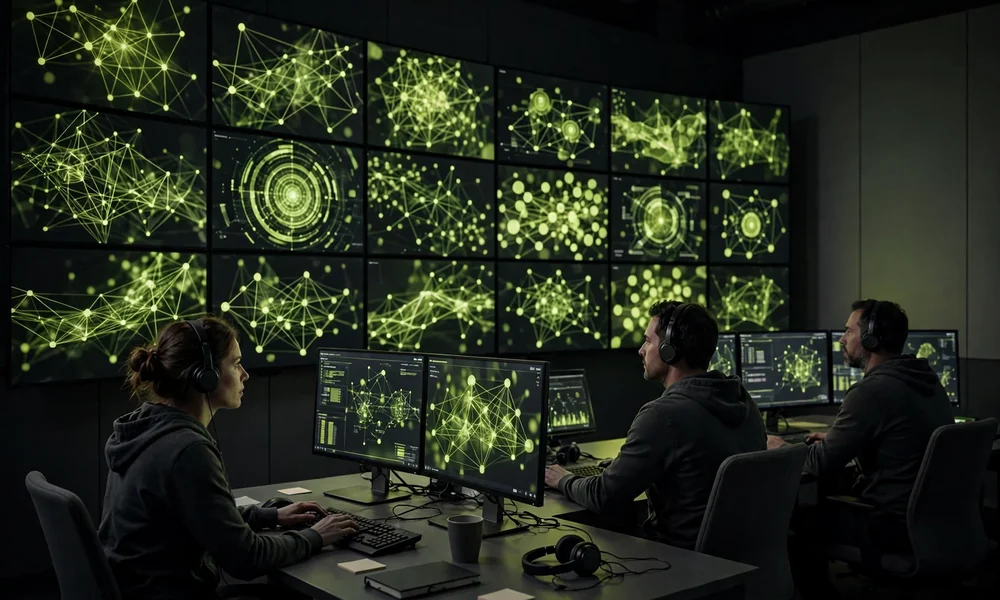
Alert triage is the second gain. A large organisation can receive thousands of security alerts a day, and most of them are false alarms or low priority. AI can group related alerts, score them by risk, and show analysts the few that matter, with the context they need to act. That focus is what turns a drowning team into an effective one, and it is the reason most security teams now rely on AI triage.
The risk is over-trust. A model that has never seen a particular attack may miss it entirely, and a model trained on one organisation’s normal behaviour may flag harmless changes as threats. Analysts should treat AI detection as a powerful sensor, not as a verdict, and they should keep checking its work, especially after changes to the network. Our guide to data breach response explains what to do when detection finds something real.
Response, hunting and the human analyst
Automated response is the fastest-growing use of AI in security. When a system confirms an attack, it can isolate an infected machine, block a malicious address, revoke a compromised password or quarantine a file, all in seconds, before an analyst has even opened the alert. That speed matters, because the gap between detection and response is when most damage is done.
The limits are important. An automated response that blocks the wrong system can take a hospital, a factory or a payment service offline, and the damage from that mistake can exceed the damage from the attack. Automated actions should be limited to low-risk, reversible steps, and anything that affects a critical system should need a human to approve it.
Threat hunting is the human side of the same work. Analysts use AI to search through logs and traffic for signs of an attack that has not triggered any alert, following hunches and asking questions a model cannot ask. That creative, curious work is where the most dangerous attacks are found, and it is the part of security that AI supports rather than replaces. Our guide to AI agents in production explains the guardrails that matter when an AI system is allowed to act on its own.
The attacker’s AI: phishing, deepfakes and new weaknesses
Attackers use AI too, and defenders must understand how. Phishing is the clearest example: AI can write convincing emails in perfect language, tailored to a specific person, at a scale no human criminal could match. It can clone a voice from a short recording and call an employee pretending to be their boss, or generate a video of an executive giving an instruction they never gave.
Finding weaknesses is the second use. AI can scan software for vulnerabilities far faster than a human researcher, and it can write code that exploits them. That means defenders must patch faster, and it means that software flaws which once took months to find can now be found in days.
The defence against AI-powered attacks is not only technical. Training staff to recognise phishing, to verify unusual requests through a second channel, and to report anything suspicious is more important than ever, because the most convincing attack is the one that looks exactly like a normal email from a trusted colleague. A culture where people can ask questions without embarrassment is a security control, not a soft skill.
Comparing the main uses of AI in cybersecurity
| Use | Main benefit | Main risk | Best for |
|---|---|---|---|
| Anomaly detection | Catches new attacks without signatures | Misses attacks it has never seen | Networks with clear normal patterns |
| Alert triage | Analysts focus on real threats | Real threats buried as low priority | High-volume security operations |
| Automated response | Contains attacks in seconds | Blocks the wrong system | Low-risk, reversible actions |
| Phishing filters | Blocks most malicious mail | Convincing AI phishing gets through | Email gateways and inboxes |
| Threat hunting | Finds hidden, long-running attacks | Needs skilled analysts to work | Experienced security teams |
Data, privacy and the limits of automation
Data is the first limit. AI security tools need to see network traffic, emails and user behaviour to work, and that data is sensitive. Employees should know what is monitored and why, and security teams should collect only what they need, keep it only as long as needed, and protect it as carefully as the systems it defends.
False positives are the second limit. A model that flags too much teaches analysts to ignore it, and a model that flags too little misses the attack. Tuning that balance is skilled work, and it never ends, because networks, users and attackers all change constantly. A security tool that is never retuned will quietly get worse.
Our guide to AI regulation explains the rules now emerging around automated decisions and data use, and several of them apply directly to how security tools collect and use employee and customer data.
What good practice looks like
Good practice starts with the basics. AI cannot save an organisation that has not patched its software, trained its staff, or backed up its data. The fundamentals, strong passwords, multi-factor authentication, regular updates and tested backups, matter more than any AI tool, and they should come first.
Testing is the second pillar. Detection and response tools should be tested regularly with simulated attacks, and the results should be reviewed honestly. A test that finds a gap is a success, not a failure, because it shows what to fix before a real attacker finds it.
Human judgement is the third pillar. Analysts should be able to see what the AI did and why, to overrule it, and to learn from its mistakes. A security team that trusts its tools blindly will be surprised by the attack they miss, and a team that understands them will catch it.
Cybersecurity checklist
- Get the basics right first: patching, multi-factor authentication, training and backups.
- Use AI detection to find behavioural anomalies, not only known signatures.
- Triage alerts by risk, and give analysts the context they need to act.
- Limit automated response to low-risk, reversible actions, and keep humans in charge of critical systems.
- Train staff to verify unusual requests through a second channel.
- Test detection and response regularly with simulated attacks, and fix what fails.
- Be open with staff about what security monitoring collects and why.
- Retune models regularly, because networks, users and attackers all change.
- Keep records of what the AI did, so incidents can be explained and learned from.
Frequently asked questions
Can AI stop hackers?
It can detect and contain many attacks faster than humans, especially known patterns and behavioural anomalies. But it cannot stop every attack, and the most dangerous ones still need skilled analysts, good fundamentals and staff who report suspicious activity.
How does AI detect a cyber attack?
By learning what normal behaviour looks like for a network and flagging what is different, such as an unusual login, an unknown destination for data, or a process that has never run before. That behavioural view catches new attacks that signature-based tools miss.
Is AI phishing harder to spot?
Yes. AI can write convincing emails in perfect language, tailored to a specific person, and it can clone voices. The defence is to verify unusual requests through a second channel, and to report anything suspicious, however convincing it looks.
Should security responses be automated?
For low-risk, reversible actions such as isolating an infected machine, yes, because speed matters. For anything that affects a critical system, a human should approve it, because an automated mistake can cause more damage than the attack.
What is threat hunting?
It is the proactive search for signs of an attack that has not triggered any alert, using AI to sift through logs and traffic while analysts follow hunches and ask questions a model cannot ask. It finds the hidden, long-running attacks that automated detection misses.
What matters more than AI in security?
The basics: patching software, multi-factor authentication, staff training and tested backups. AI cannot save an organisation that has not done those, and the fundamentals should always come first.
The bottom line
AI in cybersecurity explained in one line is this: the technology gives defenders speed and scale, and attackers the same, so the advantage goes to the side that uses it better, tests it honestly, and keeps humans in charge of the decisions that matter. Security is not a product to buy but a practice to keep, and AI is at its best when it helps good analysts see more clearly, not when it is expected to see for them.
Staying safe online starts with the basics: keep software updated, use multi-factor authentication, and verify unusual requests before acting on them.