SIP explained in plain terms means understanding the protocol that sets up an internet phone call before a single word is spoken. The central question is how two devices that have never met can find each other, agree on how to talk, and then hang up cleanly, and the answer is that SIP handles the signalling, the invitations and the farewells, while another protocol carries the voice itself.
SIP, short for Session Initiation Protocol, is the standard for starting, changing, and ending communication sessions over the internet. It was defined in RFC 3261 in 2002, and it is used by business phone systems, internet telephony providers, video conferencing services, and messaging apps.
The idea is simple: SIP does not carry your voice, it arranges the call. One device sends an invitation, the other accepts or declines, they agree on the details, and when the conversation ends, SIP closes the session. This article explains what SIP is, how it works, and where it is used.
Key takeaways
- SIP sets up and ends calls, but does not carry the voice itself.
- It uses text messages that look much like web requests.
- A registrar keeps track of where each user can be reached.
- It works for voice, video, and instant messaging sessions.
- It is the standard behind business phones and internet telephony.
What SIP is
SIP is a signalling protocol, which means it manages the conversation about the conversation. It finds the other party, negotiates the audio and video formats, starts the session, changes it while it runs, and ends it when someone hangs up. The actual voice and video travel separately, usually in RTP packets, which is why SIP is often described as the dialling system rather than the call itself.
SIP messages are written as plain text, in a style deliberately similar to HTTP, the protocol of the web. A call begins with an INVITE message, the other side answers with a response such as 200 OK, and the first side confirms with an ACK. Ending a call takes a BYE message, and a busy or unavailable user is reported with codes such as 486 Busy Here or 404 Not Found.
Users are addressed by a SIP URI, which looks like an email address, such as sip:alice@example.com. A registrar server keeps a record of which device each user is currently on, so that an incoming call can be sent to the right place, whether that is a desk phone, a laptop, or a mobile app. Our guide to VoIP explains the wider world of internet telephony that SIP sits inside, and our guide to WebRTC explains the browser technology that also sets up real-time calls.
How SIP works
A call starts with registration. When a phone or app comes online, it sends a REGISTER message to its registrar, saying where it can be reached. The registrar stores that location, and it expires after a while, so devices re-register regularly to stay reachable.
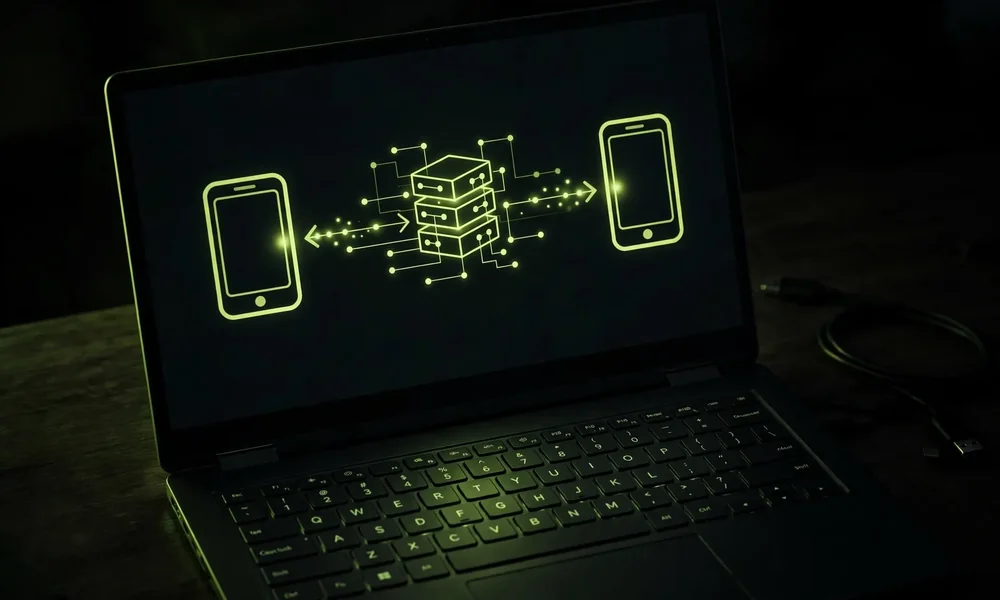
When Alice calls Bob, her phone sends an INVITE to a proxy server, which looks up Bob’s location and forwards the invitation to his device. The INVITE carries a description of the media Alice can use, including the audio codecs and the network address where she will receive the voice stream.
Bob’s phone rings, and when he answers it replies with 200 OK, carrying its own media description. Alice’s phone confirms with an ACK, and at that point SIP’s job is mostly done: the two devices now send voice packets directly to each other, or through a media server, without the proxy being involved in every packet.
During the call, SIP can change the session. A RE-INVITE can add video, put the call on hold, or move it to another device, which is how call transfer and call hold work. The media stream adjusts to match, while the conversation continues.
Ending the call takes a BYE message from either side, and the other side confirms it. The media stream stops, the session is torn down, and the devices are free for the next call. If a device disappears without saying goodbye, the session eventually times out.
Comparing SIP with other call protocols
SIP is one of several ways to set up a real-time call, and each suits a different need. H.323 is an older standard from the world of video conferencing, WebRTC is built for browsers, and proprietary systems such as those used by some messaging apps keep everything inside one company’s network, but each has its own strengths.
The table below sets out the main contrasts between the leading approaches.
| Aspect | SIP | H.323 | WebRTC |
|---|---|---|---|
| Designed for | Internet telephony, all devices | Video conferencing systems | Calls inside a browser |
| Message style | Plain text, like HTTP | Binary, complex | JavaScript APIs |
| Needs a server | Yes, registrar and proxy | Yes, gatekeeper | Signalling server of some kind |
| Carries voice | No, uses RTP | No, uses RTP | Yes, built in |
| Best for | Business phones, providers | Legacy video systems | Web and app calls |
The practical result is that SIP is the standard for business phone systems and internet telephony providers, H.323 survives mainly in older video conferencing equipment, and WebRTC is the choice for calls that start inside a web page.
Where SIP is used
Business phone systems are the largest home of SIP. A company replaces its old telephone exchange with a SIP-based system, and every desk phone, softphone, and mobile app registers with the same server, so that an employee can be reached on any device with one number.
Internet telephony providers use SIP to connect their customers to the public phone network. A call from a SIP phone to an ordinary mobile or landline passes through a gateway that translates between SIP and the traditional telephone system, which is how cheap internet calls reach any number in the world.
Call centres run on SIP. Agents log into a queue, calls are distributed by the server, and features such as recording, transfer, and conferencing are all controlled through SIP messages, which is why the same protocol powers both a small office and a centre with thousands of agents.
Video conferencing services use SIP behind the scenes. A meeting room system, a desktop app, and a phone can all join the same meeting because they speak SIP to a central server, which mixes the audio and video and sends it back to each participant.
Messaging apps use SIP or SIP-like signalling for voice and video calls. Even when the app itself is proprietary, the pattern is the same: a server finds the other user, the devices agree on media, and the call is set up and torn down with signalling messages.
Strengths and limits
The greatest strength of SIP is that it is open and flexible. Any device from any maker can register with any SIP server, and the protocol supports voice, video, messaging, and presence, which is why it became the common language of internet telephony instead of a single company’s system.
It is also a strength that SIP messages are readable text. An engineer can watch a call being set up, see exactly what each side asked for, and find the fault when something goes wrong, which is much harder with a binary protocol.
The limits are real, though. SIP was designed before firewalls and network address translation became universal, and it carries network addresses inside its messages, which confuses firewalls and routers. Session border controllers exist largely to fix this, and voice quality still depends on the network, since SIP itself guarantees nothing about delay or packet loss.
SIP checklist
- Choose a SIP provider or server that supports the devices you use.
- Keep registrations fresh, so calls reach the right device.
- Use TLS for SIP signalling, so call details are not visible on the wire.
- Use SRTP for the voice stream, so calls cannot be listened to.
- Test calls through your firewall before going live.
- Plan for NAT, using a session border controller if needed.
- Agree on codecs, so both sides can understand each other.
- Monitor call quality, since SIP does not guarantee it.
- Keep a fallback route, so calls still work if one server fails.
Frequently asked questions
What is SIP in simple terms?
SIP is the protocol that sets up internet phone calls. It finds the person you are calling, invites them to the call, agrees on how the voice will be sent, and ends the call when you hang up.
Does SIP carry my voice?
No. SIP handles the signalling, the invitations and the hang-ups. The voice itself travels in a separate stream, usually RTP, once SIP has arranged the call.
What is a SIP address?
It is an identifier that looks like an email address, such as sip:alice@example.com. A registrar keeps track of which device that address is currently using, so calls can find you.
What is the difference between SIP and VoIP?
VoIP is the general idea of voice over the internet, and SIP is one protocol used to make it work. SIP sets up the call, while VoIP covers the whole system, including the voice stream.
Do I need special hardware for SIP?
Not necessarily. A SIP phone is one option, but a laptop or mobile app with a softphone can register with a SIP server and make calls over the same account.
Why do SIP calls sometimes fail behind a firewall?
Because SIP carries network addresses inside its messages, and firewalls and NAT can rewrite the outer address without touching the inner one, so the two sides disagree about where to send the voice. A session border controller usually fixes this.
The bottom line
SIP explained in one line is this: a text-based protocol that invites, arranges, and ends internet calls, while the voice itself travels separately.
It is the quiet machinery behind business phones, call centres, and internet telephony, and it works because it is open, readable, and flexible enough to carry voice, video, and messaging in one system.
This article is general information about how SIP works, not advice about choosing a phone system for a particular business.