LiFi explained in plain terms means a way of sending data through light instead of radio waves. The central question is how an ordinary lamp can carry an internet connection, and the short answer is that a light source flickers on and off far too quickly for the eye to see, and a receiver turns those flickers back into data.
Most people already live with light that carries information, even if they do not notice it. A television remote sends commands with an invisible beam, a barcode scanner reads patterns of reflected light, and a fibre-optic cable carries data as pulses of light over long distances. LiFi takes that same idea indoors, using the lights already above our heads to connect the devices below them.
The technology is still young compared with Wi-Fi, and it is not meant to replace wireless networks outright. Its interest lies in the places where radio waves struggle or are unwelcome, such as crowded rooms, hospitals, and aeroplanes, and in the simple fact that light is everywhere that people work and live.
Key takeaways
- LiFi sends data by flickering a light source far too quickly for the human eye to notice.
- A receiver, usually a light sensor, turns those flickers back into digital data.
- Light does not pass through walls, so a LiFi signal stays inside the room where it starts.
- LiFi works best where radio waves are crowded, restricted, or unwanted.
- LiFi is a complement to Wi-Fi, not a replacement, and the two can work side by side.
What LiFi is
LiFi stands for Light Fidelity, and it is a wireless technology that uses visible light, and sometimes infrared light, to carry data between devices. The name was popularised in the early 2010s, when researchers showed that an LED lamp could double as a data transmitter. Since then, the idea has been developed into products for offices, schools, and specialist settings where light-based networking has clear advantages.
The light source in a LiFi system is usually an LED, the same kind of efficient lamp now found in most homes and offices. LEDs can switch on and off extremely quickly, far faster than the eye can follow, and that speed is what makes them useful for data. A lamp that appears steadily lit to a person in the room may in fact be flickering thousands of times a second, each flicker carrying a piece of information.
On the receiving side, a device needs a light sensor, often called a photodetector, that can read those flickers and turn them back into ones and zeros. The sensor may be built into a small receiver that plugs into a laptop or phone, or it may be part of the device itself. Our guide to Wi-Fi explains the radio-based wireless system that LiFi is most often compared with, and our guide to Bluetooth explains another short-range wireless technology that connects devices without cables.
How LiFi works
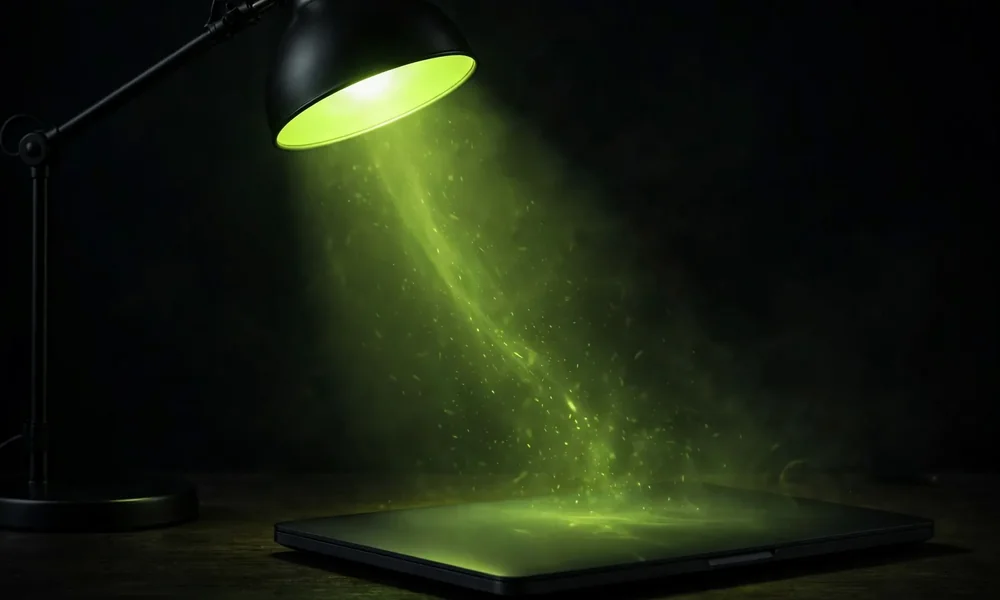
The process begins with data arriving at the light source, usually from a wired network or a router. A small controller, sometimes called a LiFi driver, converts that data into a pattern of rapid on-and-off signals and feeds them to the LED. The lamp then flickers in that pattern, and to anyone in the room it simply looks like an ordinary light switched on.
The receiver’s light sensor picks up the flickering and converts it back into an electrical signal. Software in the receiving device then decodes that signal into the original data, whether it is a web page, a video, or a file download. The whole exchange happens in real time, so a video streamed over LiFi plays just as it would over any other connection.
Sending data back the other way needs its own light source, since the connection is two-way. A laptop or phone with a LiFi receiver may carry a small infrared transmitter, which sends its own flickering signal back to a sensor near the ceiling. Infrared light is invisible to the eye, so the return link works without adding any visible glow to the room.
Because light travels in straight lines and cannot pass through walls, each LiFi lamp covers only the space it can shine on, usually a single room or part of a room. Moving out of the light, or blocking the beam with a hand or a book, can interrupt the connection, so the system works best where the device stays within the lamp’s glow. That limitation is also a strength, since it keeps the signal contained.
Comparing LiFi with Wi-Fi
LiFi and Wi-Fi both connect devices without cables, but they use different parts of the spectrum to do it. Wi-Fi uses radio waves, which pass through walls and cover a whole building, while LiFi uses light, which stays in one room and needs a clear line of sight. That difference decides where each one works best.
The table below sets out the main contrasts.
| Aspect | LiFi | Wi-Fi |
|---|---|---|
| Carries data by | Visible or infrared light | Radio waves |
| Coverage | One room, within the light | Through walls, across a building |
| Interference | Little, light is contained | Can suffer in crowded areas |
| Security | Signal stays in the room | Signal can leak through walls |
| Needs | Line of sight to the lamp | Within range of the router |
| Best for | Hospitals, planes, and secure rooms | Homes, offices, and public spaces |
The comparison is not really a contest, since the two technologies solve different problems. Wi-Fi is the general-purpose wireless network for homes and offices, while LiFi is a specialist tool for places where radio waves are crowded, restricted, or risky. In many of those places, the two run together, with Wi-Fi covering the building and LiFi serving the rooms that need it most.
Where LiFi is used
Hospitals are one of the most promising settings for LiFi. Medical equipment can be sensitive to radio interference, and some areas restrict wireless signals for that reason, yet staff still need fast, reliable data. A light-based connection avoids the radio problem entirely, letting devices stay connected without adding to the radio traffic in the building.
Aeroplanes offer a similar case. Passengers already use the reading lights above their seats, and LiFi could turn those lights into a connection for each seat without adding radio signals to the cabin. The idea is attractive to airlines because light stays within the cabin and does not interfere with the aircraft’s own systems, although fitting it to a whole fleet is a major task.
Offices and schools are a more everyday setting. A meeting room lit by LiFi lamps can give everyone in the room a fast connection, while the signal stays inside that room and does not leak into the corridor or the office next door. That containment is useful where confidentiality matters, such as a boardroom or an examination hall, and it also eases congestion on the building’s Wi-Fi.
Industrial sites use light-based links too, in places where radio signals are unreliable or unsafe. A factory floor full of metal machinery can block and reflect radio waves, while a LiFi lamp above a workstation gives a clean link to the equipment below it. Similar thinking applies in places where a radio spark could be a hazard, and light offers a safer way to move data.
Strengths and limits
The greatest strength of LiFi is that it uses a part of the spectrum that is free, plentiful, and largely unused for data. Visible light offers far more room than the radio bands Wi-Fi relies on, so a light-based link can in principle carry a great deal of data without competing with every other wireless device nearby. In a crowded office, that extra room is a real advantage.
Security is another strength. Because light does not pass through walls, a LiFi signal is naturally confined to the room where it starts, and anyone wanting to intercept it would need to be in that room, in the light. That makes LiFi attractive for places where keeping data inside a room matters, even though it is not a substitute for proper encryption and access controls.
The limits are equally clear. LiFi needs line of sight, so a blocked beam or a device moved out of the light can break the connection, and it cannot follow a user from room to room the way Wi-Fi does. It also needs new lamps, receivers, and infrastructure, which is a real cost. For most homes, Wi-Fi remains the simpler and cheaper choice, and LiFi is best seen as a specialist addition rather than a general replacement.
LiFi checklist
- Check that the device has a clear line of sight to the LiFi lamp before expecting a connection.
- Keep the light sensor uncovered, since a hand or a case over it can block the signal.
- Stay within the lamp’s glow, as moving into shadow can interrupt the link.
- Use LiFi where radio signals are restricted, such as hospitals or aircraft cabins.
- Remember that the signal stays in the room, which helps security but limits roaming.
- Keep Wi-Fi available as well, so devices can fall back to it outside the light.
- Ask whether the room needs new lamps or receivers before planning a LiFi setup.
- Test the connection with the room’s normal lighting, not just in ideal conditions.
- Treat LiFi as a complement to Wi-Fi, not as a replacement for the whole network.
Frequently asked questions
What is LiFi in simple terms?
LiFi is a wireless technology that sends data through light. A lamp flickers too quickly for the eye to see, and a receiver turns those flickers back into data.
Is LiFi faster than Wi-Fi?
It can be, in the right conditions, because light offers a great deal of unused capacity. In everyday use, the speed depends on the equipment, the room, and the network behind the lamp, so a simple comparison is misleading.
Does LiFi work in the dark?
Not with visible light, since the lamp must be on to carry data. Some systems use infrared light, which is invisible, so they can work without a visible glow, although the lamp and receiver must still have line of sight.
Can LiFi replace Wi-Fi at home?
Probably not, for most people. Wi-Fi covers a whole home through walls and follows devices from room to room, while LiFi needs line of sight and stays in one room, so it is better as an addition than a replacement.
Is LiFi safe for the eyes?
The flickering is far too fast for the eye to notice, and LiFi lamps are designed to meet the same safety standards as ordinary LED lighting. As with any lamp, it should be used as the maker intends.
Where is LiFi actually used today?
It appears in specialist settings such as hospitals, offices, schools, and industrial sites, and in trials on aircraft and in secure rooms. It is not yet common in ordinary homes, where Wi-Fi remains the standard choice.
The bottom line
LiFi explained in one line is this: a wireless technology that carries data on light, flickering a lamp too quickly to see and turning those flickers back into information at the receiver.
It will not replace Wi-Fi, and it does not need to. Its value lies in the rooms where radio waves struggle, are restricted, or are simply too crowded, and where a lamp overhead can quietly do the job of a router instead.
This article is general information about how LiFi works, not advice about installing or configuring a lighting or network system for a particular building.