Graph databases explained in plain terms are databases that store data as a web of connected things, where the connections between items matter as much as the items themselves. The central question is why some problems are painful in an ordinary table-based database yet simple in a graph, and the short answer is that a graph stores relationships as first-class data, so asking “who is connected to whom, and how” is a direct lookup instead of a slow chain of table joins.
Most data is stored in tables: rows of customers, orders and products, linked by IDs. That works well when the questions are about the rows themselves. It struggles when the questions are about the connections: who introduced whom, which accounts share a device, or how a failure in one part of a network affects the rest. In a table database, each hop between connected rows needs a join, and the work grows quickly as the chain gets longer. A graph database is built for exactly those questions. Our guide to relational databases in the cloud explains the table-based approach that graphs are often compared with.
Key takeaways
- Graph databases store data as nodes connected by relationships, and the relationships are as important as the data itself.
- They excel at questions about connections: paths, networks, recommendations and fraud rings.
- Traversing a graph follows stored links directly, instead of joining tables again at every step.
- Graphs suit data where relationships change often and where the question is “how is this connected”.
- They are a poor fit for simple record-keeping, heavy aggregation and workloads that are mostly about single rows.
What a graph database is
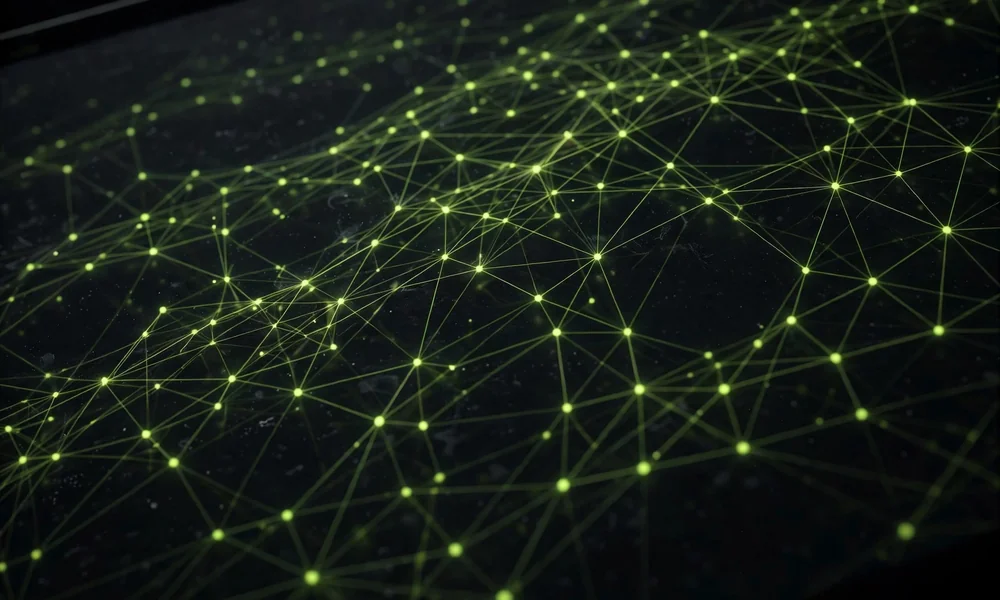
A graph database stores data as a graph: nodes, which are the things, and edges, which are the relationships between them. A node might be a person, an account, a product or a place. An edge might say that one person knows another, that an account made a payment, or that a product belongs to a category. Both nodes and edges can carry properties, such as a person’s name or the date a payment was made.
This is the property graph model, used by the best-known graph databases. There is also a second model, the RDF model, built on triples of subject, predicate and object, which is used more in knowledge graphs and linked data. The two models share the same core idea: the shape of the data is the shape of the connections, and the database is designed to follow those connections quickly.
Nodes, edges and properties
A node is a single entity. In a social network, each person is a node; in a fraud system, each account, device and phone number is a node. An edge connects two nodes and always has a direction and a type. A person “follows” another person, an account “uses” a device, a device “logs in from” an address. The type of the edge is what makes a graph query readable: the question “who follows whom” is a request for edges of one type, not a search through all the data.
Properties add detail. A person node carries a name and a date of birth. A payment edge carries an amount and a date. Because properties live on the node or edge they describe, a graph can answer questions that mix structure and detail, such as finding all accounts that share a device and made a payment above a certain amount in the last week. Indexes on properties help the database find starting points, but the real work of a graph query is following edges.
How a graph query works
A graph query usually starts at one or more nodes and traverses outward along edges. The query “find all friends of friends of this person” starts at the person, follows “knows” edges to their friends, then follows the same edges once more. Each step follows a link that is stored directly with the node, so the cost of a step does not depend on the size of the whole database, only on the number of connections at that point.
This is the key difference from a table database. In a table database, finding friends of friends means joining a table to itself, then joining the result again, and each join scans and matches rows across tables that grow with the database. In a graph, the work grows with the size of the answer, not with the size of the database. That is why a graph can answer a six-hop question in the time a table database needs for two or three hops.
Comparing graph databases with relational databases
| Aspect | Graph database | Relational database | When it wins |
|---|---|---|---|
| Data shape | Nodes and relationships | Tables of rows | Graph for connected data |
| Multi-hop questions | Fast, follows stored links | Slow, joins grow with depth | Graph for paths and networks |
| Aggregation | Possible but not its strength | Excellent, built for totals | Tables for reports and sums |
| Changing schema | Flexible, add node and edge types freely | Needs planned schema changes | Graph for evolving data |
| Simple record lookups | Works, but more than needed | Fast and well understood | Tables for basic record-keeping |
Where graph databases are used
Graph databases are used wherever connections are the point of the data. Fraud detection is one of the best-known uses: a ring of accounts that share devices, addresses and phone numbers is hard to spot in tables but visible as a dense cluster in a graph. Recommendation systems use graphs to find items connected to things a user already liked, through shared categories, shared buyers, or shared attributes.
Other common uses include identity and access, where a graph maps who can reach what through roles and groups; network and infrastructure management, where a graph maps how services, servers and dependencies connect, so an outage can be traced to its cause; and knowledge graphs, where a graph stores facts about people, places and organisations and the relationships between them. Our guide to NoSQL databases in the cloud places graphs among the other non-relational options, and our guide to data lakes covers the raw storage that often feeds a graph.
What graph databases cannot do
Graph databases have real limits. They are not the best tool for heavy aggregation, such as summing millions of transactions by month, which is the home territory of relational and analytical databases. They are also not the best choice for simple record-keeping, where the data has few connections and the questions are about individual rows. Using a graph for that is extra machinery for no benefit.
Graphs also need care at scale. A query that traverses a densely connected node, such as a popular product linked to millions of buyers, can return an enormous answer and run slowly. Modelling matters: choosing what becomes a node, what becomes an edge, and what becomes a property decides whether queries are fast or painful. A graph modelled badly is harder to fix than a table modelled badly, because the shape of the data is the whole point.
What good practice looks like
Good practice starts with modelling the questions, not the data. Before building a graph, teams list the questions it must answer, then choose nodes and edges so those questions are short traversals. A question that needs six hops through vague relationships will be slow and hard to read; the same question may become two hops if the model includes a direct edge for the relationship that matters.
Good practice also means keeping the graph clean. Duplicate nodes for the same person, edges with no type, and properties stored in inconsistent forms all make queries unreliable. Teams that load data into a graph from other systems check identity matching carefully, so the same customer from two sources becomes one node, not two. Finally, good practice means measuring the queries that matter most and indexing the properties those queries start from, so traversals begin quickly.
Graph databases checklist
- List the connection questions the graph must answer before choosing nodes and edges.
- Model the relationships that matter as direct edges, so key questions are short traversals.
- Give every edge a clear type and direction, so queries read like the question they answer.
- Match identities carefully when loading data, so one real thing becomes one node.
- Index the properties that queries use as starting points.
- Test multi-hop queries on realistic data, and watch for densely connected nodes that explode the answer.
- Keep properties consistent in form, so filters behave the same way across the graph.
- Use a relational or analytical store alongside the graph for heavy aggregation and reporting.
- Document the model, including what each node and edge type means, for everyone who writes queries.
Frequently asked questions
What is a graph database?
A graph database stores data as nodes connected by relationships, called edges. Both nodes and edges can carry properties. It is designed for questions about connections, such as paths, networks and clusters, which are slow in table-based databases because each hop needs a join.
What is the difference between a graph database and a relational database?
A relational database stores data in tables and links rows with IDs, answering questions with joins. A graph database stores relationships directly as edges and answers questions by following them. Graphs are faster for multi-hop questions, while relational databases are better for aggregation and simple record-keeping.
What is a property graph?
A property graph is the most common graph model. Nodes and edges both carry properties, such as a name on a person node or an amount on a payment edge, and every edge has a type and a direction. It is the model used by the best-known graph databases.
When should I use a graph database?
Use one when the questions are about connections: fraud rings, recommendations, identity and access paths, dependency maps, or knowledge graphs. If the questions are about individual rows, totals or simple lookups, a relational database is usually the better choice.
Can a graph database handle large amounts of data?
Yes, graph databases are used at large scale, but queries need care. A traversal through a densely connected node can return a very large answer, so modelling, indexing and query design matter more in a graph than in a table database, where a bad query is often just slow rather than explosive.
Do graph databases replace relational databases?
No. Most systems that use a graph also use a relational or analytical store alongside it. The graph answers connection questions, while the other store handles reporting, aggregation and simple record-keeping. The two complement each other rather than competing.
The bottom line
Graph databases explained in one line is this: when the question is about how things connect, a database that stores relationships as first-class data answers it by following links directly, which makes graphs the right tool for networks, paths and clusters, and the wrong tool for simple record-keeping and heavy aggregation.