Botnets explained in plain terms means a network of devices that have been secretly taken over and are controlled together by an attacker, often without their owners knowing. The central question is how thousands of ordinary computers, phones, and smart devices can be turned into a single weapon, and the short answer is that malicious software infects each device, connects it to a hidden control system, and waits for orders.
Most people picture a cyber attack as one hacker breaking into one system. A botnet works differently. It spreads quietly across huge numbers of devices, then uses their combined power for a single purpose, such as flooding a website with traffic, sending millions of spam emails, or stealing passwords on a massive scale.
Understanding botnets matters because the devices involved are often ordinary ones. The camera on a front door, the router in a hallway, and the laptop on a kitchen table can all become part of a botnet if they are poorly protected. Knowing how that happens is the first step towards keeping your own devices out of someone else’s army.
Key takeaways
- A botnet is a network of infected devices, called bots, controlled together by an attacker.
- Devices are infected through weak passwords, unpatched software, malicious downloads, and phishing messages.
- A command-and-control system sends orders to the bots, telling them what to attack and when.
- Botnets power large attacks, including website floods, spam campaigns, and password theft at scale.
- Keeping software updated, using strong unique passwords, and changing default logins keeps most devices out of botnets.
What botnets are
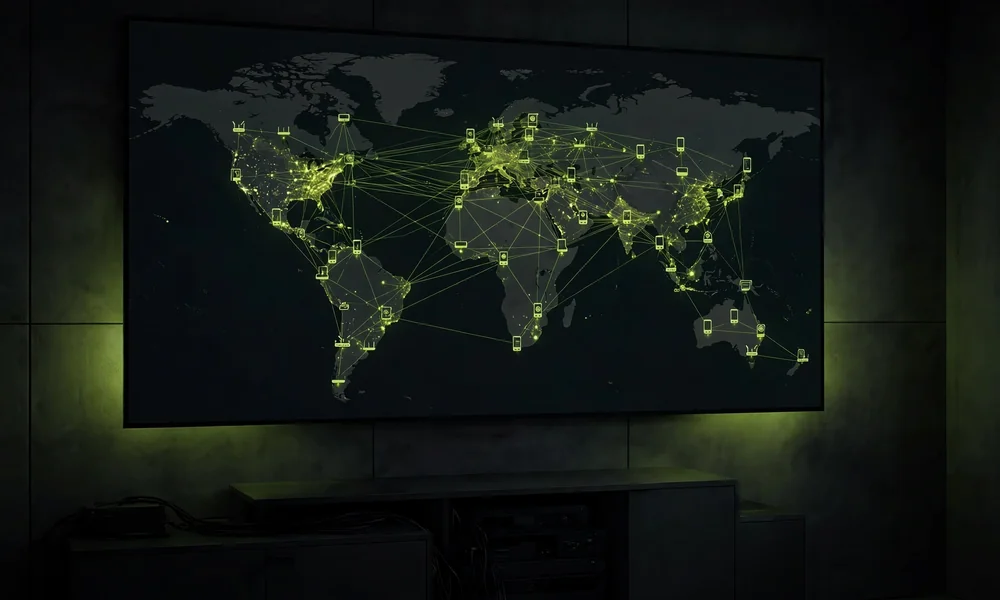
A botnet is a collection of internet-connected devices that have been infected with malicious software and are controlled as a group. Each infected device is called a bot, or sometimes a zombie, because it follows orders from a distant operator while appearing to work normally for its owner.
The devices in a botnet can be almost anything that connects to the internet. Computers and phones are common targets, but so are routers, security cameras, smart televisions, and even household appliances with built-in network connections. These smaller devices are attractive to attackers because they are often left with factory passwords and are rarely updated.
Botnets vary enormously in size. Some contain a few hundred devices and are used for a single job, while the largest have held hundreds of thousands or even millions of devices. Size matters, because the power of a botnet comes from adding up the modest capacity of each device into something far greater than any one machine could manage alone.
The people who run botnets are often called botmasters or bot herders. Some build botnets for their own attacks, while others rent them out, selling access by the hour to anyone willing to pay.
How botnets work
A botnet begins with infection. An attacker needs a way to get malicious software onto a device, and the usual routes are familiar ones: a phishing email with a dangerous attachment, a download from an untrustworthy site, or an attack on a device that still uses its factory password. Our guide to phishing explains how deceptive messages trick people into opening the door, and phishing remains one of the most effective ways to build a botnet.
Once the malicious software is installed, it connects the device to the attacker’s control system. In early botnets, this was a simple arrangement, with bots checking in to a single server for orders. Modern botnets are harder to shut down, because they may use many servers, hide their traffic inside normal-looking web requests, or pass orders from bot to bot, so there is no single point to take offline.
The infected device then waits. It may continue to work normally for its owner, while quietly listening for instructions in the background. Some botnets keep their bots almost silent, sending only tiny check-in messages, so the infection is hard to notice. Others are noisier, and their activity may show up as slow performance, unusual network traffic, or a device that seems busy when it should be idle.
When the operator wants action, an order goes out to the bots. That order might tell every device to request the same website at the same moment, overwhelming it with traffic, or to send spam, or to try thousands of passwords against a target account. Because the order reaches thousands of devices at once, the effect is far larger than anything a single computer could produce. Our guide to distributed denial of service attacks describes the flooding technique in detail, and botnets are the usual engine behind it.
Botnets also evolve. Operators update their malicious software to fix faults, add new abilities, and dodge detection, much as legitimate software is updated. Security teams, in turn, study captured samples, work out how the control system works, and try to take it over or shut it down.
Comparing botnets and other malware
Botnets are often confused with other kinds of malicious software, but the difference lies in control and scale. A virus may damage one computer, while a botnet turns many computers into a coordinated force. The table below sets out how botnets compare with other common threats.
| Aspect | Botnets | Other malware |
|---|---|---|
| Number of devices | Thousands or millions, controlled together | Usually one device at a time |
| Main purpose | Coordinated attacks, spam, and large-scale theft | Damage, spying, or ransom on a single machine |
| Control system | Remote orders sent to all bots at once | Often runs alone with no outside orders |
| Visibility to owners | Often hidden, with the device working normally | Often obvious, through damage or ransom demands |
| How it is stopped | By disrupting the control system and cleaning devices | By removing the software from the affected device |
Where botnets are used
The best-known use of a botnet is the distributed denial of service attack, in which thousands of devices flood a website or service with requests until it cannot respond to genuine visitors. These attacks have taken banks, news sites, and gaming services offline, sometimes for hours, and the cost of the disruption can be enormous.
Spam is another large use. A botnet can send millions of emails a day, advertising scams, spreading further infections, or carrying phishing messages. Because the emails come from thousands of different home devices rather than one server, they are harder to block, and the senders are harder to trace.
Botnets are also used to steal credentials at scale. Each bot can try many passwords against many accounts, and the results are gathered centrally. This kind of attack is called credential stuffing, and it works because so many people reuse the same password across different services. Our guide to malware explains the wider family of malicious software, of which botnet software is one of the most organised kinds.
More recently, botnets have been used to mine cryptocurrency, using the processing power of infected devices to earn money for the operator, and to act as proxies, routing other attacks through innocent devices to hide their origin.
Strengths and limits
The greatest strength of a botnet, from the attacker’s point of view, is scale. A single device can be ignored, but a million devices acting together can overwhelm almost any target. That scale also gives the attacker cover, because the traffic comes from ordinary homes and offices around the world, making it hard to tell an attack apart from genuine use.
A second strength is resilience. Modern botnets are built to survive the loss of individual servers and devices. If one control server is shut down, the bots may switch to another, or pass orders among themselves. Taking down a well-built botnet often requires coordinated action across many countries, and even then, surviving bots can be used to rebuild it.
The main limit is that botnets depend on vulnerable devices, and that supply can shrink. When manufacturers improve default security, when internet providers block suspicious traffic, and when users update their software, the pool of devices an attacker can recruit gets smaller. Large botnets have collapsed after the devices they relied on were patched or replaced.
There is also a limit in control. The more devices a botnet holds, the harder it is to keep them all working and hidden. Bots that are discovered and cleaned are lost, and a botnet that grows carelessly attracts the attention of security teams. Our guide to intrusion detection explains how unusual network behaviour is spotted, and botnet traffic is exactly the kind of pattern those systems are built to find.
Botnets checklist
- Change every default password on routers, cameras, and smart devices as soon as you set them up.
- Use a strong unique password for each account, so one stolen password cannot open the rest.
- Install software updates promptly on computers, phones, routers, and smart devices.
- Turn on automatic updates where they are offered, so protection does not depend on remembering.
- Do not open attachments or click links in unexpected emails, even when they look familiar.
- Download software only from the official store or the maker’s own website.
- Turn off features you do not use, such as remote access on a router or camera.
- Watch for warning signs, such as a device running slowly, overheating, or using far more data than usual.
- Run a reputable security scan if a device behaves strangely, and reset it if the problem persists.
Frequently asked questions
What is a botnet in simple terms?
A botnet is a network of devices that have been secretly infected and are controlled together by an attacker. The owner of each device usually has no idea it is being used, while the attacker uses the combined power of all the devices for large attacks.
How do I know if my device is part of a botnet?
Warning signs include a device running slowly for no clear reason, using far more internet data than usual, or feeling warm when it should be idle. A security scan from a reputable provider can check for known botnet software, and your internet provider may also warn you about suspicious traffic from your connection.
Can a smart television or camera join a botnet?
Yes. Any device that connects to the internet can be infected if it has weak security, and smart devices are common targets because they often keep factory passwords and are rarely updated. Changing the default password and installing updates protects them like any other device.
Are botnets illegal?
Yes, in most countries. Creating a botnet, infecting devices without permission, and using them to attack others are criminal offences, and operators have faced long prison sentences. Owning a device that has been infected without your knowledge is not a crime, but you should clean it up once you know.
What is a botnet attack?
A botnet attack is any attack that uses a botnet, most often a flood of traffic that overwhelms a website, a huge spam campaign, or a mass attempt to guess passwords. The attack works because thousands of devices act at the same time, under one operator’s orders.
Can botnets be taken down?
Yes, although it takes coordination. Security teams and law enforcement work together to seize control servers, block the domains bots use, and help owners clean infected devices. Some of the largest botnets have been dismantled this way, although new ones appear to take their place.
The bottom line
Botnets explained in one line is this: ordinary devices, infected in secret and controlled together, give an attacker the combined power of thousands of machines, and the owners usually never notice.
The defence is unglamorous but effective. Strong unique passwords, prompt updates, and a habit of treating unexpected messages with suspicion keep most devices out of a botnet, and every device kept clean is one fewer soldier in someone else’s army.
This article is general information about how botnets work, not advice about securing a particular device or network.