AI server hardware requirements are the specifications a server must meet to train or serve a machine learning model at the speed and scale your team needs. They cover the accelerators, the system memory, the storage, the network and the power and cooling that hold the whole system together, and getting any one of them wrong creates a bottleneck that the other parts cannot fix. The central question is how to size a server for your workload, and the answer is to start from the model: its size, its precision and its traffic, then size every component to that model rather than buying the fastest GPU and hoping the rest keeps up.
That model-first approach matters because AI servers are the most expensive machines most teams will ever buy, and the mistakes are expensive in both directions. Oversizing wastes capital on capacity that sits idle, while undersizing means a server that cannot load the model at all, or that serves it so slowly that users give up.
Key takeaways
- AI server hardware requirements start from the model: its size, precision and traffic decide every component.
- GPU memory is usually the first constraint, because a model that does not fit cannot run at all.
- System memory, storage speed and networking matter as much as the GPU, and a weak link wastes the accelerator.
- An eight-GPU server needs roughly 10 kW of power and matching cooling, so check the facility before the hardware.
- Size for the workload you will run in the next year, and leave a clear upgrade path rather than buying for five years ahead.
Start with the model, not the machine
Every server decision follows from the model it will run. A model stored in 16-bit precision needs about two bytes of memory per parameter, so a 70-billion-parameter model needs roughly 140 GB just for its weights, before any space for the working memory that holds the conversation context. That single fact decides whether the model fits on one GPU, needs several, or needs a different approach entirely, such as quantisation to a smaller precision.
The workload type changes the answer too. Training needs more memory than inference, because training stores gradients and optimiser states alongside the weights, and it needs fast links between GPUs so the chips can share work. Inference needs less memory for the model itself but needs room for the key-value cache, the working memory that grows with context length and batch size, and it needs low latency rather than raw throughput.
For a detailed guide to matching accelerators to models, see our article on AI hardware sizing, which works through the same calculation step by step.
Traffic decides the scale. A server that handles a handful of requests an hour can be small and cheap, while one that handles thousands of concurrent users needs more GPUs, more memory and faster networking. Write down the expected requests per second, the average prompt and response lengths, and the latency target before you look at any hardware list.
GPUs: the accelerator is the starting point
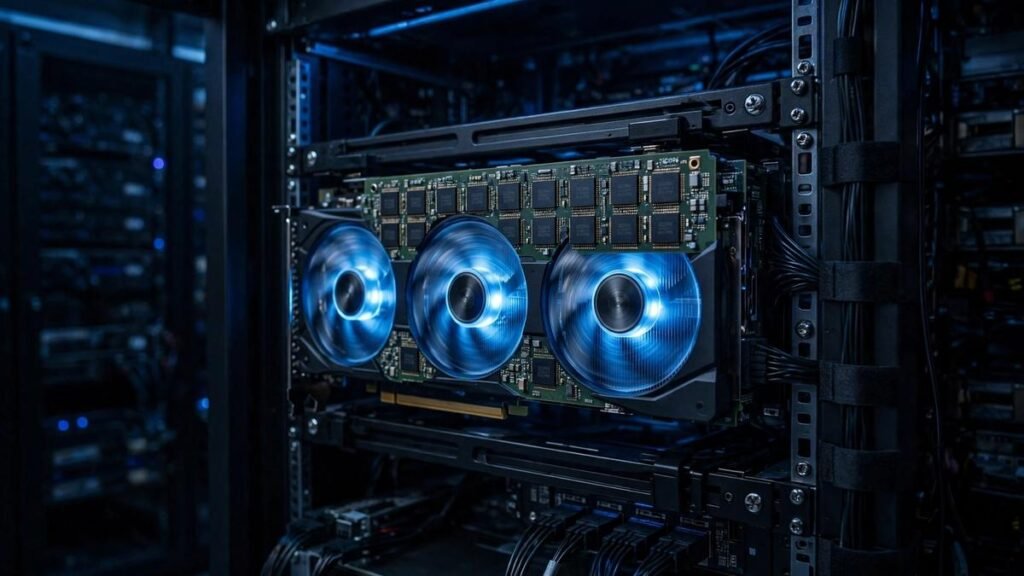
The GPU is the heart of an AI server, and the choice is between the current data-centre accelerators. NVIDIA’s H100 SXM carries 80 GB of HBM3 memory at 3.35 TB/s and draws up to 700 W, while the H200 raises memory to 141 GB of HBM3e at 4.8 TB/s at the same power. The Blackwell generation goes further: the B200 carries 192 GB of HBM3e at 8 TB/s and draws 1,000 W, and the B300 carries 288 GB at 8 TB/s and draws 1,400 W.
AMD’s MI300X offers 192 GB of HBM3 at 5.3 TB/s and draws 750 W.
Form factor matters as much as the chip. SXM modules mount on a dedicated baseboard with fast GPU-to-GPU links, while PCIe cards fit in standard servers but run at lower power and with slower links between cards. An H100 in SXM form reaches 900 GB/s of NVLink bandwidth per GPU, while a PCIe card relies on the host bus and is far slower for multi-GPU work.
If your model spans more than one GPU, the interconnect is not optional, and a server built on PCIe cards will spend its time waiting. Best for: multi-GPU training and large-model inference, where SXM or an equivalent baseboard design is worth the premium.
How many GPUs you need follows from the model and the traffic. A single GPU can serve many small models, two to four can handle a mid-size model with room to grow, and eight is the standard building block for serious training, because eight-GPU servers are the unit that vendors design, test and support. Buying a single eight-GPU server is usually simpler and cheaper to run than buying eight separate one-GPU machines, because the fast interconnect inside one server is far quicker than any network between servers.
System memory, storage and networking
System memory feeds the GPUs. A common rule is to provision at least as much system memory as total GPU memory, and many teams provision more, because data loading, preprocessing and the serving stack all need room. A server with eight 80 GB GPUs and only 256 GB of system memory will starve the accelerators while data waits to be loaded, so size the host memory to the workload, not to the cheapest option on the configurator.
Storage is about speed as much as capacity. Models, datasets and checkpoints are large, and a server that loads them from slow disks wastes GPU time on every start. Fast NVMe storage is now standard for AI servers, and it should be sized for the models you run, the datasets you train on, and several checkpoints, because a training run that cannot save its progress is a run you will have to repeat.
Networking decides whether several servers can work as one cluster. For a single server, the network matters less, but for a cluster it is decisive: training across servers needs a fast fabric, such as InfiniBand or high-speed Ethernet, with enough bandwidth that the network does not become the bottleneck. For the cluster side of the decision, see our guide to GPU cluster architecture, which explains how thousands of chips are connected to train one model.
Best for: teams planning more than one server, because the network choice is hard to change later.
Power and cooling: the facility decides what you can run
Power is the constraint most buyers discover last and regret most. A complete eight-GPU DGX H100 server is rated at 10.2 kW at maximum draw, and a DGX B200 server is rated at roughly 14.3 kW, so a single rack of AI servers can draw more power than a whole floor of ordinary office equipment. Before ordering, check the power available at the rack, the capacity of the circuits, and the cost of electricity, because a server that cannot be powered is a very expensive paperweight.
Cooling follows power. Air cooling works up to roughly 30 kW per rack, but the densest AI racks now draw far more, and the industry has moved to direct-to-chip liquid cooling for them. NVIDIA’s GB200 NVL72 rack draws roughly 120 kW, so any team planning Blackwell-scale hardware needs to confirm that its facility can supply liquid cooling or that its provider can.
The practical step is to ask the facility or the cloud provider three questions before buying: how much power is available at this rack, what cooling is installed, and what happens when you add a second rack. If any answer is vague, treat it as a no and plan around it. Best for: on-premises buyers, because the building, not the catalogue, sets the real limit.
Comparing server configurations by workload
| Workload | GPUs | GPU memory | Host memory | Network |
|---|---|---|---|---|
| Small-model inference | 1 to 2 | 24 to 80 GB | 256 GB | Standard Ethernet |
| Mid-size model serving | 2 to 4 | 80 to 141 GB each | 512 GB | 25 to 100 GbE |
| Large-model inference | 4 to 8 | 141 to 192 GB each | 1 TB or more | 100 to 200 GbE |
| Fine-tuning | 4 to 8 | 80 to 141 GB each | 512 GB to 1 TB | InfiniBand or 200 GbE |
| Full training | 8 or more | 141 to 288 GB each | 1 TB or more | InfiniBand fabric |
The table is a starting point, not a specification, and every row should be checked against the model you actually run. The jump from serving to training is the biggest one in the table, because training adds optimiser states and needs the fast interconnect. When in doubt, rent the configuration for a month and measure it before buying.
Buy, rent or use the cloud
Buying makes sense when utilisation is high and steady. A server that runs at high utilisation for years can be cheaper to own than to rent, and ownership gives control over the software and the data. But ownership also means paying for power, cooling, maintenance and eventual replacement, and a server that sits idle is the most expensive option of all.
Renting or using the cloud makes sense when demand is uneven or uncertain. A team that needs capacity for a single training run, or that is still learning what its workload needs, should rent first and buy later, once the numbers are known. Cloud capacity also avoids the facility problem entirely, because the provider supplies the power and cooling.
AI server hardware requirements checklist
- Write down the model, its precision, its parameter count and its expected traffic.
- Calculate the memory the model needs, including the key-value cache for your context lengths.
- Choose the GPU and form factor, checking NVLink or equivalent bandwidth for multi-GPU work.
- Provision system memory at least equal to total GPU memory.
- Specify fast NVMe storage for models, datasets and checkpoints.
- Choose networking that matches the cluster size, not just the single server.
- Confirm power and cooling at the rack before ordering, including a second rack.
- Rent the configuration for a month and measure it before buying.
Frequently asked questions
How much GPU memory do I need for an AI server?
It depends on the model. A model in 16-bit precision needs about two bytes per parameter for its weights, plus working memory for the context, so a 70-billion-parameter model needs roughly 140 GB for weights alone. Calculate the weights, add the key-value cache for your longest context, and add a margin before choosing a GPU.
Is one GPU enough for AI inference?
Often yes. A single modern GPU can serve small and mid-size models, and many teams start with one or two. The cases that need more are large models that do not fit on one card, high-traffic serving where one card cannot keep up, and training, which almost always needs several.
Do I need liquid cooling for an AI server?
Not for a single eight-GPU server, which can usually be air-cooled if the room is designed for it. Liquid cooling becomes necessary as rack power rises above roughly 30 kW, and it is standard for the densest Blackwell-scale racks. Check the power draw of your configuration and the cooling your facility provides.
Should I buy an AI server or use the cloud?
Buy when utilisation is high and steady, because ownership is cheaper over the server’s life. Rent or use the cloud when demand is uneven, when you are still learning your workload, or when your facility cannot supply the power and cooling. Many teams rent first, measure, and buy once the numbers are known.
What is the most common sizing mistake?
Buying the fastest GPU and ignoring the rest of the system. A server with too little system memory, slow storage or a weak network wastes the accelerator, because the GPU spends its time waiting for data. Size every component to the model, and test the whole system before you commit.