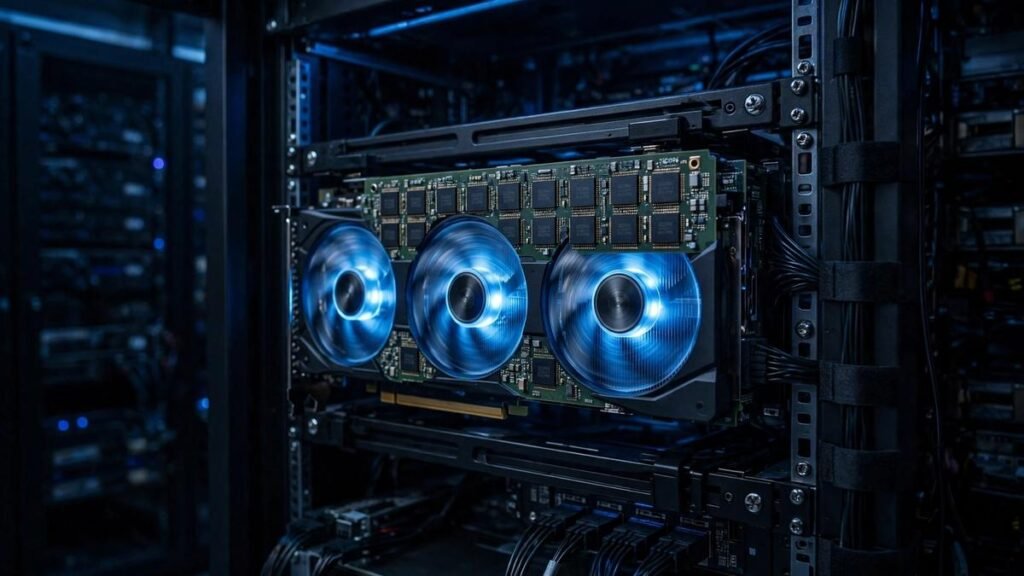
AI chip cooling solutions are the systems that remove the heat generated by accelerators, because every watt of electricity a GPU consumes becomes a watt of heat that must go somewhere. A single H100 draws up to 700 W, a B200 draws 1,000 W, and a rack of 72 Blackwell GPUs draws roughly 120 kW, which is more heat than the air systems of most buildings were ever designed to remove. The central question is which cooling method your hardware needs, and the answer depends on rack density: air works up to roughly 30 kW per rack, direct-to-chip liquid cooling covers the middle ground, and immersion is reserved for the densest specialist deployments.
Cooling has become a strategic decision rather than a facilities detail, because it decides which chips a building can host, how much power fans and chillers waste, and how much water the site consumes. This guide explains the three main methods, what each costs to run, and how to choose between them.
Key takeaways
- AI chip cooling solutions must match rack density: air up to roughly 30 kW, liquid above it, immersion for the densest racks.
- Direct-to-chip liquid cooling is now the standard for AI racks, with cold plates mounted on the GPUs and CPUs.
- Cooling is an energy cost too: the average data centre still runs at a PUE of about 1.54, meaning half as much energy again as the IT equipment uses.
- Liquid cooling lets a facility use warm water and dry coolers, cutting chiller energy and water use.
- Check power, cooling and water together before ordering hardware, because the facility sets the real limit.
Why AI chips are so hard to cool
The problem is density. In 2017, NVIDIA’s V100 drew 300 W, the A100 in 2020 drew up to 400 W, the H100 in 2022 drew up to 700 W, and Blackwell chips draw up to 1,000 W and more. At the same time, the chips are packed closer together, with 72 GPUs in a single rack-scale system, so the heat per square metre has risen far faster than the heat per chip.
The average data centre rack still draws under 8 kW, according to Uptime Institute surveys, while AI racks draw fifteen times that.
Air is a poor carrier of heat. It takes large volumes of fast-moving air to remove a kilowatt, and that means big fans, wide aisles and powerful air conditioning, all of which consume electricity themselves. Liquid carries far more heat per unit of volume, which is why the industry has moved to it: coolant flowing through the copper microchannels of a cold plate pulls heat away roughly 300 times faster than air over a heatsink.
The physics leaves no real alternative once rack power passes a certain point, and that point has arrived for AI.
Heat also limits performance. A chip that gets too hot slows itself down to protect itself, a process called thermal throttling, so inadequate cooling does not just risk hardware, it directly reduces the speed you paid for. A cooling system that keeps chips at their designed temperature is therefore part of the performance of the system, not just its protection.
Best for: anyone planning a new AI deployment, because the cooling decision shapes the building as much as the hardware.

Air cooling: the familiar default, with a ceiling
Air cooling is the method every data centre starts with: heatsinks on the chips, fans moving air through the server, and computer room air conditioning units cooling that air. It is simple, well understood, cheap to install, and easy to service, because any technician can replace a fan. For ordinary servers and for small AI deployments, it remains the right choice, and it will stay the right choice wherever rack power stays modest.
Its ceiling is the problem. Air cooling works economically up to roughly 20 to 30 kW per rack, and above about 50 kW it stops making physical sense, because the volume of air required becomes impractical. Rear-door heat exchangers, which cool the air as it leaves the rack, can extend air cooling to around 100 kW, but they are a bridge rather than a destination.
A single eight-GPU DGX H100 server at 10.2 kW is fine on air, but a rack of them is not.
The other cost of air is energy. Fans and air conditioning consume a large share of a facility’s power, and the Uptime Institute has reported average power usage effectiveness, or PUE, stuck at about 1.54 to 1.56 for several years, meaning a typical facility uses roughly half as much energy again as its IT equipment, much of it for cooling.
Direct-to-chip liquid cooling: the new standard
Direct-to-chip liquid cooling puts a metal cold plate directly on top of each hot chip, with coolant circulating through channels in the plate. The liquid is usually water with glycol added to prevent bacterial growth and protect against freezing and corrosion, and it is pumped to a coolant distribution unit, which passes the heat to a secondary loop and then to a chiller or a dry cooler. It is the most mature liquid method, and it is the one specified for NVIDIA’s rack-scale systems.
Its advantage is that it removes heat at the source, before it ever reaches the air, so the room needs far less air conditioning. A direct-to-chip retrofit can cut the cooling energy of a cluster sharply: in one audited eight-node H100 cluster, the cooling power per node fell from 1.4 kW on air to 0.28 kW with liquid, and the whole cluster’s PUE fell from 1.45 to 1.08.
The costs are real but manageable. A facility needs plumbing, coolant distribution units, leak detection and staff who understand liquid systems, and the servers need cold plates fitted to each chip. But the work is incremental: direct-to-chip cooling can be deployed rack by rack, it works with existing chilled water infrastructure, and it does not require a purpose-built room.
For the power side that drives the cooling decision, see our article on AI data centre power requirements, which sets out the numbers a facility must meet. Best for: any AI deployment above roughly 30 kW per rack, which now covers most serious GPU clusters.
Immersion cooling: powerful, but still specialist
Immersion cooling submerges the whole server in a dielectric fluid that carries heat away directly. In single-phase immersion the fluid circulates and is cooled elsewhere, while in two-phase immersion the fluid boils against the hot components and condenses above them. It removes heat more effectively than any other method, and it eliminates fans entirely, but it remains a specialist choice rather than the industry default.
The reasons are practical. Immersion needs purpose-built tanks, servers must be modified to run without fans and with components that tolerate the fluid, servicing means lifting a server out of liquid, and some vendors have been cautious about warranties on immersed hardware. Two-phase immersion in particular has lost ground in recent years, as direct-to-chip systems have improved and as operators have found its fluids and maintenance harder to manage.
That may change as rack power rises further. NVIDIA’s roadmap points to racks drawing 600 kW in 2027, and at that density even direct-to-chip systems will be tested. For now, immersion is worth evaluating for the densest future deployments, rather than deploying first.
For the cluster design that drives these densities, see our guide to GPU cluster architecture, which explains how thousands of chips are connected. Best for: specialist deployments with extreme density, water scarcity, or a purpose-built facility.
Comparing the three cooling methods
| Method | Rack power range | Energy overhead | Facility work | Best use |
|---|---|---|---|---|
| Air cooling | Up to about 30 kW | High: fans and chillers | Minimal | Small deployments, ordinary servers |
| Rear-door heat exchanger | Up to about 100 kW | Medium | Moderate: doors and water | Extending air in existing rooms |
| Direct-to-chip liquid | 30 to 175 kW | Low: pumps and dry coolers | Moderate: plumbing and CDUs | Most AI GPU clusters |
| Single-phase immersion | Above about 175 kW | Very low | High: tanks and modified servers | Extreme density, specialist sites |
The table shows why direct-to-chip has become the default: it covers the range where most AI racks actually sit, with moderate facility work and low running energy. Air remains right for small deployments, and immersion remains right for the extreme end, but the middle of the table is where the industry’s money is going, and where most buyers should look first.
Choosing cooling for your deployment
Start with the rack power of the hardware you plan to buy. Add up the rated draw of the servers, switches and storage in one rack, and compare the total with the ranges in the table. If the total is below 30 kW, air cooling is likely enough, and you should spend the money on the hardware instead.
If it is above that, plan for liquid, and confirm that the facility can supply it before you order.
Then look at the whole cost, not just the installation. Liquid cooling costs more to install but less to run, because it uses far less energy for fans and chillers, and it can cut water use sharply: Microsoft has said its zero-evaporation liquid design saves over 125 million litres of water a year per data centre.
Finally, plan for leaks and maintenance. Any liquid system needs leak detection, isolation valves, and a procedure for servicing a server without draining a rack, and staff need training in liquid systems. These are solvable problems, and every major vendor now supports them, but plan them before the first server arrives, not after a leak.
Best for: teams buying their first liquid-cooled rack, because the planning matters more than the hardware choice.
AI chip cooling solutions checklist
- Add up the rated power draw of everything in one rack before choosing a method.
- Use air cooling below roughly 30 kW per rack, and plan liquid above it.
- Confirm the facility can supply the power, the cooling water and the drainage.
- Ask the vendor which components are liquid-cooled and which remain air-cooled.
- Check the supply water temperature the system needs, and whether dry coolers can serve it.
- Plan leak detection, isolation valves and a servicing procedure before installation.
- Compare running energy and water use, not just installation cost.
- Leave room in the design for the next generation, which will draw more power per rack.
Frequently asked questions
What is the best cooling solution for AI chips?
Direct-to-chip liquid cooling is the best choice for most AI deployments, because it handles the rack densities of current GPU clusters with moderate facility work and low running energy. Air cooling suits small deployments, and immersion suits the densest specialist sites.
Can AI servers be air-cooled?
Yes, up to a point. A single eight-GPU server can be air-cooled in a well-designed room, and air works economically up to roughly 30 kW per rack. Above that, the volume of air required becomes impractical, and liquid cooling is the better choice.
What is direct-to-chip liquid cooling?
It is a method where a metal cold plate sits directly on each hot chip, and coolant circulates through channels in the plate to carry heat away. The liquid goes to a coolant distribution unit, which passes the heat to a secondary loop and then to a chiller or dry cooler.
Is immersion cooling better than liquid cooling?
Immersion removes heat more effectively and eliminates fans, but it needs purpose-built tanks, modified servers and more complex servicing. For most deployments, direct-to-chip cooling is the better balance of performance, cost and practicality.
How much power does cooling add to an AI data centre?
It depends on the method and the facility. The average data centre runs at a PUE of about 1.54, meaning cooling and other overheads add roughly half as much energy again as the IT equipment uses. Efficient liquid-cooled clusters can reach a PUE close to 1.1, cutting that overhead sharply.