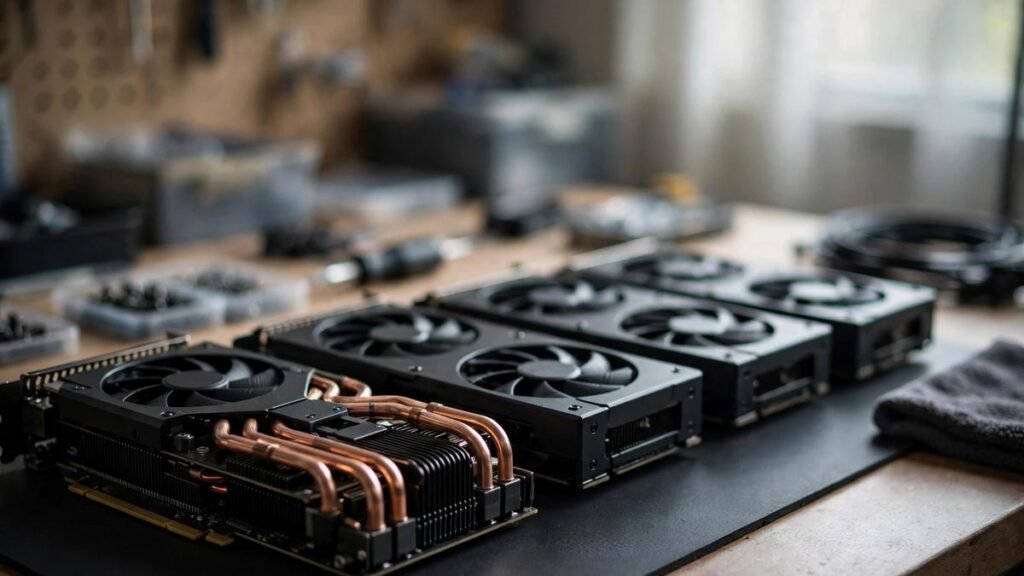
AI infrastructure cost breakdown is the map of where the money goes when an organisation runs artificial intelligence in production. The headline number is usually the GPU bill, but the GPU bill is only one line: storage, networking, data pipelines, model APIs, monitoring, energy and the people who keep it all running add lines of their own, and in many systems those lines together rival the GPUs. The central question is which lines dominate, and the answer is that it depends on the workload: training is dominated by compute, inference by serving capacity, and retrieval systems by storage and data movement.
A useful breakdown therefore starts from the workload, not from the invoice. A team that knows whether it is paying mostly for training, for serving, for data preparation or for idle capacity can make decisions that actually move the total. A team that only sees a single monthly number cannot. This guide walks through each cost line, explains what drives it, and shows how to read the total as a set of trade-offs rather than a single bill.
Key takeaways
- GPUs are the largest single line for most AI systems, but storage, networking, data and people add up to a large share.
- Training costs are dominated by compute hours; inference costs are dominated by serving capacity and utilisation.
- Idle capacity is the quietest waste: GPUs paid for but not used cost the same as GPUs doing work.
- Data movement, between regions and between services, is a cost line teams often miss entirely.
- Break costs down by workload and by team, and review utilisation before buying more capacity.
Compute: the GPU line that dominates the bill
Compute is the largest line for most AI infrastructure, and it is priced by the hour for each accelerator. Training a model uses many accelerators at once for days or weeks, so the cost is the number of accelerators multiplied by the hours multiplied by the hourly rate. Inference uses fewer accelerators, but it uses them continuously, because the service must be ready whenever a user asks, and that steady use adds up over a month.
The rate depends on how the capacity is bought. On-demand pricing is the most flexible and the most expensive per hour, because it carries no commitment. Reserved or committed capacity costs less per hour, but only pays off if the capacity is actually used for most of the commitment period. Spot or pre-emptible capacity is cheapest of all, but it can be taken away with little notice, which makes it suitable for work that can pause and resume, such as batch training or offline evaluation, and unsuitable for a live service.
Utilisation is what turns a good rate into a good cost. A GPU that is busy for a tenth of the time it is paid for costs ten times as much per unit of work as the same GPU fully used. Low utilisation usually comes from requests that arrive in bursts with idle gaps between them, from models that are too small for the hardware they run on, or from batching that is too small to fill the accelerator. Best for: any team deciding between on-demand, reserved and spot capacity, or wondering why its GPU bill is larger than its usage suggests.
Storage: models, data and the retrieval index
Storage is the line that grows quietly. Model weights must be stored, and a large model can occupy tens or hundreds of gigabytes, with several versions kept for rollback. Training data must be stored too, often in multiple copies: the raw source, the cleaned version and the checkpoints written during training. Each copy is cheap per gigabyte, but the volumes are large and they accumulate.
Retrieval systems add their own storage. A vector index that serves a search feature holds an embedding for every document, and that index must be stored, loaded into memory, and rebuilt when the documents change. Its cost grows with the corpus rather than with the number of users, which is why a retrieval system can become expensive before it becomes popular.
Storage pricing also depends on speed. Fast storage that a GPU can read at full speed costs more than slow archival storage, and the right choice is to keep hot data on fast storage and move cold data to cheaper tiers. A team that keeps training data it no longer uses on the fastest tier is paying a premium for convenience it does not need.
Networking: moving data costs more than storing it
Networking is the line most teams underestimate, because it is charged by the gigabyte moved rather than by the hour. Data moves in several directions: from users to the service, between services, between regions, and out of a cloud provider to the internet. The first is usually cheap; the last two can be expensive, and the cost scales with volume, so a feature that returns large responses or ships large files pays for every byte.
Cross-region traffic deserves attention. A model served in one region and a database in another will pay for every request that crosses the boundary, and a team that replicates data across regions pays for the replication too. Keeping the model, the retrieval index and the data it reads in the same region avoids most of this cost, and it usually improves latency as well.
Egress, the cost of data leaving a provider, is the most surprising line of all, because it is easy to generate by accident. A service that returns full documents to a user, a pipeline that copies training data out to an external tool, or a backup that leaves the cloud all generate egress charges.
Model APIs, data pipelines and the software around the model
Not all AI cost is infrastructure in the narrow sense. A team that uses hosted model APIs pays per token, and that line belongs in the same breakdown, because it competes with the cost of running a model on the team’s own GPUs. The comparison is a real one: at low volume, the hosted API is usually cheaper, because there is no idle capacity; at high, steady volume, self-hosted serving can be cheaper, but only if utilisation stays high. The break-even point moves as prices change, so it should be recalculated, not assumed.
Data pipelines are another line. Ingesting documents, cleaning them, generating embeddings and keeping an index fresh all consume compute and storage, and they run on a schedule whether or not anyone asks a question. A pipeline that reprocesses the whole corpus every night costs far more than one that processes only what changed.
The software around the model adds smaller lines that still deserve a place in the breakdown: monitoring and logging, evaluation runs, experiment tracking, and the serving framework itself. None of these is large on its own, but together they can reach a noticeable share, and they are the lines most likely to be forgotten when a team totals its AI spend. For the monitoring line specifically, see our guide to AI infrastructure cost monitoring, which covers what engineers actually watch.
People, energy and the costs that do not appear on a cloud bill
People are the largest cost that never appears on a cloud invoice. Engineers who build and maintain the infrastructure, data specialists who prepare the data, and the on-call rotation that keeps a live service running are all part of the true cost of the system. A design that saves on GPUs but needs constant manual attention may cost more overall than a simpler design with a larger cloud bill.
Energy and facilities matter for teams that run their own hardware. A GPU draws substantial power, and the power must be paid for, cooled and delivered through a facility that can handle the load. In a cloud bill these costs are bundled into the hourly rate; on owned hardware they appear as separate lines for electricity, cooling and space, and they can be a large share of the total.
Evaluation and experimentation are a cost line that is easy to miss. Every model change is tested against a dataset, every prompt change is compared with the old one, and every new idea is tried in a sandbox. That testing uses the same expensive resources as production, and without a budget it grows with the number of experiments.
Comparing AI infrastructure cost lines
| Cost line | What drives it | Scales with | Main waste to watch |
|---|---|---|---|
| GPU compute | Hours and accelerator type | Training runs, serving load | Idle capacity |
| Storage | Volume and speed tier | Data and model versions | Cold data on fast tiers |
| Networking | Gigabytes moved | Response size, regions | Egress and cross-region traffic |
| Model APIs | Tokens per request | Request volume | Oversized prompts and outputs |
| Data pipelines | Schedule and volume | Corpus size | Full reprocessing |
| People and operations | Team size and on-call load | System complexity | Manual work that could be automated |
| Evaluation | Experiments run | Team velocity | Unbudgeted testing on production capacity |
The table is a checklist for reading a bill. For each line, ask what drives it, what it scales with, and where its waste hides. The line with the largest total is not always the line with the largest waste, and the infrastructure choices behind it matter: see our guide to enterprise AI infrastructure for how those choices shape success.

AI infrastructure cost breakdown checklist
- Costs are broken down by workload: training, serving, data pipelines and evaluation.
- GPU utilisation is measured, and idle capacity is identified and released or shared.
- Reserved capacity is sized to steady base load, with peaks on flexible pricing.
- Storage is tiered: hot data on fast storage, cold data on cheap tiers.
- Model, index and data live in the same region where possible.
- Egress sources are reviewed quarterly, and unnecessary data leaving the cloud is stopped.
- Hosted API cost is compared with self-hosted serving at current volume, not assumed.
- Data pipelines process only what changed, not the whole corpus.
- Evaluation has its own budget and its own capacity.
- People and energy are counted in the total, not left off the breakdown.
Frequently asked questions
What is the biggest cost in AI infrastructure?
Usually GPU compute, because accelerators are expensive per hour and AI workloads use them heavily. But in retrieval-heavy systems, storage and data movement can rival compute, and in every system the people who run it are a large cost that never appears on a cloud bill.
Is it cheaper to train in the cloud or on owned hardware?
It depends on utilisation. Cloud capacity is cheaper for bursty or short-lived work, because there is no idle hardware to pay for. Owned hardware can be cheaper for sustained, predictable use, but only if utilisation stays high and the costs of power, cooling and maintenance are counted.
Why is my AI bill higher than my usage suggests?
The usual causes are idle capacity, oversized prompts and outputs, full-corpus reprocessing, and data moving between regions or out of the cloud. A breakdown by workload and by line will show which one it is.
How do I cut AI infrastructure costs without hurting quality?
Start with utilisation and waste: release idle capacity, tier storage, stop unnecessary data movement, and process only changed data. Those cuts do not touch the model or the answers, so quality is unaffected.
Should evaluation share production capacity?
It is better to give evaluation its own budget and cheaper capacity. Sharing production capacity means experiments compete with users for the same resources, and the cost of testing becomes invisible inside the production bill.
How often should the cost breakdown be reviewed?
Monthly for the full breakdown, and weekly for utilisation and the largest lines. Capacity decisions, such as new commitments, should be revisited quarterly, because volume and prices both change.