AI robotics safety guide in one sentence: a safe AI robot is not a safe robot with clever software added, it is a system where the robot, the AI, the task and the people around it have been assessed together. The central question is what actually keeps people safe around AI-powered robots, and the answer is a layered set of controls: recognised safety standards, a task-based risk assessment, physical safeguards, and limits on what the AI is allowed to do on its own.
AI changes the safety picture in two ways. It makes robots more capable, so they can work closer to people and handle more varied tasks, and it introduces new failure modes, because a model can misread a scene or behave unexpectedly on inputs it has never seen. The old safety playbook is necessary but no longer sufficient on its own.
Key takeaways
- AI robot safety is a system property: robot, AI, task and people must be assessed together.
- ISO 10218-1 and ISO 10218-2 (2025) and ISO/TS 15066 are the core standards for industrial and collaborative robots.
- The four collaborative modes are safety-rated monitored stop, hand guiding, speed and separation monitoring, and power and force limiting.
- AI adds new failure modes, such as misperception and unexpected behaviour on unseen inputs, that need their own controls.
- Every deployment needs a task-based risk assessment, tested safeguards and trained people, reviewed regularly.
The standards that govern robot safety
Industrial robot safety is governed by a small set of international standards. ISO 10218-1 covers the design and construction of the robot itself, and ISO 10218-2 covers how robots are installed and integrated into a workcell. The 2025 edition of ISO 10218-2 absorbed the collaborative requirements that previously lived in ISO/TS 15066, so it is now the single main reference for both conventional and collaborative systems.
ISO/TS 15066, published in 2016, remains current and sets out the four collaborative modes and the biomechanical force and pressure limits for power-and-force-limited applications, covering 29 body locations grouped into 12 body areas. The US counterpart is ANSI/RIA R15.06, and the general method for risk assessment comes from ISO 12100. The full texts are published by ISO, and the standards are the starting point for any safety case, not a substitute for it.
Standards set the framework, but they do not make a cell safe by themselves. A compliant robot can still be dangerous if it is installed badly, if the task changes after the assessment, or if the AI software behaves in a way nobody tested. That is why the risk assessment, not the certificate, is the document that matters most.
The four collaborative operating modes
Collaborative operation means a robot and a person share a workspace, and the standards recognise four modes. Safety-rated monitored stop holds the robot still whenever a person is in the workspace, so only one party moves at a time. Hand guiding lets the operator move the arm directly through a hand-operated device with an enabling switch. Speed and separation monitoring slows the robot as a person approaches and stops it if the separation drops below a calculated distance. Power and force limiting lets contact happen, but only below force and pressure limits set so that it will not cause injury.
Power and force limiting is the mode most people mean when they say “cobot”, and it is the one most often misunderstood. The limits are not marketing numbers; they come from pain-onset research and are set per body region. For example, the quasi-static force limit for the face is 65 newtons, and the limit for the skull is 130 newtons. Contact is only permitted because those limits are enforced by the robot’s design, and they apply to the whole application, including the tool and the workpiece, not just the robot arm.
Best for: choosing the right mode for the task: monitored stop for loading, hand guiding for teaching, speed and separation for shared spaces, and power and force limiting for close, light contact work.
Risk assessment: the foundation of every safe cell
A risk assessment identifies what can hurt someone, how likely it is and how serious the injury would be, then selects controls to reduce the risk. For an AI robot cell it must cover the robot, the tooling, the workpiece, the AI software, the environment and the people, including maintenance staff and visitors. It must also cover the reasonably foreseeable misuse, such as a worker reaching into the cell to clear a jam, because that is when most injuries happen.
The assessment follows the hierarchy of controls: eliminate the hazard where possible, guard against it, add engineered safeguards, and use procedures and training as the last layer. AI does not change that hierarchy. What it changes is the hazard list, because a learning system adds hazards a fixed programme does not have, such as a wrong object classification or a plan that changes mid-task.
The assessment is not a one-off document. It must be reviewed when the task changes, when the software is updated, when the layout moves, or after any incident or near miss. A cell that was safe last year may not be safe after a software update that changes how the robot moves.
AI failure modes and how to control them
AI systems fail differently from fixed programmes. A vision model can misclassify an object, a planner can choose an unsafe path, and a learning system can behave unexpectedly on an input it has never seen. These failures are not always obvious: a model can be wrong and confident at the same time.
The controls are layered. Limit what the AI can do: cap speeds and forces, define the workspace, and require a human confirmation for actions that carry risk. Monitor the AI: log its decisions and set up alerts when its confidence is low. Keep a safe fallback: a stop function that works independently of the AI, and a recovery procedure a trained person can follow. Test the AI against edge cases before deployment, including the awkward, cluttered and poorly lit scenes real factories produce.
Software updates deserve special attention: an update that improves picking accuracy can also change the robot’s motion, so every AI software update should be treated as a change to the safety case and tested before deployment. Our guide to incident response for AI failures covers how to handle it when a control does fail.
Physical safeguards and protective measures
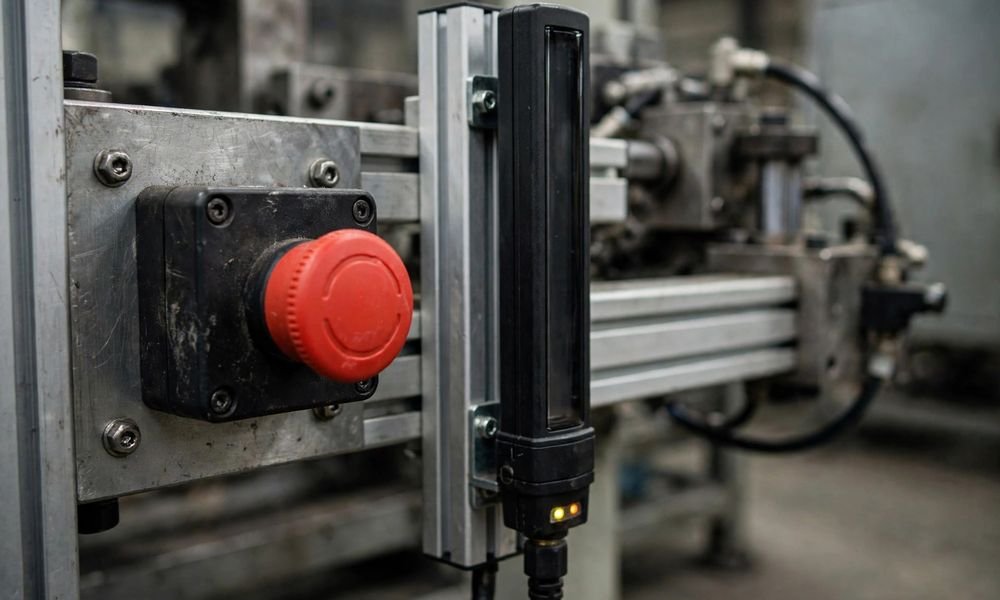
Physical safeguards are the layer that protects people when everything else fails. Fencing and interlocked guards keep people out of a robot’s workspace, light curtains and area scanners detect entry, safety mats detect a person standing in a danger zone, and emergency stop buttons give anyone nearby a way to halt the machine. These devices are specified by standards such as ISO 13855 for safe distances and ISO 13849 for the safety-related parts of control systems.
The safeguard must match the mode. A fenced cell needs interlocks and safe distances; a collaborative cell needs scanners, force limiting or both. The common mistake is to install a cobot without any safeguarding, on the assumption that “collaborative” means “safe by itself”. A cobot is only as safe as the application it is part of.
Best for: any cell where people can reach the robot: physical safeguards are the last line of defence and must be designed for the actual task, not assumed.
Comparing safety controls
| Control | What it does | Strength | Limit |
|---|---|---|---|
| Fencing and interlocks | Keeps people out of the workspace | Strong, simple, proven | Stops collaboration entirely |
| Light curtains and scanners | Detect entry and slow or stop the robot | Flexible, allows access | Needs correct safe distances |
| Speed and separation monitoring | Slows the robot as people approach | Allows shared work | Needs reliable sensing |
| Power and force limiting | Caps contact force below injury limits | Allows close contact | Only for light, blunt contact |
| AI monitoring and limits | Checks model outputs and caps behaviour | Catches AI-specific failures | Cannot catch every failure mode |
People, training and procedures
People are part of the safety system, not an afterthought. Operators need to know what the robot does, what it cannot do, how to stop it and what to do when it behaves unexpectedly. Maintenance staff need lockout procedures that isolate the robot’s energy sources before anyone works on it. Visitors need to know where they can and cannot go, and the cell needs clear marking so that knowledge is visible, not just written in a manual.
Training must cover the AI specifically. Staff should know that the robot’s behaviour can change after a software update, that its perception can be fooled by unusual objects or lighting, and that a robot that has stopped is not necessarily safe to approach. The most dangerous moment is often the recovery from a stop, when a person reaches in to clear a jam and the robot restarts. Our guide to keeping AI systems stable in production covers the monitoring habits that make that moment safer.
AI robotics safety checklist
- Complete a task-based risk assessment covering the robot, tooling, AI software, environment and people.
- Choose the collaborative mode that fits the task, and do not assume a cobot is safe without safeguards.
- Check the force and pressure limits for the body regions the robot could contact, following ISO/TS 15066.
- Set physical safeguards: fencing or scanners, safe distances and working emergency stops.
- Limit the AI: cap speeds and forces, define the workspace and require human confirmation for risky actions.
- Log AI decisions, monitor for unusual outputs and treat every software update as a change to the safety case.
- Train operators on the AI’s behaviour, the stop procedure and lockout.
- Review the risk assessment after any change, incident or near miss, and record the review.
Frequently asked questions
What is the main safety standard for industrial robots?
ISO 10218 is the core standard. Part 1 covers the robot’s design and construction, and Part 2, revised in 2025, covers integration and installation, including collaborative applications. ISO/TS 15066 adds the collaborative modes and the biomechanical force limits.
Is a collaborative robot safe without a fence?
Not automatically. A cobot is only safe as part of a complete application, including its tool, workpiece and task. It still needs a risk assessment, and many cobot cells need scanners, force limits or other safeguards to be safe.
What are the four collaborative operating modes?
Safety-rated monitored stop, hand guiding, speed and separation monitoring, and power and force limiting. Each mode protects people differently, and the right mode depends on how closely the person and the robot work together.
How does AI change robot safety?
AI adds new failure modes, such as misclassifying an object or choosing an unsafe path, and its behaviour can change after a software update. Controls include capping speeds and forces, monitoring model outputs, keeping an independent stop function and testing updates before deployment.
Who is responsible for robot safety?
Responsibility is shared: the robot maker, integrator and end user each have duties, and the end user owns the risk assessment for the complete cell. Buying a compliant robot does not remove the need to assess the actual task.
How often should a robot safety assessment be reviewed?
After any change to the task, layout, tooling or software, and after any incident or near miss. Record each review with its date and outcome.
Safety in AI robotics is not a feature to buy; it is a system to build, test and maintain. Standards, risk assessment, safeguards, AI limits and trained people each cover the gaps the others leave.
Safety disclaimer: this guide is general information, not safety advice for a specific installation. Robot safety requirements depend on the machine, the task, the workplace and local law. Always have a competent person carry out a task-based risk assessment, follow the applicable standards and local regulations, and consult a qualified safety specialist before deploying or changing a robot system.