Version control explained in plain terms means a system that records every change made to a set of files, so that a team can see who changed what, when, and why, and can undo any change that turns out to be a mistake. The central question is how dozens of people can work on the same project at once without chaos, and the short answer is that version control keeps a complete, shared history of the work, and gives everyone a safe way to combine their changes.
Think of a document passed around an office, where every person edits the same copy and nobody knows which version is current. Now imagine instead that every edit is saved as a new, labelled version, with the author’s name and a note explaining the change, and that any version can be brought back in seconds. That is what version control does for software, documents, and anything else that changes over time.
It is one of the quiet foundations of modern software. Almost every app on your phone was built by a team using version control, and without it, large projects would collapse under the weight of conflicting edits and lost work. It is less glamorous than AI or the cloud, and more essential than either.
Key takeaways
- Version control records every change to a project, with who made it and why.
- It lets many people work on the same files without overwriting each other.
- Branches let people try ideas safely, apart from the main, working version.
- Any earlier version can be restored, so mistakes are reversible.
- It creates a complete history that explains how a project reached its current state.
What version control is
Version control is a system for tracking changes to files over time. Every time someone saves a set of changes, the system records a snapshot, called a commit, along with the author’s name, the date, and a short message describing what changed and why. Those snapshots form a history that anyone on the team can read, search, and return to.
The modern standard is distributed version control, in which every team member holds a complete copy of the whole history on their own machine. People work offline, make commits locally, and then share their work with the team by pushing it to a shared server. If that server disappears, any copy of the history can rebuild it.
The best-known system is Git, created for building the Linux operating system and now used almost everywhere. Services built around it host the shared copies, add tools for reviewing changes, and let teams discuss work before it is accepted. The system itself, though, is the history, not the hosting service.
How version control works
A project lives in a repository, a folder that holds the files plus the entire history of changes. When you change a file, the system notices the difference and lets you record it as a commit. Commits stack up in order, forming a timeline of the project from its first day to the present.
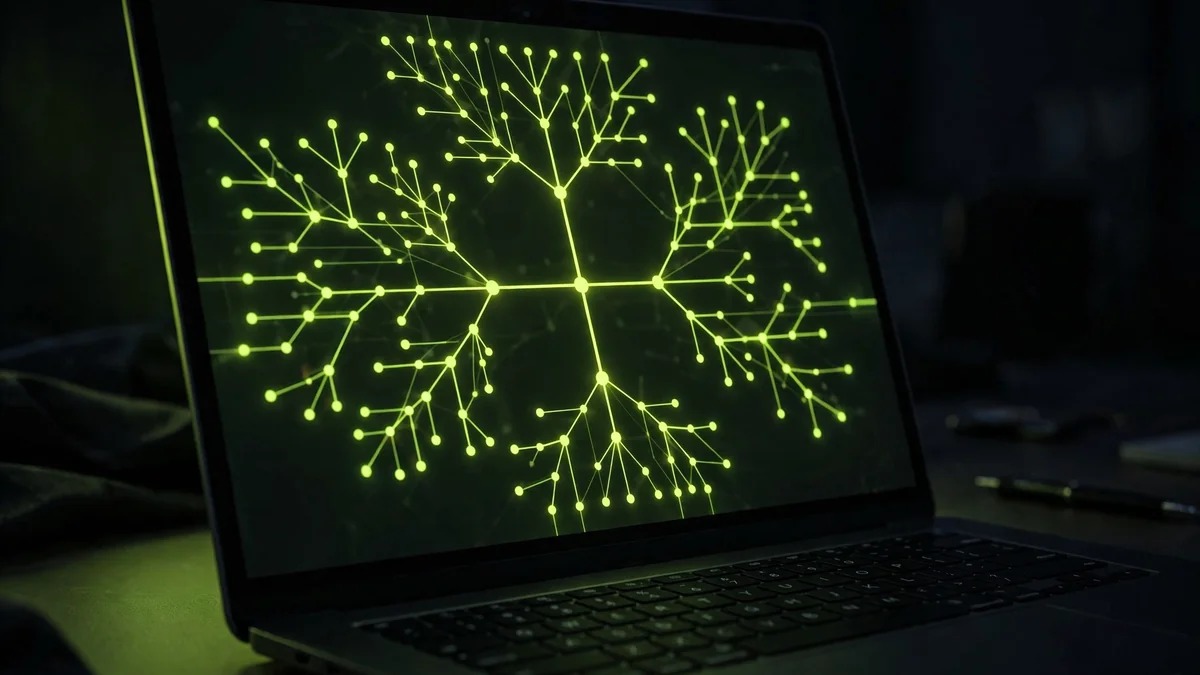
Branching is the feature that makes teamwork practical. A branch is a separate line of work, copied from the main line, where a person can build a feature or fix a bug without disturbing anyone else. When the work is ready, it is merged back into the main line, combining the changes. If two people edited the same lines, the system asks a human to resolve the conflict, rather than silently choosing one version.
That merging is where the discipline matters. Good teams keep changes small, describe them clearly, and review each other’s work before merging. Our guide to DevOps explains how those habits fit into the wider practice of shipping software quickly and safely.
Because every version is kept, mistakes are cheap. A bad change can be undone by returning to the commit before it, a lost file can be recovered from history, and a question about why a line of code exists can be answered by reading the commit that introduced it. The history is both a safety net and a record.

Comparing version control with no version control
| Aspect | Files without version control | With version control |
|---|---|---|
| Tracking changes | File names like final-v2-really-final | Every change logged with author and reason |
| Working together | One person at a time, or chaos | Many people, on separate branches |
| Undoing a mistake | Hope a backup exists | Return to any earlier commit |
| Reviewing work | Reading files side by side | Structured review before merging |
| Knowing why | Ask whoever remembers | Read the commit history |
Where version control is used
Software development is the main use, and it is hard to overstate how universal it has become. From a lone developer’s side project to an operating system built by thousands, version control is the way code is written, reviewed, and released. Our guide to data pipelines shows a related kind of versioned work, where data moves through defined steps that are also tracked and reviewed.
It is also used for documents, designs, and configuration. Legal teams track contracts, writers track manuscripts, and system administrators track the files that define servers and networks, all for the same reason: when something changes, they want to know what, when, and why, and they want to be able to go back.
Open source depends on it entirely. Strangers around the world contribute to shared projects by proposing changes on branches, having them reviewed in public, and merging the good ones. Without version control, that kind of open collaboration would be impossible.
Strengths and limits
The greatest strength of version control is that it makes change safe. People can experiment, because a failed experiment costs nothing more than discarding a branch. Teams can move fast, because the system catches conflicts and keeps the history. That safety changes how people work: they try more, and they fear breaking things less.
It also creates accountability without blame. When a bug appears, the history shows exactly when it was introduced and what was intended, which usually reveals a misunderstanding rather than carelessness. The record helps the team fix the process, not the person.
But version control has a learning curve. Its concepts, branches, merges, conflicts, and rebasing, confuse newcomers, and a careless command can tangle a repository. Teams need training and agreed habits, or the tool that was meant to prevent chaos can create its own.
It also records everything, including mistakes and secrets. A password accidentally committed to a repository stays in its history even after it is deleted from the current files, and removing it properly takes real effort. Care with what goes into a commit is part of using the tool well.
Version control checklist
- Commit small, complete changes, with a message that explains why.
- Work on a branch for each feature or fix, not directly on the main line.
- Pull the latest changes before starting new work each day.
- Review other people’s changes before merging them.
- Never commit passwords, keys, or other secrets to a repository.
- Resolve conflicts carefully, reading both versions before choosing.
- Tag important versions, such as releases, so they are easy to find.
- Keep a backup of the shared repository, even though copies exist elsewhere.
- Write messages for the person who will read them in a year, which may be you.
Frequently asked questions
What is version control?
Version control is a system that records every change to a project, with who made it and why. It lets teams work together on the same files, try ideas on separate branches, and undo mistakes by returning to earlier versions.
What is Git?
Git is the most widely used version control system. It is distributed, so every team member holds a complete copy of the project’s history, and it is free and open source. Most teams use it with a hosting service for sharing and review.
What is a branch?
A branch is a separate line of work within a repository. It lets a person build a feature or fix a bug without affecting the main version, and the work is merged back in when it is ready and reviewed.
What is a merge conflict?
A merge conflict happens when two people change the same lines of a file in different ways, and the system cannot decide which to keep. A human must read both versions and choose, or combine them, before the merge can finish.
Can version control be used for non-code files?
Yes. It works well for any text-based files, including documents, configuration, and designs stored as text. It is less useful for large binary files such as videos, which it cannot compare or merge line by line.
What happens if I commit a secret by mistake?
The secret stays in the history even if you delete it from the current files. You should change the secret at once, then remove it from the history with the system’s history tools, or ask an administrator for help.
The bottom line
Version control explained in one line is this: a complete, shared history of a project that makes change safe, teamwork possible, and mistakes reversible.
Commit small, describe your changes honestly, and review each other’s work. The history you build today is the safety net and the memory your team will rely on tomorrow.