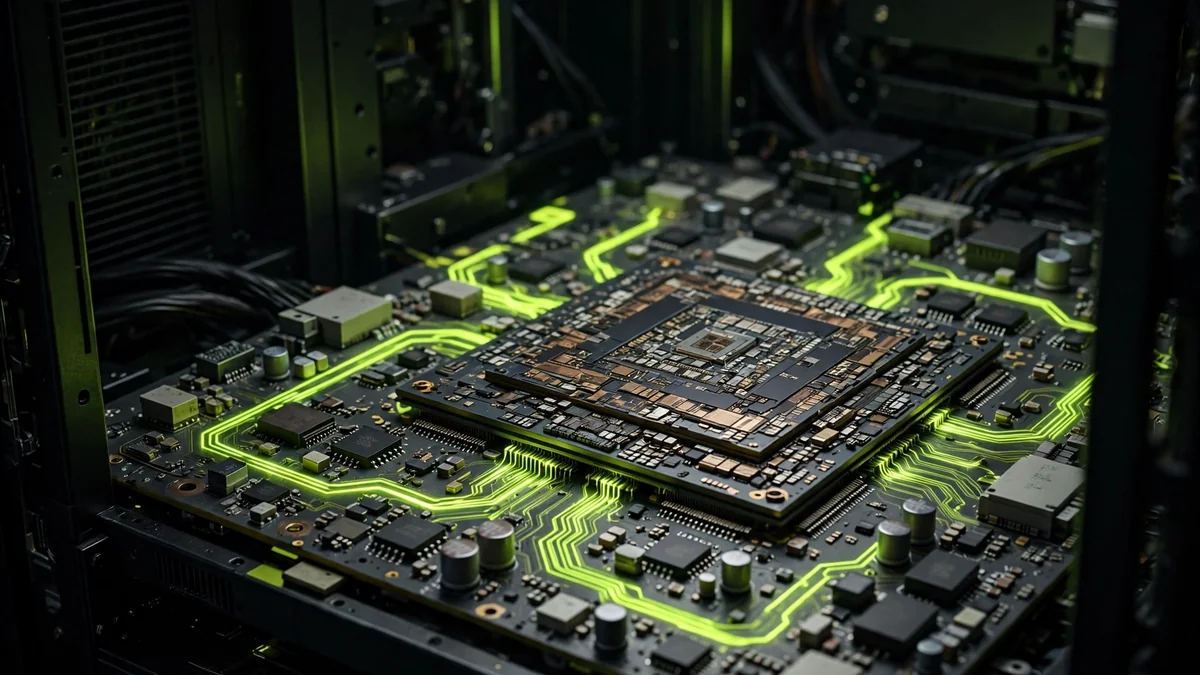
TPU explained in one sentence: a Tensor Processing Unit is a custom chip designed by Google to speed up machine learning, the calculations that train and run AI models. The central question most readers ask is how a TPU differs from a GPU, and the short answer is that a GPU is a general-purpose parallel processor that happens to be good at AI, while a TPU is a specialist built for one job, the matrix maths at the heart of neural networks, and it does that job with less wasted effort.
That specialisation matters because modern AI is dominated by a small set of operations repeated billions of times. Every time a model reads text, recognises an image or generates a reply, it multiplies large grids of numbers together. A chip that does exactly that, and little else, can be simpler and faster at that task than a chip designed to do everything. This guide explains what a TPU is, how it works, how it compares with a GPU, and where it fits in AI hardware.
Key takeaways
- A TPU is Google’s custom chip for machine learning, built around matrix multiplication.
- It is an ASIC, a chip designed for one workload, unlike a GPU, which is a general-purpose parallel processor.
- Its core is a systolic array that passes data through a grid of multipliers with minimal movement.
- TPUs run in Google Cloud and power Google’s own AI services, including training large models.
- For most readers the choice is not TPU or GPU, but which cloud service runs the model best.
What a TPU actually is
A Tensor Processing Unit is an application-specific integrated circuit, an ASIC, designed by Google for machine learning. Google announced the first TPU in 2016, and it had already been running inside Google’s data centres for about a year, powering products such as search and translation. The name comes from the tensor, the multi-dimensional grid of numbers that is the basic unit of data in a neural network.
The first TPU was built mainly for inference, the job of running a trained model to make predictions. Later generations added the power to train models too, and modern TPUs handle both training and inference. Google does not sell TPUs as standalone hardware. They are available through Google Cloud, where customers rent them, or they run behind Google’s own services.
That cloud-only model is an important difference from GPUs. You can buy a graphics card and put it in a desktop computer, but a TPU lives in a Google data centre and is reached over the network. Our guide to AI chips explains the wider landscape of processors built for machine learning, and where a specialist chip like the TPU sits within it.
How a TPU works
The heart of a TPU is the matrix multiply unit, a grid of multipliers known as a systolic array. Data flows through the grid in a steady rhythm, each unit multiplying and passing its result to the next, so thousands of multiplications happen at once without constantly fetching data from memory. Moving data in and out of memory is often the slowest part of AI work, so keeping it flowing through the array saves time and energy.
Around the matrix unit sit large amounts of fast on-chip memory, which hold the model’s weights close to where they are used. A TPU also uses reduced-precision arithmetic, working with shorter numbers that are good enough for neural networks, which lets it pack more calculations into each step. The combination is a chip that does fewer things than a GPU, but does its one thing with very little waste.
Software matters as much as silicon. TPUs are programmed mainly through TensorFlow and JAX, the machine learning frameworks Google built, and Google’s compiler translates a model into instructions the chip can run. A model written for a GPU does not automatically run well on a TPU, and some workloads fit the TPU’s design far better than others.
TPU vs GPU: the key differences
A GPU began life rendering graphics, and its thousands of small cores turned out to be excellent at the parallel maths behind AI. It is flexible, with a mature software ecosystem built around CUDA, NVIDIA’s programming platform, which was released in 2007. That flexibility is why GPUs remain the default choice for most AI work, from research labs to startups.
A TPU trades that flexibility for focus. It is designed for the dense matrix operations that dominate large neural networks, and it is built to work in large clusters called pods, where many chips are linked together to train a single model. But it is less useful for work outside machine learning, and its software ecosystem is narrower than the GPU world. Our GPU vs TPU comparison looks at the trade-off in more detail, and our guide to CUDA explains the platform that made GPUs the standard for AI development.
Comparing TPU and GPU
| Feature | TPU | GPU | What it means for you |
|---|---|---|---|
| Design | Specialist ASIC for matrix maths | General-purpose parallel processor | TPU is focused, GPU is flexible |
| Best workload | Large neural networks, dense matrix work | Wide range of AI and graphics work | Match the chip to your model |
| Availability | Google Cloud only, rented by the hour | Buyable as hardware or rented in the cloud | TPU means committing to Google Cloud |
| Software | TensorFlow and JAX, compiled by Google | CUDA ecosystem, broad tool support | GPU tools are more widely known |
| Scaling | Pods of many linked chips | Clusters of GPUs in any major cloud | Both scale, but in different clouds |
The generations of TPU
Google has released a new generation of TPU roughly every year or two since the first chip in 2016. The second generation, released in 2017, added the power to train models as well as run them, and the third generation, released in 2018, increased performance again. Each step followed the same pattern: more matrix units, more memory, and faster links between chips.
The fourth generation, released in 2021, was designed around pods, with optical links connecting many chips into a single large system for training very large models. The fifth generation arrived in two forms: the v5e, aimed at cost-efficient inference, and the v5p, released in December 2023, aimed at large-scale training. Trillium, the sixth generation, followed in 2024 with further gains in performance and efficiency.
Ironwood, announced in April 2025, is the seventh generation of TPU, and it is designed for inference at scale, the job of serving trained models to large numbers of users. The pattern across all seven generations is consistent: Google builds each chip for its own largest AI workloads first, then makes it available to cloud customers running similar work.
Where TPUs are used
Google uses TPUs to train its own models, including the Gemini family, and to run AI features across search, translation and photos. Google Cloud customers rent TPUs to train and serve their own models, particularly large language models and other workloads dominated by matrix maths. For these users, the appeal is a chip designed for exactly the work they are doing, running in the same cloud as their data.
TPUs also appear in research, where teams working on very large models need the scale that a pod provides. A university or lab training a model with billions of parameters can rent a pod for a limited run, rather than buying hardware it would rarely use at full capacity. That rental model is part of the point: the chip is a service, not a purchase.
The limits of a TPU
A TPU is not a general-purpose computer. It cannot run a database, render a game or replace a CPU, and it is only available through Google’s cloud. Models must be written in a supported framework and compiled for the chip, which can mean extra work for teams built around other tools.
For workloads that do not fit its matrix-heavy design, a GPU may be faster and simpler. Sparse models, custom operations and experimental architectures can all run poorly on a TPU, or not at all. The chip’s strength is its narrow focus, and that focus is also its limit.
TPU checklist
- Decide whether your workload is dominated by dense matrix maths before considering a TPU.
- Check that your model runs in TensorFlow or JAX, the frameworks TPUs support best.
- Compare TPU and GPU options on your actual model, not on marketing claims.
- Test a small training run first, and measure time and cost rather than assuming either.
- Plan for data movement, since results depend on feeding the chip fast enough.
- Use the largest cluster size your budget allows only after a small test proves the scaling works.
- Monitor training for bottlenecks in data loading, which often limit speed more than the chip.
- Keep a fallback plan, so a model that will not compile for a TPU can still run elsewhere.
- Review costs regularly, since cloud pricing changes and a cheaper option may appear.
Frequently asked questions
What does TPU stand for?
TPU stands for Tensor Processing Unit. A tensor is a multi-dimensional grid of numbers, the basic unit of data in a neural network, and the chip is designed to process tensors as fast as possible.
Is a TPU better than a GPU?
It depends on the workload. A TPU is built for the dense matrix operations at the heart of large neural networks, and it can be faster there, but a GPU is more flexible, has a broader software ecosystem, and is available in every major cloud. For most teams, the GPU is the simpler default.
Can I buy a TPU?
No. Google does not sell TPUs as standalone hardware. They are available only through Google Cloud, where customers rent them, or they run behind Google’s own services such as search and translation.
What is a TPU pod?
A TPU pod is a cluster of many TPUs linked together with fast connections, so they can work as a single system on one very large model. Pods are how Google trains its biggest models, and cloud customers can rent pod slices for their own large training runs.
Do TPUs only run Google’s models?
No. Google Cloud customers can rent TPUs to train and serve their own models, provided those models are written in a supported framework such as TensorFlow or JAX and compile for the chip. Google’s own models are simply the best-known workloads running on them.
Will TPUs replace GPUs?
No. GPUs remain the default for most AI work because they are flexible, widely available and supported by a huge software ecosystem. TPUs are a specialist alternative for large matrix-heavy workloads in Google Cloud, and both kinds of chip are likely to keep improving side by side.
The bottom line
TPU explained in one line is this: it is Google’s specialist chip for the matrix maths at the heart of AI, faster than a general-purpose GPU at that one job, but narrower, cloud-only, and tied to Google’s software stack. For teams running large neural networks on Google Cloud, it is a serious option; for everyone else, the GPU remains the default, and the right choice is the one that runs your model well on your budget.