Password security is the practice of choosing, storing and using passwords so that only the right person can sign in to an account. The central question it answers is simple: how do you keep accounts safe when passwords are the one secret standing between an attacker and everything inside? The answer is less about clever tricks and more about length, uniqueness and a second factor.
Passwords remain the most common way people sign in, even though they are widely disliked. Every account has one, from email and banking to work tools, and a single reused password can open many doors at once. That is why password security matters far beyond the sign-in screen: the email account behind a weak password often holds the reset links for everything else.
Key takeaways
- Password security rests on three habits: long passwords, a different password for every account, and multi-factor authentication.
- Length beats complexity: a long passphrase is both stronger and easier to remember than a short password full of symbols.
- NIST SP 800-63B advises at least eight characters, support for 64, no forced rotation, and screening against breached passwords.
- A password manager is the practical way to keep hundreds of unique passwords without reusing any of them.
- When a password is breached or suspected to be stolen, change it at once and check what else used the same one.
What password security actually means
Password security covers the whole life of a password: how it is chosen, how it is stored, how it is entered and how it is changed when something goes wrong. A password is a memorised secret, in the language of the standards, and its job is to prove that the person signing in is the account holder. It can only do that job if it is hard to guess, hard to steal and not shared across accounts.
Good password security is a mix of technology and behaviour. The technology side covers how the service stores passwords, whether it screens new ones against breached lists, and whether it offers a second factor. The behaviour side is what the user does: choosing strong passwords, not reusing them, and not sharing them. Neither side works alone.
Best for: everyone with an online account, from a single personal email address to a whole organisation with hundreds of staff.
Why passwords are still the weak point
Attackers rarely break passwords by guessing one at a time. They work from lists exposed in earlier breaches, try the most common ones first, and automate thousands of guesses in minutes. A password that appears in a breach list is effectively public knowledge, which is why checking new passwords against breached-password lists is now standard advice.
Reuse is the bigger problem. When one service is breached, the passwords from it are tried against other services, a technique known as credential stuffing. If the same password protects email, banking and work accounts, one breach hands the attacker all three. Unique passwords break that chain completely.
Phishing is the other common route in. A convincing fake sign-in page collects the password directly, and no password strength helps once it has been handed over. That is why a second factor matters so much: a stolen password alone should not be enough to get in.
What makes a password strong
Length is the single most important quality. Each extra character multiplies the number of possible passwords, so a long password is far harder to guess than a short one, even if the short one uses symbols and numbers. A passphrase of several unrelated words is both strong and much easier to remember than a jumble of characters.
Unpredictability matters next. A password built from a name, a birth year, a favourite team or the name of the service itself is predictable, because attackers build their guess lists from exactly that kind of information. Randomness, or at least words with no connection to the account holder, is what makes a password hard to guess.
Uniqueness matters just as much as strength. A strong password reused across ten accounts is one breach away from being useless everywhere. Nobody can memorise a different strong password for every account, which is why the next section matters more than any advice about choosing passwords.
NIST SP 800-63B, the Digital Identity Guidelines, reflects all of this. It says verifiers should require at least eight characters, permit at least 64, not demand a particular mix of character types, and compare new passwords against lists of commonly used or compromised values. It also says passwords should not be forced to change on a fixed schedule, but changed when there is evidence of compromise.
Password managers: the practical answer
A password manager is an application that generates, stores and fills in passwords for you. It remembers one strong master password, or a biometric unlock, and inside its encrypted vault it keeps a different long random password for every account. The user only has to remember the one master password, and the manager handles the rest.
The security of a manager rests on its master password and on the device it runs on, so the master password deserves care: long, unique and never written on a sticky note. Most managers also support multi-factor authentication on the vault, which is worth turning on, and many warn when a stored password appears in a known breach.
Some people worry about putting every password in one place. The concern is understandable, but the alternative, reusing a handful of passwords or writing them in a notebook, is weaker in practice. A reputable manager encrypts the vault so even the provider cannot read the passwords inside it, and the vault can be backed up if a device is lost.
Best for: anyone with more than a dozen accounts, and every organisation that wants staff to use unique passwords without memorising them.
Multi-factor authentication
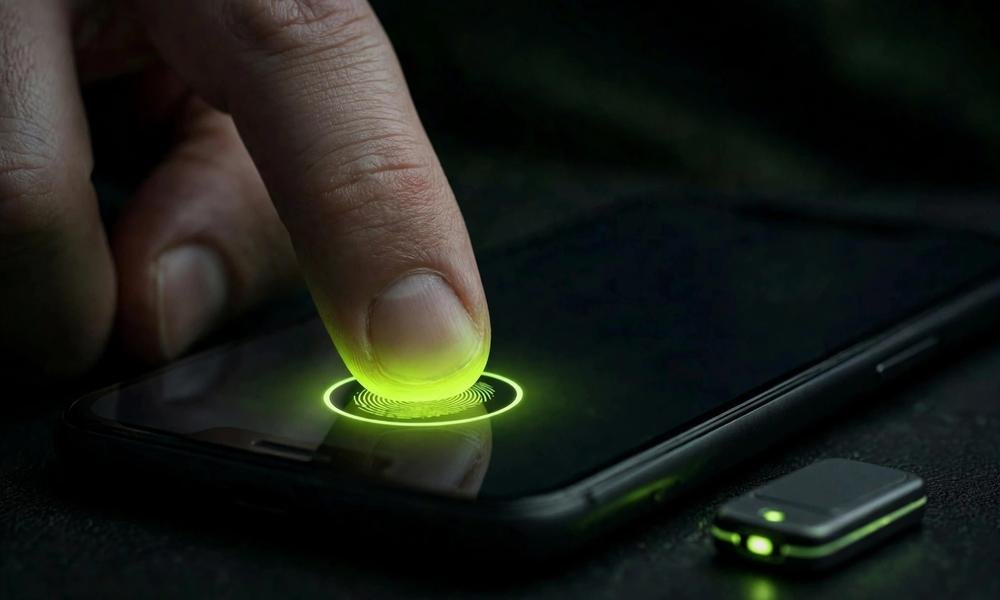
Multi-factor authentication, or MFA, asks for something beyond the password before granting access. The factors fall into three groups: something you know, such as a password; something you have, such as a phone or a security key; and something you are, such as a fingerprint. Using two factors from different groups is far stronger than two from the same group.
Not all second factors are equal. A hardware security key, which uses cryptography to prove it is genuine, is the strongest option and cannot be phished in the usual way. An authenticator app that generates a time-based code is the next best and works widely. A code sent by text message is better than nothing, but it can be intercepted, so use it only when no stronger option exists.
The practical rule is simple: turn MFA on everywhere it is offered, starting with email, the key to resetting most other accounts. Then add it to banking, cloud storage and work accounts. Our guide to cloud identity security best practices that actually hold up explains how MFA fits into the wider identity picture.
| Method | How it works | Strength |
|---|---|---|
| Hardware security key | A physical key proves itself with cryptography | Strongest, resistant to phishing |
| Authenticator app | Generates a code that changes every 30 seconds | Strong, widely supported |
| Push approval | Approve the sign-in on your phone | Strong, but watch for approval fatigue |
| Text message code | A code is sent to your phone by SMS | Basic, can be intercepted |
| Password only | Nothing beyond the password | Weakest, avoid where MFA is offered |
Common mistakes to avoid
The most common mistake is reuse. People reuse passwords because remembering many is hard; the fix is a password manager, not more effort. The second mistake is choosing passwords from personal information, which attackers can find on social media or in public records in minutes.
Forced rotation is another trap, and one that NIST now advises against. Changing passwords every 60 or 90 days pushes people towards small, predictable changes, such as adding a number to the old password. It is better to set a strong password and change it only when there is a reason, such as a breach or a suspected compromise.
Sharing passwords is a further risk, especially at work. A shared password cannot be revoked for one person without changing it for everyone, and nobody can tell afterwards who actually signed in. If several people need the same account, use a shared vault entry or separate accounts instead. The same least-privilege idea applies to automated access, as our guide to scoping AI agent permissions without breaking workflows explains.
Finally, watch for password reset emails you did not ask for. A reset request can be the first sign that someone is trying to get into an account, and it is worth checking the account security settings and changing the password if anything looks wrong.
What to do after a breach
When a service announces a breach, act quickly and in the right order. First change the password on the affected service, choosing a new long, unique one. Then change the same password anywhere else it was reused, because attackers will try it everywhere.
Next, check the account for changes you did not make, such as a new recovery email, forwarding rules or connected devices. Turn on MFA if it was off, and review recent sign-ins for sessions you do not recognise. If the breached account was an email address, check the accounts that use it for password resets.
For organisations, a breach means forcing password resets for affected staff, reviewing logs for suspicious sign-ins, and checking whether other systems used the same credentials. The response should follow the incident plan, not be improvised, and the lessons should feed back into policy.
Password security checklist
- Use a password manager and let it generate a different long password for every account.
- Make the master password long and unique, and protect the vault with MFA.
- Turn on MFA everywhere it is offered, starting with email and banking.
- Prefer a hardware key or an authenticator app over a text message code.
- Never reuse a password, and change any password that appears in a breach.
- Change passwords when there is evidence of compromise, not on a fixed schedule.
- Never share passwords by email or chat; use a shared vault or separate accounts.
- Check for reset emails and sign-ins you do not recognise, and act on them quickly.
Frequently asked questions
How long should a password be?
At least eight characters, and longer is better. NIST advises that systems support at least 64 characters, and a passphrase of four random words is a good target for the passwords you must memorise yourself.
Do I still need symbols and numbers in passwords?
Not necessarily. NIST no longer advises forcing a mix of character types, because length and unpredictability matter more. A long passphrase without symbols is stronger than a short password that ticks every composition box.
Is it safe to let my browser save passwords?
A browser password store beats reusing passwords, but a dedicated manager is stronger: it works across browsers and devices, generates better passwords and usually offers breach warnings. Either is far better than writing passwords down or reusing them.
What is a passphrase?
A passphrase is a password made of several words, such as four random words joined together. It is long, which makes it strong, and it is far easier to remember than a random string of characters of the same length.
Should I change my passwords regularly?
No. NIST advises changing a password when there is evidence it has been compromised, rather than every few months. Regular forced changes tend to produce weaker passwords, not stronger ones.
Are passkeys going to replace passwords?
Passkeys use cryptography on your device instead of a memorised secret, and are already supported by major platforms and browsers. They are phishing resistant and easier to use, but passwords will remain common for years, so good password habits still matter.


