
What happens between the moment someone taps “buy” on a website and the moment a confirmation appears? Somewhere, a server receives a request, checks a database, charges a card, and sends a response back, all in under a second. That server is almost certainly not sitting in the retailer’s back office. It is part of cloud infrastructure: the vast, invisible layer of computing power that modern software depends on.
The phrase gets used loosely. People say “the cloud” as if it were a single place, like a warehouse in the sky. It is not. Cloud infrastructure is a set of physical and virtual resources, owned by someone else and rented by the minute, that behave like a computer you never have to touch. Understanding how those pieces fit together makes conversations about cost, performance, and risk far less abstract.
The Definition That Most People Skip
The clearest starting point is the definition published by the National Institute of Standards and Technology in its Special Publication 800-145 on cloud computing, released in September 2011. NIST describes cloud computing as a model for enabling on-demand network access to a shared pool of configurable computing resources that can be provisioned and released quickly with minimal management effort.
That single sentence contains the whole idea. Resources are shared, they are configurable, and they can be claimed or returned without a purchase order or a technician visiting a building. NIST then breaks the model into five essential characteristics, three service models, and four deployment models, and those categories still organize most cloud discussions today.
The five characteristics
| Characteristic | What it means in practice |
|---|---|
| On-demand self-service | A developer can spin up a server through a dashboard without asking anyone |
| Broad network access | Resources are reachable over the network from phones, laptops, and other servers |
| Resource pooling | Many customers share the same underlying hardware, isolated from each other |
| Rapid elasticity | Capacity grows or shrinks quickly as demand changes |
| Measured service | Usage is metered, which is what makes pay-as-you-go billing possible |
That last point deserves emphasis. Measured service is not a billing gimmick bolted onto the technology. It is part of the definition. The meter is why a startup can rent a machine for three hours, and why an enterprise can run thousands of them for years without owning a single rack.
Virtualization: The Trick That Makes It Work
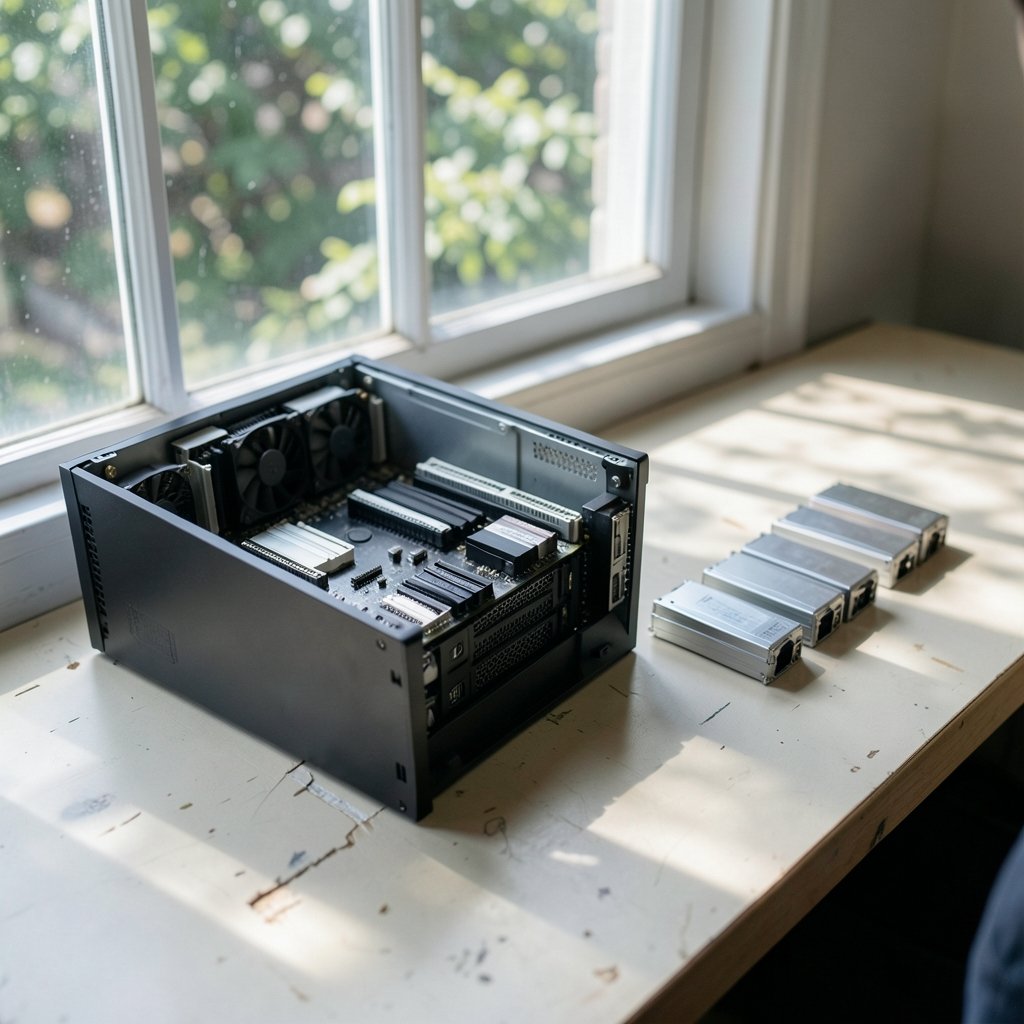
None of this would be economical without virtualization. A physical server is a powerful machine, and most applications use a fraction of it. Virtualization inserts a layer of software, called a hypervisor, that carves one physical server into many virtual machines, each running its own operating system and believing it has the hardware to itself.
The idea is older than most people assume. IBM’s CP-67 and CMS work in the late 1960s explored running multiple operating environments on one mainframe. The x86 server virtualization wave that shaped modern cloud infrastructure began with VMware’s ESX in 2001, which proved that commodity servers could be safely shared.
Containers pushed the same logic further. Instead of virtualizing hardware, they isolate applications within a shared operating system kernel, which makes them lighter and faster to start. Most serious platforms now mix both approaches: virtual machines for strong isolation, containers for density and speed. If you want a deeper look at how these layers combine into modern platform design, there is a useful overview of cloud infrastructure and architecture that covers the building blocks in more detail.
The Three Service Models, Without the Marketing
The service models describe how much of the stack the provider manages and how much the customer does.
Infrastructure as a Service (IaaS) rents raw computing: virtual machines, storage, and networking. The customer installs the operating system, patches it, and runs everything above it. It offers the most control and demands the most work.
Platform as a Service (PaaS) provides a managed environment for running code. The customer pushes an application; the provider handles servers, scaling, and patching. It reduces operational toil at the cost of flexibility.
Software as a Service (SaaS) delivers a finished product. Nobody administers the underlying infrastructure because nobody needs to. Email and web-based office suites are the obvious examples.
A practical way to think about it: IaaS is renting a kitchen, PaaS is renting a kitchen with a chef on call, and SaaS is ordering dinner. Most organizations use all three at once, often without noticing.
Public, Private, Hybrid, and Community Clouds
The deployment models describe who shares the infrastructure.
A public cloud pools resources across many unrelated customers and sells them on demand. A private cloud dedicates infrastructure to one organization, either on its own premises or in a provider’s facility. A hybrid cloud connects the two, letting workloads move between them. A community cloud serves a group of organizations with shared concerns, such as several hospitals or government agencies. (NIST SP 800-145: The NIST Definition of Cloud Computing)
In practice, “private cloud” is often the most misused term in the industry. A rack of servers managed by hand with no self-service and no metering is not a private cloud; it is traditional infrastructure with a new label. The NIST characteristics still apply.
Where the Physical Reality Shows Through
Cloud infrastructure feels weightless, but it is not. Every virtual machine sits on a real processor in a real building with power, cooling, and network links. That physical layer shapes what the cloud can do.
Geography matters more than newcomers expect. Providers divide the world into regions and availability zones, and a region is a promise about latency, legal jurisdiction, and failure isolation. When a provider announces a new region, the practical questions are about data residency, service availability, and how quickly interconnect options appear. A guide to reading a cloud region announcement can help separate genuine capability from press-release language.
Hardware choices matter too. The processors, accelerators, and networking silicon inside a data centre determine what workloads are affordable to run. That is especially visible in artificial intelligence, where the cost of specialized chips can dominate an entire budget. A closer look at AI chips and computing infrastructure explains how those components shape the economics of modern platforms.
The Skills That Transfer
One of the quieter advantages of cloud infrastructure is that its core skills travel well. Anyone who has learned to design for failure, automate deployments, and observe systems under load can apply those habits to almost any platform, including newer AI infrastructure. The reason is simple: the underlying problems, such as capacity, reliability, and blast radius, do not change just because the hardware does. There is a good explanation of how cloud reliability skills transfer to AI infrastructure that makes this connection concrete.
The same is true of documentation. Infrastructure that nobody can explain is infrastructure nobody can safely change. Clear runbooks, architecture decision records, and incident write-ups are not administrative overhead; they are how teams avoid repeating outages. A piece on how technical writing supports enterprise infrastructure teams covers why this discipline pays off.
Security and the Shared-Responsibility Model
The most common misconception about cloud security is that the provider handles it. Providers secure the physical facility, the hardware, and the virtualization layer. Customers secure their own configurations, identities, access rules, and data.
That split is called the shared-responsibility model, and NIST addressed it in its guidance on security and privacy in public cloud computing, published in December 2011. The document predates many current services, but its central point has aged well: moving to the cloud shifts who does which security work, and it does not remove the work.
In practice, most cloud breaches trace back to customer-side mistakes rather than provider failures. An open storage bucket, an over-permissive role, or a forgotten access key causes far more damage than a data-centre incident. The practical fix is boring and effective: make the secure configuration the default one, and make the insecure configuration require a deliberate decision.
Cost: Where the Model Bites Back
Pay-as-you-go pricing is the feature that sells cloud infrastructure and the feature that generates the most unpleasant surprises. Because usage is metered, small inefficiencies multiply quietly. An oversized database instance, a forgotten development environment, or a storage bucket accumulating old logs can each add real money every month.
Data transfer is the classic trap. Moving data into most clouds is cheap or free; moving it out is often not. Teams that design for performance without reading the transfer pricing frequently discover this at the end of a quarter. Tracking those flows deliberately, rather than waiting for the invoice, is the difference between a predictable bill and a monthly argument. A practical method for tracking cloud data transfer costs walks through the approach.
Three habits consistently help:
- Tag every resource with an owner and a purpose, so unused items can be found.
- Set budgets and alerts before the first production workload, not after.
- Review the largest line items monthly, because cloud spending follows a power law.
Lock-In, Portability, and the Rules Around It
Vendor lock-in is the concern that moving from one provider to another will be too expensive or too slow to attempt. Some of it is real and some is self-inflicted. Proprietary managed services create genuine switching costs; so does data egress. But plenty of lock-in comes from architecture choices that were never examined.
Standards help at the edges. The Distributed Management Task Force publishes the Open Virtualization Format specification, a standard for packaging virtual appliances so they can move between platforms. It will not make an application portable on its own, but it shows what genuine interoperability work looks like.
Regulation is now pushing in the same direction. The European Union’s Data Act, Regulation (EU) 2023/2854, entered into force in January 2024 and includes provisions intended to make switching between cloud providers easier. For organizations operating in Europe, contractual exit terms are becoming a compliance question rather than a negotiation tactic.
What Actually Works in Practice
Experience across many cloud migrations points to a handful of patterns that separate smooth adoptions from painful ones.
Start smaller than feels comfortable. Teams that move one well-understood workload first learn the platform’s quirks cheaply. Teams that migrate everything at once learn them expensively.
Automate from the beginning. Manual console changes are fine for experiments and dangerous for production, because they leave no record and cannot be repeated reliably. Infrastructure defined in code can be reviewed, versioned, and rebuilt.
Design for failure explicitly. Assume any single component will stop working and decide in advance what should happen. That mindset is the real content of cloud reliability, and it costs nothing to adopt early.
Finally, teach the organization as a whole, and not the engineers alone. Finance needs to understand metered billing. Legal needs to understand data residency. Support needs to understand what an outage looks like from the customer’s side. Cloud infrastructure changes how a whole business operates, as well as how its software is hosted.
Conclusion
Cloud infrastructure is less mysterious once the vocabulary is stripped away. It is shared hardware, sliced by virtualization, metered by usage, and delivered over a network, with responsibility split between provider and customer along lines that are predictable once you know them. The definitions have been stable for well over a decade, and the practical lessons are consistent: start small, automate early, watch the meter, and write things down.
The organizations that do well with cloud infrastructure are rarely the ones with the most sophisticated architecture. They are the ones that understand what they are renting, what they are responsible for, and what it costs when demand changes. That understanding is available to anyone willing to learn the fundamentals.
Frequently Asked Questions
What is cloud infrastructure in simple terms?
It is computing power, storage, and networking rented from a provider instead of owned outright. The provider runs the physical data centres and the virtualization software; the customer rents virtual resources over the internet and pays for what they use.
Is the cloud just someone else’s computer?
Partly, yes, and the phrase is more accurate than it sounds. The important difference is that those computers are pooled, automated, and metered, so capacity can be claimed or released in minutes rather than weeks. That elasticity is what makes the model different from renting a traditional server.
What is the difference between IaaS, PaaS, and SaaS?
The difference is how much of the stack the provider manages. IaaS supplies raw virtual machines and networks, PaaS supplies a managed environment for running code, and SaaS supplies a finished application. As you move from IaaS to SaaS, you trade control for convenience.
Is cloud infrastructure more secure than on-premises systems?
It can be, but not automatically. Providers generally have stronger physical and hardware security than most organizations could build alone. However, customers remain responsible for their own configurations, identities, and data, and misconfiguration is the most common cause of cloud breaches.
Why does cloud computing sometimes cost more than expected?
Because billing is metered and usage is easy to increase. Oversized instances, forgotten test environments, and data transfer charges accumulate quietly. Tagging resources, setting budget alerts, and reviewing the largest line items monthly keep spending predictable.
What does vendor lock-in actually mean?
It means the cost or effort of moving to another provider is high enough to discourage switching. Some lock-in comes from proprietary services and data transfer fees; some comes from architecture decisions nobody examined. Standards and newer regulations aim to reduce it, but portability still requires deliberate design.




