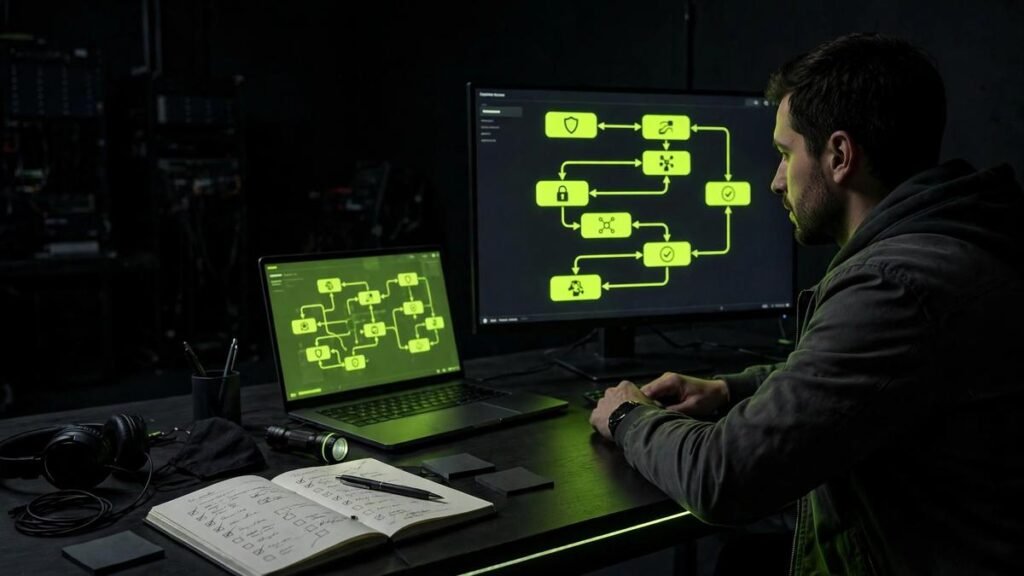
AI platform migration is the move from one AI platform to another: changing the system that serves models, stores prompts, runs retrieval and enforces governance, while the applications built on the old platform keep running. It is one of the hardest projects a platform team can take on, because the platform is infrastructure that other teams depend on every day. The central question is how to migrate without breaking production, and the answer is to move in small steps, run both platforms in parallel, and cut over application by application, with a way back at every stage.
Migrations are usually driven by a real problem: the old platform cannot scale, its costs have become unmanageable, its provider is being retired, or the organisation has standardised on a different platform. Whatever the reason, the migration is a means to an end, not an end in itself. The measure of success is not that the new platform is live, but that every application runs as well or better on it than it did before, and that the teams using it are not worse off for the move.
Key takeaways
- Migrate application by application, not all at once, and run both platforms in parallel.
- Inventory everything first: models, prompts, retrieval indexes, data and governance rules.
- Expect behaviour to change: the same prompt can produce different answers on a new platform.
- Every step needs a way back, tested before it is needed.
- The migration is finished when the old platform is retired, not when the new one is live.
Why AI platform migrations are different
Migrating an AI platform is harder than migrating an ordinary service, because the behaviour of the system is not fully specified. A database migration can be verified by comparing rows; an AI platform migration cannot be verified the same way, because the same prompt can produce a different answer on the new platform, even when everything is configured correctly. Model versions differ, retrieval behaves differently, and small differences in how prompts are assembled can change results.
The migration also touches more than code. Prompts, evaluation test cases, retrieval indexes, embedding models, governance policies, audit logs, cost allocations and access controls all live in the platform, and all of them need to move. Some of these have no export function, and some cannot be moved at all without rebuilding them. The inventory phase of a migration is therefore longer and more important than it is for most infrastructure moves.
There is also a human dimension. Product teams have built their applications around the old platform’s behaviour, including its quirks. A migration that changes that behaviour, even slightly, will be felt by those teams first, and their trust in the platform depends on how well the migration is handled. For the platform being moved to, see our guide to what an enterprise AI platform actually does, which describes what a large organisation’s platform covers.
Inventory and planning
Every migration starts with an inventory: what is actually running on the old platform. That means every application, every model in use, every prompt template, every retrieval index, every dataset, every scheduled job, every integration and every governance rule. The inventory is almost always larger than anyone expects, because teams build things on the platform without telling the platform team.
Usage data helps. Logs of which models are called, which prompts are used and which applications generate the most traffic show what matters and what can be retired. Applications that have not been called in months may not need to migrate at all, and retiring them before the migration is one of the cheapest ways to reduce its size.
Planning should produce a migration order, not just a date. Applications are usually migrated from the least critical to the most critical, so that the team learns on the easy cases before it touches the ones that matter most. The plan should also name the owner of each application, the person who will test it on the new platform, and the criteria that decide whether it is ready to cut over. Best for: organisations with many applications on the old platform, where a single big-bang cutover would put too much at risk at once.
Moving prompts, models and retrieval
Prompts are the most deceptively difficult part of the move. A prompt template that works on one platform may behave differently on another, because the platforms assemble the final prompt differently, apply different system instructions, or use different token counting. Every prompt should be re-tested on the new platform, against the same test cases, and the results compared with the old platform’s output before the application cuts over.
Models rarely move one to one. The new platform may offer different models, different versions, or the same model behind a different interface. Each model choice needs to be re-evaluated, not assumed: a model that was the best choice on the old platform may not be the best choice on the new one, and the evaluation should be repeated rather than carried over.
Retrieval needs rebuilding more often than teams expect. Indexes, embeddings and chunking strategies are tied to the old platform’s choices, and the new platform may use a different embedding model or a different retrieval method. Rebuilding an index is straightforward in principle, but it takes time for large datasets, and the results need to be compared with the old index before the application moves. For the rollback discipline a migration depends on, see our guide to AI model rollback strategies, which covers keeping production stable.
Running both platforms in parallel
The safest migrations run both platforms at the same time, for weeks or months. During that period, applications are moved one at a time, and each is tested on the new platform while the old one still serves traffic. The parallel period costs more, because two platforms are running, but it is the cheapest insurance a migration can buy.
Traffic splitting makes the parallel period practical. A small share of requests goes to the new platform first, then a larger share, with the quality and latency of both compared continuously. If the new platform misbehaves, traffic returns to the old one without an incident. If it behaves well, the share grows until the cutover is complete.
Data synchronisation is the hardest part of running in parallel. Retrieval indexes, prompt versions and configuration need to be kept consistent across both platforms, or the comparison between them becomes meaningless. The team should decide early which platform is the source of truth during the parallel period, and how changes are propagated to the other.
Cutover and rollback
Cutover is the moment an application stops using the old platform and starts using the new one, and it should be boring. A boring cutover means the application was already tested on the new platform, traffic was already split, and the only remaining step is to move the last share of traffic. If cutover feels dramatic, the preparation was incomplete.
Every cutover needs a rollback plan, and the plan needs to have been tested. Rolling back means returning traffic to the old platform, and that only works if the old platform is still running, still configured, and still able to serve the application’s traffic. The old platform should not be decommissioned until every application has been running on the new one for a meaningful period, and until the team is confident that no application will need to return.
Communication matters as much as the technical steps. Product teams need to know when their application will move, what will change, and who to contact if something looks wrong. A migration that surprises its users will lose their trust, even if it succeeds technically.
Comparing migration strategies
| Strategy | How it works | Risk | Best for |
|---|---|---|---|
| Big-bang cutover | All applications move at once | High: one failure affects everything | Tiny platforms with few applications |
| Application by application | Each application moves when ready | Low, but slower and costlier | Most organisations, most platforms |
| Traffic splitting | Requests split between old and new | Medium: needs data synchronisation | High-traffic applications |
| Strangler pattern | New platform grows around the old one | Low, but long parallel period | Large platforms with many applications |
| Rebuild on the new platform | Applications rewritten, not moved | Medium: scope creep is common | Applications that need redesign anyway |
The application-by-application approach, often combined with traffic splitting for the largest applications, is the right default for most migrations. Big-bang cutovers are tempting because they are fast, but they concentrate all of the migration’s risk into a single moment.

AI platform migration checklist
- A complete inventory exists: applications, models, prompts, indexes, data and governance rules.
- Unused applications and prompts are retired before the migration starts.
- Applications are ordered from least to most critical, each with a named owner.
- Every prompt is re-tested on the new platform against the same test cases.
- Model choices are re-evaluated on the new platform, not carried over blindly.
- Retrieval indexes are rebuilt and their results compared with the old platform.
- Both platforms run in parallel, with traffic split gradually toward the new one.
- One platform is the named source of truth for data and configuration during the parallel period.
- Every cutover has a tested rollback plan, and the old platform stays live until all applications are settled.
- Product teams know when their application moves, what changes, and who to contact.
Frequently asked questions
How long does an AI platform migration take?
It depends on the number of applications and the size of the retrieval data, but most migrations take months rather than weeks, with the parallel period accounting for much of that time. A plan that promises weeks for a large platform is usually missing the inventory and testing work.
Should prompts be moved as they are, or rewritten?
Moved as they are first, then re-tested and adjusted only where the results differ. Rewriting every prompt from scratch turns a migration into a redesign, and it makes it impossible to tell whether a bad result came from the move or from the rewrite.
What is the biggest risk in an AI platform migration?
Undiscovered dependencies: applications, prompts and integrations that were not in the inventory. The second biggest is behaviour change, where the same prompt produces different answers on the new platform and nobody notices until users complain.
Can a migration be done without downtime?
Yes, with a parallel run and traffic splitting. Applications move one at a time, and each cutover moves only traffic that has already been tested on the new platform. Downtime usually comes from rushing the cutover, not from the migration itself.
When should the old platform be retired?
Only after every application has run on the new platform for a meaningful period, with no rollback needed, and after the data, logs and audit records that must be kept have been preserved. Retiring early to save cost is the most common way to turn a finished migration into a new incident.
Who should own an AI platform migration?
The platform team, with a named migration lead, and with each application owner responsible for testing their own application. A migration owned by no one in particular will drift; a migration with a named lead and clear owners will finish.