Agent legal automation is the use of AI agents to carry out legal work end to end, from gathering the facts to drafting a document and routing it for review. It goes beyond a chatbot that answers questions: an agent can open a matter file, pull the relevant clauses from past agreements, draft a first version, flag the risky terms and hand the result to a lawyer for approval. The central question for any legal team is whether that work can be trusted, and the honest answer is that it can be trusted for defined, repeatable tasks with clear checks, while judgement, strategy and accountability stay firmly with people.
Legal work is a natural fit for agents in some ways and a hard test in others. Much of it is document-heavy, rule-based and repetitive, which is exactly where agents are strong. At the same time, the stakes are high: a missed clause or a hallucinated citation can have real consequences for a client. That tension shapes everything about how agent legal automation should be designed, deployed and supervised.
Key takeaways
- Agent legal automation works best on defined, repeatable tasks such as first drafts, clause extraction and matter intake.
- Agents should prepare and flag work; lawyers should decide, approve and take responsibility for it.
- Confidentiality, privilege and data handling must be designed in before any agent touches client matter.
- Audit trails and verification steps are what make an agent’s output trustworthy.
- Start with one low-risk workflow, measure it, and expand only after it proves itself.
What is agent legal automation?
Agent legal automation means giving an AI agent the tools and permissions to carry out a legal workflow on its own, within limits set by the firm. The agent might receive a new instruction, read the matter documents, search a clause library, draft a response and log every step it took. A human reviews the result before it goes to a client or is filed.
The difference from older legal technology is the degree of autonomy. Traditional document automation fills in a template from a set of answers. An agent decides which template to use, finds the facts it needs, handles the exceptions and asks for help when it is unsure. That autonomy is useful, but it is also the reason the guardrails matter so much.
Most legal teams start with work that is high in volume and low in ambiguity. Contract review, non-disclosure agreements, standard employment letters and due diligence checklists are common starting points. Complex litigation strategy, novel transactions and anything involving a difficult judgement call are poor early choices.
Where agents help most in legal work
The strongest use cases share three traits: the work repeats, the inputs are mostly documents, and a wrong answer is easy to spot on review. When all three are present, an agent can save real time without creating hidden risk.
Contract drafting and review
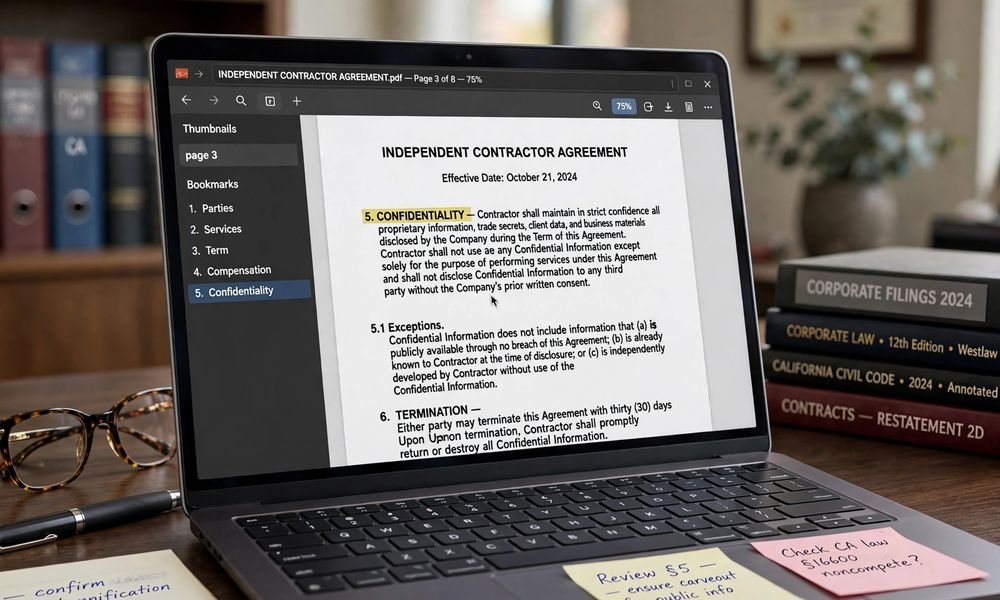
An agent can draft a first version of a standard agreement from a matter brief, pulling the firm’s preferred clauses and adapting them to the deal terms. It can also review a counterparty’s draft, compare it against the firm’s playbook and produce a list of deviations with suggested responses. Best for: standard contracts, non-disclosure agreements and renewals where the firm’s position is well documented.
The review step is where agents earn their keep. A good agent does not just summarise a contract; it checks it against the playbook, flags missing clauses, highlights unusual liability caps and notes any term that falls outside the firm’s normal range. Every flag should cite the clause it refers to, so the reviewer can check it in seconds.
Legal research and document review
Agents can search across internal matter files, legislation and case law databases, then pull together the passages that matter for a question. They can also work through large document sets in discovery or due diligence, sorting files by relevance and extracting key terms. For more on how review tools perform in practice, see our guide to AI legal document review, which covers where it works and where it still fails.
Research is also where the risks are clearest. An agent that invents a citation or misstates a holding can mislead a lawyer who trusts it too quickly. Verification must be built into the workflow: every cited source should be checked against the original, and the agent should say when it cannot find support for a claim. Best for: first-pass research, document sorting and extracting defined terms from large sets.
Matter intake and administration
Before any substantive work begins, an agent can handle intake: reading a new instruction, checking for conflicts, opening the matter, gathering the client’s documents and preparing a summary for the responsible lawyer. It can also chase missing documents, send routine status updates and keep the file organised. Best for: firms with high volumes of similar matters, where intake is a bottleneck.
Intake agents need tight controls on confidentiality and conflicts. The agent must know which matters it may access, which client data it may share and when to stop and escalate to a person. Our guide to AI agent permissions explains how to scope access without breaking workflows.
Comparing approaches to legal automation
| Approach | How it works | Main strength | Main risk |
|---|---|---|---|
| Template automation | Fixed templates filled from structured answers | Predictable and easy to audit | Breaks on unusual facts |
| Agent drafting | Agent selects clauses and drafts from a brief | Handles variation well | Output needs careful review |
| Agent review | Agent checks drafts against a playbook | Catches deviations fast | May miss context a lawyer would see |
| Agent research | Agent searches sources and summarises findings | Covers large volumes quickly | Citations must be verified |
| Human-only | Lawyers do every step by hand | Full professional judgement | Slow and expensive at volume |
No single approach wins on its own. Most firms end up with a mix: templates for the most standard documents, agents for drafting and review, and humans for judgement, negotiation and sign-off. The table above helps to see where each approach belongs rather than treating automation as an all-or-nothing choice.
The safeguards that make it safe
Legal automation without safeguards is a liability. The safeguards are not an add-on; they are the product. Four areas matter most: confidentiality, verification, audit and accountability.
Confidentiality comes first. Legal work involves privileged and confidential material, so the agent’s data handling must be understood before deployment. Know where the data goes, how long it is retained, who can access the logs and whether any of it is used to train models. If those answers are not clear, the agent should not touch client matter.
Verification means the workflow checks the agent’s work, not just the agent checking itself. Citation checks against original sources, playbook comparisons and a human review step are the minimum. An agent that cannot show its sources should not be trusted with anything that leaves the firm.
Audit and accountability close the loop. Every action the agent takes should be logged: what it read, what it produced and what it changed. Our guide to AI agent observability covers tracing what agents actually do, which is the foundation of any audit. The lawyer who signs the work remains responsible for it, and the audit trail is what lets them stand behind it.
How to adopt agent legal automation
Adoption works best as a small, deliberate programme rather than a firm-wide launch. Pick one workflow, define the checks, run it with close supervision and expand only when the evidence supports it.
Start by choosing a workflow with high volume and low ambiguity, such as non-disclosure agreements or standard contract renewals. Define the firm’s position in a written playbook, because the agent can only follow rules that exist in a form it can read. Then set the review process: who checks the output, what they check and what happens when the agent flags something it cannot resolve.
Measure the pilot honestly. Track how much time it saves, how often the reviewer changes the output and how often the agent escalates. If reviewers are rewriting most of the output, the playbook or the prompts need work before the workflow expands. Governance should be part of the pilot from the start, not added later; our guide to enterprise AI governance shows how to turn policy into daily practice.
Legal automation adoption checklist
- One low-risk, high-volume workflow is chosen for the pilot.
- The firm’s position is written down as a playbook the agent can follow.
- Confidentiality and privilege rules are confirmed before any client data is used.
- Every output is reviewed by a lawyer before it leaves the firm.
- Citations are checked against original sources, not taken on trust.
- All agent actions are logged in an audit trail.
- Escalation rules are defined for anything the agent cannot resolve.
- Time saved and reviewer changes are measured during the pilot.
- Clients are told how their matter is handled where that is required.
- Expansion waits until the pilot shows reliable results.
Frequently asked questions
Can an AI agent replace a lawyer?
No. Agents can prepare, draft and check work, but legal judgement, client advice and professional responsibility belong to qualified lawyers. The agent is a tool that extends a lawyer’s reach, not a substitute for one.
Is agent legal automation safe for client data?
It can be, when the data handling is understood and controlled. Before deployment, confirm where data is stored, how long it is kept, who can access it and whether it is used for training. If any of those answers are unclear, do not use the agent on client matter.
What legal work should agents not do?
Agents should not give final advice, make strategic decisions, negotiate on a client’s behalf without supervision, or sign anything. Anything involving novel law, high stakes or difficult judgement should stay with a lawyer.
How do you check an agent’s legal research?
Verify every citation against the original source and treat any claim the agent cannot support as unproven. A workflow that requires the agent to quote the source passage makes this check fast and reliable.
What does a legal automation pilot cost?
The cost depends on the tooling, the volume of work and the time spent writing playbooks and review processes. The largest cost is usually the human time to set up the playbook and the review step, not the software itself.
Do clients need to know an agent was used?
That depends on the jurisdiction, the engagement terms and the firm’s own policies. Many firms disclose the use of AI tools as a matter of transparency, and some clients ask about it directly. Check the applicable professional rules before deciding.
This article is general information about agent legal automation, not legal advice. Legal requirements, professional duties and client obligations vary by jurisdiction and by matter, so seek advice from a qualified lawyer for specific decisions.